
Tech
Top Tips for Choosing the Best Image Format for Your Project


Have you ever wondered why some images look sharp and clean while others look blurry or slow to load? The answer often comes from choosing the right image format for your work. Images play a big role in how people see and trust your project.
They affect how fast pages load, how clear pictures appear, and how well files work on different screens. When you understand image formats, you can make better choices with less stress. By reading this guide, you will learn how to pick image formats that improve quality, speed, and smooth use across devices.
Understanding Digital Pictures
Digital pictures are made from tiny dots called pixels that work together to form an image. Each image format stores these pixels in a different way, which affects how the picture looks and how large the file becomes. Some formats keep every detail, while others remove extra data to save space.
This choice matters because file size can change loading speed and storage needs. Knowing how digital pictures work helps you decide which format fits your project goals. Images are often shared on websites, apps, and documents, so they must work well in many places.
A format that looks good on one screen may not look the same on another screen. This is why understanding basic image formats is helpful for beginners. When you know what happens behind the scenes, you can avoid common mistakes and keep your visuals clear and useful.
How Image Formats Affect Trust And First Impressions
Images often create the first impression people have of your project. Clear and sharp visuals help users feel confident about the content they are viewing. Blurry or slow images can make a project seem careless or hard to trust, even if the information is useful.
When people trust what they see, they are more likely to stay and engage. Image formats that load fast and stay clear support a smooth experience. This is why choosing wisely can help your project feel reliable and professional from the start.
Making Image Choices Easier For Beginners
Many beginners feel unsure when picking an image format because the options seem confusing. Learning the basics removes stress and helps you make calm decisions. When you understand why formats behave differently, the process feels more manageable.
Simple testing can guide your choices without pressure. Saving images in different formats and comparing results builds experience over time. With steady practice, selecting the right image format becomes a natural part of your workflow.
Why Choosing the Right Image Format Matters
Choosing the right image format matters because it shapes how people experience your project. A poor choice can cause slow loading pages, blurry photos, or files that fail to open on other platforms. A good choice supports high quality images while keeping file sizes small.
This balance helps users enjoy your content without delays or problems. When images load fast and look clean, people are more likely to stay and explore. Search engines also favor pages that load quickly and work well on many devices.
This means your image format choice can affect reach and trust. Learning this skill early helps you create projects that look professional and work smoothly.
Common Image Formats Explained
Some image formats are more common because they fit many needs. JPEG files are popular for photos because they keep good detail while reducing file size. They work well for digital pictures with many colors, such as photos of people or nature.
PNG files are known for sharp edges and clear text, making them useful for logos and icons. GIF files support simple animation and limited colors, which suits small moving images. Each format has strengths and limits that affect how it performs.
In some cases, converting files is useful, and many creators believe PNG to JPG builds your brand when speed and size matter. Understanding these formats helps you choose wisely without guessing.
Quality Size And Speed Balance
Every project needs a balance between quality, size, and speed. High quality images look great but often come with large file sizes. Large files can slow down websites and frustrate users, especially on mobile devices.
Smaller files load faster but may lose some detail if too much data is removed. The key is to decide what matters most for your project. A photo gallery may need high quality, while a blog post may need faster loading.
Testing images before publishing helps you see what works best. When you balance these factors, your project feels smooth and polished.
Using The Right Tools With Confidence
The right tools make image work easier and less confusing. Many free and paid tools allow you to resize, compress, and convert images. These tools help you keep high quality while reducing file size.
They also make it easier to prepare images for different uses without extra stress. Learning a few basic tools builds confidence over time. You do not need advanced skills to start improving your images.
Simple steps like previewing files and checking sizes can make a big difference. With the right tools, beginners can handle images like experienced creators.
Preparing Images For Other Platforms
Images often appear on other platforms such as social media, websites, and apps. Each platform may have its own size rules and format support. An image that looks great on one site may not work well on another.
This is why planning ahead saves time and effort. When you prepare images for sharing, think about screen size and user experience. Formats that work across devices help avoid display problems.
Testing images on different screens helps you spot issues early. This habit ensures your visuals stay clear and friendly wherever they appear.
A Smart Finish For Your Visual Work
Choosing the right image format is a skill that grows with practice and care. By understanding how formats affect quality, speed, and use, you gain control over your project results. The right choices help digital pictures look clean, load fast, and work well on many devices.
This knowledge supports better design and smoother sharing across platforms. As you apply these tips, your confidence will grow with each project you complete.
Did this guide help you? Browse the rest of this section for more advice on a variety of topics.


For most Australian businesses, building a mobile app is no longer an experiment. It is a capital decision. The app often becomes the front door to customers, partners, and internal teams. When it underperforms, the impact shows up quickly in revenue leakage, customer churn, or operational drag.
That is why choosing the mobile app developers in Australia has shifted from a procurement task to a leadership decision. CTOs worry about technical debt. CFOs worry about sunk costs. Product heads worry about adoption curves. Entrepreneurs worry about speed without breaking trust.
In many recent projects across fintech, healthcare, and retail, Australian companies have learned the same lesson the hard way. The real risk is not building slowly. It is building a sub-par product with an inefficient partner.
This is where firms such as Appinventiv in Australia often enter conversations, not as coders, but as an experienced delivery partner who understands how digital products behave once they meet the real world.
Top Tips to Find the Right App Developers in Australia
Selecting the right partner goes far beyond comparing portfolios or hourly rates. The tips ahead break down practical, experience-driven checks that will help you filter vendors who can build software from those who can support a product at scale.
Start by Defining What the App Must Achieve
Before looking at portfolios or proposals, leadership teams need to agree on outcomes. Not features. Not screens.
Ask questions that are uncomfortable but necessary:
- Is this app expected to reduce service costs?
- Does it replace a legacy workflow or simply sit beside it?
- Will success be measured by usage, revenue, or operational efficiency?
Strong development partners will challenge vague goals. If a vendor jumps straight into timelines and UI without probing these points, that is an early warning sign.
Understand the Difference Between Builders and Product Engineers
Many Australian mobile app developers can build an app. Far fewer can help shape one. Aussie enterprises increasingly prefer partners who think in systems. That means understanding how mobile apps connect with ERP tools, analytics stacks, identity platforms, and cloud infrastructure.
During evaluation, ask how the team approaches:
- Architecture decisions that affect long-term scalability
- Trade-offs between speed and stability
- Backend flexibility for future integrations
The quality of their answers matters more than the tools they name.
Architecture Choices Matter More Than Early Speed
Many apps work well at launch and struggle six months later. This usually traces back to architectural shortcuts made under time pressure. Decision-makers should ask how teams handle scalability, security, and integration.
Look for evidence that the team has:
- Designed apps that scaled beyond initial forecasts
- Integrated with existing enterprise systems
- Managed performance under real-world usage
- Planned for long-term maintenance
These conversations reveal far more than polished presentations.
Local Market Awareness Is Not Optional
Australia has its own digital rules, expectations, regulatory requirements and constraints. Privacy laws, accessibility standards, and consumer protections all influence how apps must be designed and maintained.
A capable partner will already be fluent in:
- Data residency expectations
- Security practices aligned with regulated industries
- Audit readiness for enterprise environments
This reduces rework later and protects leadership teams from compliance surprises.
Look for Evidence of Delivery Discipline
Execution discipline rarely shows up in glossy case studies. It shows up in how teams run projects.
Ask about:
- Sprint planning and reporting cadence
- Change management when priorities shift
- Documentation ownership and knowledge transfer
Reliable Australian mobile app developers operate with predictable processes. That predictability is what CFOs and innovation leads value most when timelines tighten.
Evaluate Post-Launch Ownership, Not Just Build Cost
The real cost of an app begins after launch. Apps require monitoring, updates, security patches, and performance tuning. If your partner disappears after deployment, internal teams inherit risk overnight.
A serious development partner will discuss:
- Ongoing support models
- Performance monitoring practices
- Upgrade planning tied to OS and device changes
This is where many cheaper engagements quietly become expensive.
Use a Structured Comparison Framework Before Making a Final Choice
To avoid subjective decisions, leadership teams benefit from structured evaluation. A simple scorecard brings clarity.
| Area | What to Evaluate |
| Product Thinking | Ability to align tech with business outcomes |
| Engineering Depth | Mobile, backend, and cloud capability |
| Industry Exposure | Experience in regulated environments |
| Delivery Model | Governance, reporting, and escalation |
| Long-Term Support | Maintenance and scalability planning |
This approach supports internal alignment and reduces decision fatigue.
Questions Leaders Should Ask Before Signing
Before finalizing a partner, decision-makers should ask:
- How do you handle delivery risk?
- What happens if scope changes mid-project?
- How do you ensure security compliance over time?
- Who owns the code, documentation, and IP?
Clear answers here usually separate mature partners from transactional vendors.
Closing Perspective
Choosing the right mobile app developers in Australia is ultimately a risk-driven decision. It is about reducing uncertainty while moving fast enough to stay relevant.
When teams focus on outcomes, delivery discipline, and long-term ownership, the right partner becomes obvious. When they focus only on price or surface-level capability, problems tend to surface later, when they are harder and more expensive to fix.
The strongest digital products in Australia today are not built by chance. They are built by design, with partners chosen deliberately.

SEO teams no longer rely only on dashboards. In 2026, you use APIs to move faster, automate decisions, and scale analysis across thousands of pages and domains. That shift explains why demand for a reliable SEO API keeps growing.
This guide explains what SEO APIs do, how developers and marketers actually use them, and where domain data fits into modern workflows. You’ll know if APIs fit your setup and how to use them without adding complexity.
What an SEO API Actually Does
An SEO API gives you direct access to SEO data through code instead of a visual interface. You request the data you need and send it where you want.
You don’t log in.
You don’t click reports.
You automate everything.
Most APIs return structured data such as JSON. You store it, analyze it, or connect it to internal systems.
Common data pulled via SEO APIs includes:
- Keyword rankings
- Search volume and trend data
- Backlink profiles
- Domain metrics
- Organic traffic estimates
- Technical SEO signals
This approach removes manual work and lets you build systems instead of static reports.
Why SEO APIs Matter More in 2026
SEO moves faster than ever. Manual analysis does not scale anymore.
Industry data from 2024–2025 shows that teams using automated SEO workflows publish content around 35–40% faster and detect ranking drops days earlier than teams relying on manual checks. That speed compounds over time.
APIs also match how modern teams operate. You already use CRMs, analytics platforms, dashboards, and internal tools. APIs let SEO data flow into those systems instead of sitting in isolated platforms.
As one SEO consultant put it in a 2025 interview:
“If your SEO data isn’t connected to your business data, you’re guessing. APIs remove that gap.”
How Developers Use SEO APIs
Developers focus on reliability, scale, and integration. SEO APIs solve repeatable problems without human input.
You use APIs to build internal SEO dashboards that reflect how your business actually works. You automate monitoring so ranking drops, backlink losses, or indexing issues trigger alerts immediately. You also enrich internal datasets by combining SEO data with revenue, paid media, or product analytics.
A typical developer workflow looks like this:
- Request SEO data from the API
- Normalize and store the data
- Connect it to internal systems
- Trigger alerts or actions when changes occur
This setup reduces manual reviews and keeps data consistent across teams.
How Marketers Use SEO APIs
Marketers care about outcomes, not endpoints. APIs help you move faster and make decisions using live data.
You can analyze thousands of keywords at once and uncover content gaps early. You can monitor multiple competitors daily without exporting reports. You can also connect SEO performance directly to leads, conversions, and revenue.
Many teams now rely on API-powered dashboards instead of logging into several SEO tools each day. That shift alone saves hours every week and removes guesswork.
Where Domain Data Fits In
Domain-level data still plays a major role in SEO strategy. APIs make it easier to track and analyze without manual checks.
You can pull domain authority signals, historical performance, ownership or DNS changes, and valuation indicators automatically. This is where domain-focused endpoints, including domain name api, become valuable. They provide structured domain data programmatically instead of static snapshots.
For agencies, SaaS platforms, and investors, domain APIs support valuation models, monitoring systems, and brand protection workflows.
SEO APIs vs Traditional SEO Tools
Traditional SEO tools still work well for exploration and one-off research. APIs win when scale and automation matter.
Use traditional tools when:
- You manage a small number of sites
- You need quick insights
- You don’t have development resources
Use SEO APIs when:
- You manage many domains or pages
- You need daily or near real-time updates
- You want SEO data inside your own systems
Most advanced teams now use both. Tools help with discovery. APIs power execution.
What to Look for in an SEO API
Before choosing an SEO API, focus on fundamentals.
Data accuracy matters most because automation amplifies errors. Rate limits must support your workflow without constant throttling. Documentation should be clear enough to prevent integration delays. Coverage should include keywords, backlinks, and domain-level data if SEO drives revenue for your business.
The Future of SEO APIs
SEO APIs continue to evolve toward deeper integrations and smarter outputs.
In 2026, expect faster refresh rates, stronger historical data access, improved domain intelligence, and smoother integration with analytics and AI platforms. APIs won’t replace strategy. They remove friction so you can focus on decisions instead of data collection.
SEO in 2026 runs on automation. APIs make that possible.
If you manage serious SEO workloads, a solid SEO API setup saves time, improves accuracy, and scales with your business. When you connect keyword, backlink, and domain data into one system, SEO stops reacting and starts driving strategy.
Frequently Asked Questions
What is an SEO API used for?
You use it to pull SEO data programmatically for automation, analysis, and internal tools.
Do marketers need coding skills to use SEO APIs?
No. Developers usually handle setup. Marketers benefit from dashboards and reports built on top of the data.
Are SEO APIs better than SEO tools?
They serve different purposes. APIs scale better. Tools work well for manual research.
Can SEO APIs track multiple domains?
Yes. That’s one of their biggest advantages.
Is domain data included in SEO APIs?
Most advanced APIs include domain metrics and monitoring features.
Are SEO APIs expensive?
Pricing varies. At scale, APIs often cost less than multiple tool subscriptions.

A Screen Recorder s is a tool that captures everything happening on your screen and saves it as a video file. People use screen recorders for tutorials, online classes, gaming videos, presentations, software demos, and remote work. If you’ve ever needed to explain something visually instead of typing a long message, a screen recorder is the fastest solution.
Today, screen recording is no longer just for creators. Students, teachers, freelancers, and businesses use it daily.
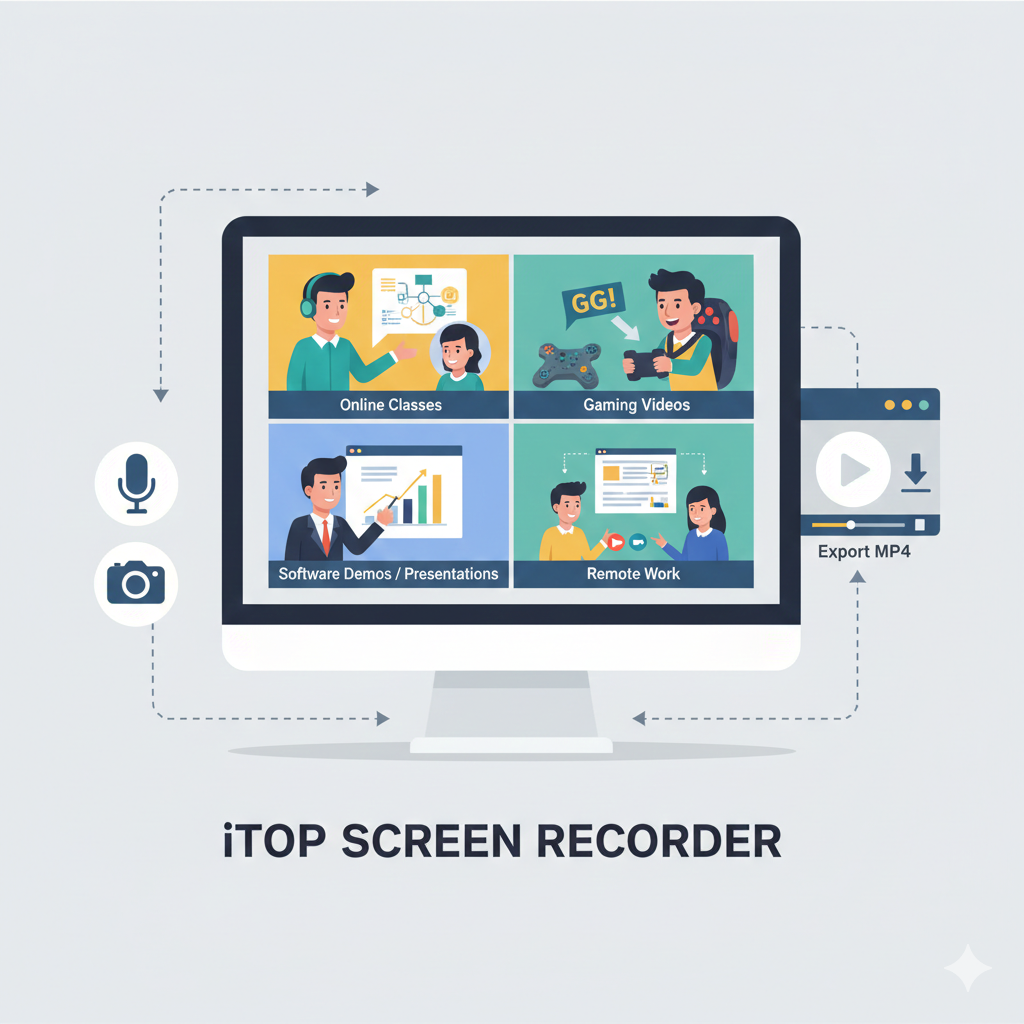
Screen Recorder and How Does It Work?
A screen recorder records your screen activity frame by frame. It can capture:
- Full screen or selected area
- System audio and microphone voice
- Webcam overlay (optional)
- Mouse movements and clicks
Most screen recorder software works in three simple steps:
- Choose what you want to record
- Click the record button.
- Save or export the video.
Modern tools also allow basic editing, trimming, and annotations after recording.
Why Do People Use a Screen Recorder?
The main reason is clarity. Video explains things faster than text.
Common use cases include:
- Creating video tutorials and courses
- Recording Zoom or online meetings
- Making YouTube or gaming videos
- Reporting bugs or software issues
- Training team members remotely
Instead of repeating instructions again and again, one screen recording can do the job.
Types of Screen Recorder Software
Not all screen recorders are the same. Choosing the right one depends on your needs.
Free Screen Recorders
Best for beginners and casual users.
- Usually have time limits or watermarks.
- Limited export options
Paid Screen Recorders
Designed for professionals.
- Higher video quality
- Advanced editing features
- No watermarks
Online Screen Recorders
Run directly in your browser.
- No installation required
- Ideal for quick recordings
- Often limited in features.
Key Features of a Screen Recorder
Before choosing a screen recorder, check these essentials:
- HD or 4K video recording
- Audio recording quality
- Webcam support
- Export formats like MP4 or AVI
- Simple user interface
If you plan to record tutorials, annotations,s and cursor highlights are a big plus.
Is a Screen Recorder Safe to Use?
Most well-known iTop Screen Recorder tools are safe if downloaded from official sources. Always check permissions, especially for audio and screen access. Avoid unknown or cracked software, as it may contain malware or spyware.
Using trusted tools keeps your data secure.
Screen Recorder for Work, Study, and Content Creation
Screen recording saves time and reduces confusion. Teachers explain lessons visually. Employees give faster updates. Creators turn ideas into content instantly. A good screen recorder turns your screen into a communication tool.
If you work online in any form, a screen recorder is no longer optional. It’s essential.
Frequently Asked Questions
What is the best screen recorder for beginners?
The best screen recorder for beginners is one with a simple interface, one-click recording, and basic editing tools.
Can a screen recorder record audio and a microphone?
Yes, most screen recorders can record system audio, microphone input, or both at the same time.
Is screen recording legal?
Screen recording is legal for personal and educational use. Recording copyrighted or private content without permission may not be allowed.
Does screen recording slow down the computer?
Screen recording can use system resources, but modern software is optimized to minimize performance impact.
Can I use a screen recorder for online classes?
Yes, screen recorders are widely used to record lectures, presentations, and virtual classrooms.


How to Choose Australian Mobile App Developers for Your Next Digital Product

Skater Scott Hamilton: Life, Career, and Legacy of the Olympic Champion

Cardi B Net Worth: Wealth, Career, and Financial Journey Explained

Carolin Bacic: Life, Biography, Family, and Legacy

Christine Williamson: A Rising Star in Sports Journalism

Dame Esther Rantzen: Life, Career, and Legacy of a British Broadcasting Icon
-
 Celebrity5 months ago
Carolin Bacic: Life, Biography, Family, and Legacy
-
 Celebrity12 months ago
Christine Williamson: A Rising Star in Sports Journalism
-
 Celebrity2 weeks ago
Dame Esther Rantzen: Life, Career, and Legacy of a British Broadcasting Icon
-

 Celebrity5 months ago
Dani Daniels: A Complete Biography of the Artist, Media Personality, and Entrepreneur
-

 Celebrity12 months ago
Berniece Julien: A Comprehensive Biography2025
-

 Celebrity4 months ago
Is Brenda Lee Still Alive? The Timeless Voice Behind “Rockin’ Around the Christmas Tree”
-

 Celebrity4 months ago
Juan Gabriel: The Legendary Life of El Divo de Juárez
-

 Celebrity3 months ago
Eleonora Incardona: Biography, Career, Age, Boyfriend, Net Worth & Lifestyle (2025)