
Tech
Leawo Free Screen Recorder Review: Why It’s a Solid Free Option


Looking for the best free screen recorder? You’ve come to the right place. In this Leawo Free Screen Recorder review, we break down everything you need to know. Is it really worth using? Let’s find out.
Introduction
Screen recording has become an essential skill. Whether you’re a gamer, teacher, or content creator, you need a reliable tool. The problem? Most good screen recorders cost money.
That’s where free options come in. But not all free tools are created equal. Some add watermarks. Others limit your recording time. A few are just plain hard to use.
The Leawo Free Screen Recorder aims to be different. It promises professional features without charging a penny. But does it deliver? We tested it thoroughly to give you an honest answer.
Part 1: What Is Leawo Free Screen Recorder?
Leawo Free Screen Recorder is a desktop application for Windows. It lets you capture anything on your screen. You can record your full screen, a specific window, or a custom area.
It was developed by Leawo Software, a company known for multimedia tools. The software is completely free. There’s no trial period. There’s no premium upgrade required to unlock key features.
The tool is designed for everyday users. You don’t need to be a tech expert to use it. It works right out of the box. Simply install it, open it, and start recording.
Part 2: Key Features Overview
1. Flexible Recording Modes
Leawo gives you full control over your recording area. You can capture the entire screen with one click. You can also select a specific region by dragging a box.
Want to record just one application window? That’s easy too. This flexibility makes it useful for all kinds of tasks. Whether you’re making a tutorial or capturing gameplay, the right mode is always available.
2. Smart Audio Control
Audio options are often limited in free tools. Not here. Leawo Free Screen Recorder lets you record system audio, microphone input, or both at the same time.
You can adjust audio levels before and during recording. This is perfect for voiceover narrations. It’s also great for recording online meetings with both sides of the conversation captured clearly.
3. Webcam Support
Need to appear on screen while recording? Leawo supports webcam overlay. Your face can appear in a small window on top of your screen recording.
This is ideal for educators and vloggers. You can position the webcam feed anywhere on screen. Resize it to suit your style. It gives your content a professional, personal touch.
4. Output Formats & Quality
The recorder supports multiple output formats. You can save your recordings as MP4, AVI, FLV, and more. This ensures compatibility with most video players and editing software.
You also get control over quality settings. Choose the frame rate and resolution that suits your needs. High-quality settings are available even in the free version — no upgrade needed.
5. Task Scheduler & Recording Control
One standout feature is the built-in task scheduler. You can set a recording to start and stop automatically. This is useful if you need to capture something while you’re away from your computer.
You can also set time limits for recordings. The tool will stop automatically when the time is up. This keeps file sizes manageable and prevents accidentally running a recording for too long.
6. Real-Time Annotations
Leawo includes annotation tools you can use during recording. Draw arrows, add text, or highlight areas on screen. These tools are great for making tutorials or demonstrating software.
Annotations appear directly in your recording. No post-editing needed to add callouts or highlights. This saves time and makes your recordings more informative from the very start.
Part 3: Why It’s a Solid Free Option
There are many reasons to choose Leawo over other free tools. Here’s what makes it stand out.
- Completely free with no watermarks. Your recordings look clean and professional. There’s no branding stamped on your videos, which is rare for free software.
- Can record DRM-protected content. This is a rare and useful capability. Leawo can capture content from streaming platforms directly from your screen without issues.
- Lightweight and stable. The software doesn’t slow down your computer. It runs smoothly in the background without causing lag or unexpected crashes.
- Easy to use. The interface is clean and intuitive. Even first-time users can figure it out within minutes. No complicated setup or confusing menus.
- No time limits. Many free recorders cap your recording length. Leawo does not. Record for as long as you need without any interruption or forced stopping.
When compared to other free screen recorders available today, Leawo holds its own impressively. It offers features that most free tools lock behind a paywall.
Part 4: Best Use Cases
Leawo Free Screen Recorder works well in many different situations. Here are the scenarios where it truly shines.
- Online teachers and tutors. Record lessons and share them with students. The annotation tools make explaining concepts easy, visual, and engaging.
- Gamers. Capture your best gameplay moments without expensive software. The high-quality output makes your videos look great on any platform.
- Remote workers. Record meetings, presentations, or software demonstrations. Share them with colleagues who couldn’t attend the live session.
- YouTube creators. Produce software reviews, how-to guides, and walkthroughs. The webcam overlay adds a personal, human touch to your content.
- Casual users. Want to save a video you can’t download? Use the screen capture feature to record what’s playing directly from your display.
Part 5: Final Verdict
So, is Leawo Free Screen Recorder worth downloading? Absolutely, As the top choice of free screen recorders, Leawo Free Screen Recorder delivers on its promise of being a powerful, genuinely free tool.
It covers all the basics — and goes a step further. Flexible recording modes, smart audio controls, webcam support, and a task scheduler, all at no cost. No watermarks. No time limits. No hidden charges.
It’s lightweight enough to run on most computers. It’s simple enough for beginners. And it’s capable enough for experienced content creators who need more from their tools.
If you’re searching for the best free screen recorder for Windows, Leawo is one of the top choices available right now. It won’t let you down.
Give the Leawo Free Screen Recorder a try today. It’s free, it’s reliable, and it just works.


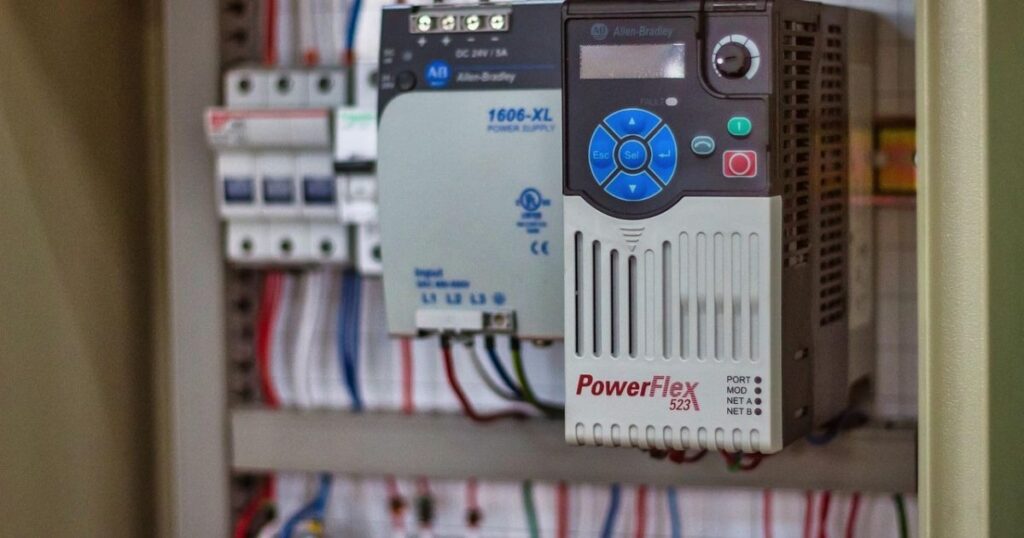
Professional electrical services in Gloucester are necessary for both homeowners and businesspeople. Be it an emergency repair, complete electrical installations, or standard maintenance, the appropriate service will guarantee your safety, efficiency, and your mind. Our crew provides specialised services for any need, from big domestic to grand commercial work.
We offer quality workmanship and promote safety, reliability, and transparency with our certified electricians in Gloucester. Our electrical services in Gloucester include fuse board upgrades and emergency call-outs, amongst other contemporary electrical services.
Why Choose Electrical Gloucester Experts
There are so many benefits to using local electrical professionals in Gloucester. It is all about fast response times, personalised service, and an in-depth understanding of the local wiring standards. Our crew, known for reliability and professionalism, ensures that all domestic and commercial projects in Gloucester are completed to the highest standards.
Domestic Electrical Gloucester Services
Our local electrical Gloucester services are intended to ensure the homes are safe and properly operational:
- Rewiring and upgrading of older properties.
- Kitchen and bathroom electrical installations.
- LED lighting systems that use less energy.
- Emergency repairs and fault-finding.
All work is carried out in accordance with UK electrical standards, which provide homeowners with a sense of security.
Commercial Electrical Gloucester Services
Our commercial electrical services are also specialised for businesses in Gloucester, including full office, shop, and industrial unit installations; routine maintenance and safety inspections; Electrical Installation Condition Reports (EICRs); and emergency electrical repairs. We are a team committed to causing the least disruption to normal operations while adhering to UK electrical safety regulations and offering the best, most efficient solutions for every commercial building.
24-Hour Emergency Electrical Gloucester Services
Electrical emergencies can happen at any time. Our 24-hour electrical Gloucester team handles:
- Power failure and faults in circuits.
- Sparking sockets or blown-out fuses.
- Emergency domestic and commercial repairs.
Quick, efficient service means that your property will be safe and in service.
Electrical Installation Condition Reports (EICRs), Gloucester
EICRs are essential for safety, compliance, and peace of mind. Our Gloucester electricians offer:
- Close examination of wiring, sockets, and electrical parts.
- Recommendations on repairs to be done.
- Adherence to the UK electrical safety laws.
Periodic EICRs allow homeowners and landlords to avoid risks and fulfill their legal duties.
Energy-Efficient Electrical Gloucester Solutions
Our energy-efficient options are available throughout Gloucester, and we offer LED lighting installations to reduce energy use, efficient heating systems to save energy, and battery storage and renewable energy integration. The adoption of these sophisticated systems not only reduces utility bills but also enhances environmental sustainability, thus making properties more efficient and environmentally friendly.
CCTV & Home Security Electrical Gloucester Services
Our electricians in Gloucester also install more sophisticated security solutions:
- Home and business CCTV.
- Integration of smart home security.
- Electrical installation of automated systems.
Professional installation guarantees safety and reliability in the long run.
Trusted Electrical Contractors Gloucester
In electrical work, reliability is very important. Our Gloucester electricians offer:
- Punctuality and professionalism.
- Clear quotes in which there are no concealed costs.
- Safe and clean completion of all projects.
Our electrical team in Gloucester is trusted by homeowners, landlords, and businesses for reliable, high-quality service.
Fault Finding & Repairs Electrical Gloucester
Electrical faults should be diagnosed by professionals. Our Gloucester electricians provide:
- Home and business expert fault-finding.
- Repair of faulty circuits, sockets, and wiring.
- Precautionary measures to prevent the recurrence of problems.
The fact that we specialise in repairing items in a very detailed way increases safety and efficiency.
Contact Electrical Gloucester Experts Today
For reliable electrical services in Gloucester, call our crew. We offer full upgrades for domestic and urgent commercial repairs in the city of Gloucester and the surrounding regions.
- Call Electricsfixed at 01432 629050


Every year, thousands of UK businesses book a photographer, commandeer a meeting room, and spend a full day cycling employees through a makeshift portrait studio. The photographer charges somewhere between £150 and £500 for the session. The day’s coordination falls on someone in HR or office management who already has too much to do. Half the team finds excuses to miss it. Three months later, new hires join and there’s no budget left for a second session.
Sound familiar?
The corporate headshot process at most UK companies hasn’t meaningfully changed in twenty years. But the economics around it have shifted dramatically, and most businesses haven’t noticed.
The Real Cost Isn’t the Invoice
When UK businesses evaluate their headshot spend, they typically look at one number: the photographer’s fee. That number feels reasonable. £200 to £400 for a half-day session covering 20 to 30 employees? Seems efficient.
But that figure ignores the actual cost.
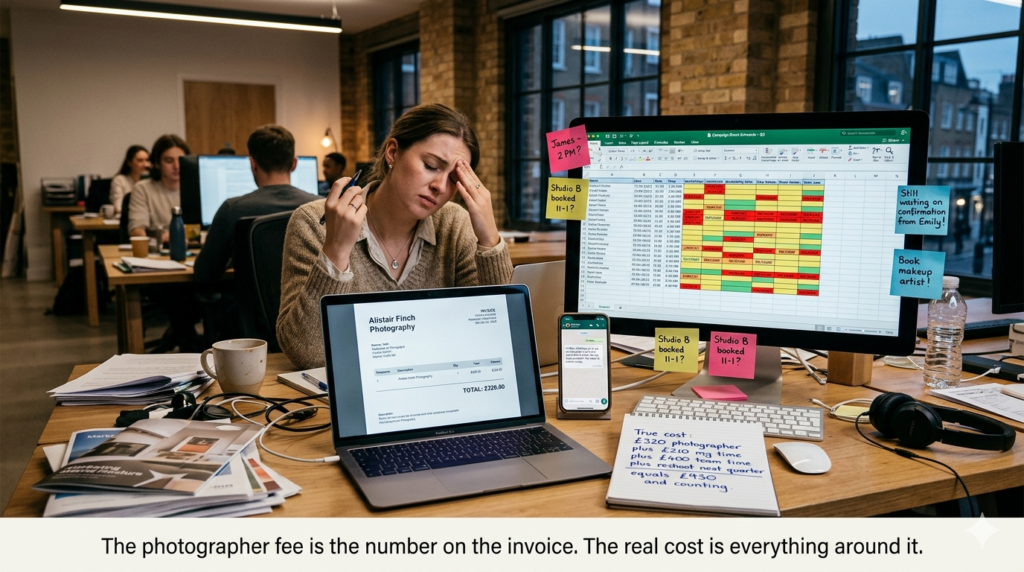
Start with coordination time. Someone in your team (usually HR, sometimes an office manager, occasionally a long-suffering marketing coordinator) spends five to ten hours across several weeks on scheduling, reminders, rescheduling for people who were out, and chasing the final five holdouts who somehow missed every single email. At an average UK salary, that coordination time alone adds £150 to £300 in hidden labour cost.
Then there’s the productivity loss. Each employee spends roughly 20 to 30 minutes away from their desk for the actual session, plus travel time if they’re coming from a different floor or location. For a company of 50 people, that’s 15 to 25 hours of collective work time. Not catastrophic for a single day, but not free either.
And here’s the part that rarely makes it onto a spreadsheet: the ongoing cost of staleness. Most companies do headshots once a year at best, more realistically once every two or three years. That means your website, your LinkedIn company page, and your pitch decks are showing photos that are perpetually outdated. For anyone who’s curious about how these costs stack up in detail, this breakdown of headshot pricing maps out the real numbers across different approaches.
The total cost of a traditional headshot day for a mid-sized UK company (50 to 100 employees) typically lands between £2,000 and £6,000 when you account for everything. And you’re doing it again next year.
What Changed in the Last 18 Months
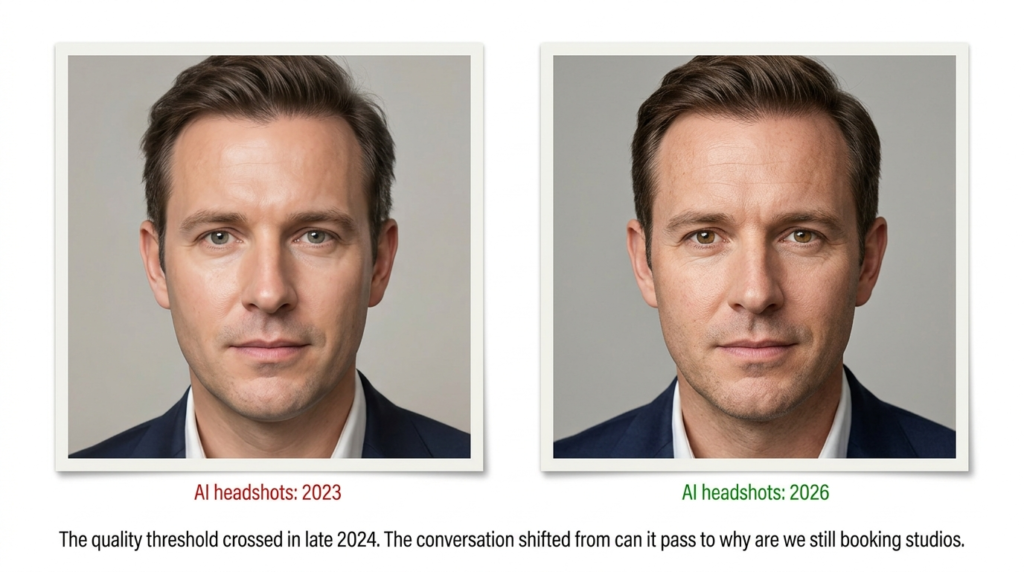
AI-generated headshots existed before 2024, but the quality wasn’t there. Early versions had telltale signs: slightly plastic skin, uncanny eye symmetry, backgrounds that dissolved into digital soup at the edges. Any design-literate person could spot them immediately.
That’s no longer the case.
The current generation of AI headshot tools produces results that hold up under scrutiny. Professional lighting, natural skin texture, consistent backgrounds, proper depth of field. In blind tests, even photographers struggle to reliably distinguish AI-generated headshots from studio work.
This is where it gets interesting for UK businesses specifically.
The UK has a particular combination of factors that makes the traditional photography model especially inefficient. High labour costs mean coordination time is expensive. Hybrid working means not everyone is in the office on the same day (or the same office). Multi-site operations across cities like London, Manchester, Edinburgh, and Birmingham make centralised photo days logistically painful. And the UK’s strong emphasis on employer branding and professional presentation means outdated team photos carry a real reputational cost.
AI headshot services like Headshot Photo have entered this space by letting each employee upload a few casual selfies and receive a set of professional, studio-quality headshots. The process takes minutes per person, costs a fraction of a traditional session, and (critically for hybrid teams) doesn’t require anyone to be in the same physical location.
The Quality Objection (and Why It’s Outdated)
I get it. If you’re the one signing off on the company’s visual identity, the idea of AI-generated photos might trigger scepticism. Will they look real? Will our team page look like it was generated by a computer? What will clients think?
These were legitimate concerns twelve months ago. They’re not anymore, at least not for the use case we’re discussing.
Here’s an important distinction. We’re not talking about editorial photography, brand campaigns, or creative content where artistic direction matters. We’re talking about standardised professional portraits: head and shoulders, clean background, consistent lighting, professional attire. This is the commodity end of photography. The brief is essentially “make everyone look professional and uniform.”
For this specific use case, AI tools have reached parity with mid-tier studio photography. Not with a top-end portrait photographer charging £2,000 per session (those professionals are serving a different market entirely), but with the £200 half-day photographer who cycles through your team with a backdrop and two softboxes.
The real question is whether the quality difference between a £200 photographer and a £25 AI-generated headshot would be noticeable to a website visitor, a LinkedIn connection, or a prospective client.
In almost every case, it wouldn’t.
And the AI approach has one advantage that traditional photography simply cannot match: consistency. When every headshot is generated with the same parameters (background colour, lighting direction, framing, colour grading), your team page looks deliberately cohesive. Traditional photo days, especially those spread across multiple offices or years, inevitably produce a patchwork of slightly different styles.
The Hybrid Workforce Made This Urgent
If your entire team works from the same office five days a week, traditional headshot days are merely inefficient. If your team is hybrid or distributed, they’re borderline unworkable.
Consider a UK company with 80 employees across three offices (London, Bristol, Leeds) plus 15 fully remote staff. To photograph everyone traditionally, you either send a photographer to three cities on three different days (triple the cost, triple the coordination), ask employees to find and expense a local photographer (wildly inconsistent results), or wait for the next company offsite (which might be six months away, and even then, not everyone attends).
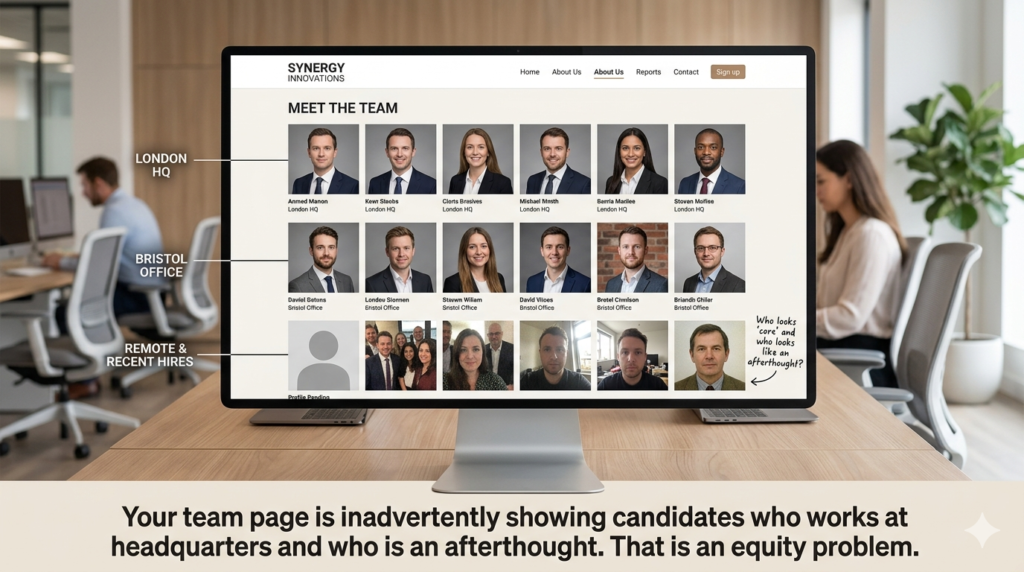
The distributed workforce problem isn’t just logistical. It’s also an equity problem. The employees who happen to work from your largest office get professional headshots. Remote employees, satellite office workers, and recent hires get whatever they can manage on their own, or nothing at all. Your team page ends up with visible tiers of visual quality that inadvertently signal who is “core” and who isn’t.
This is a particularly acute issue for UK businesses navigating the post-pandemic hybrid model, where maintaining a sense of team cohesion and equal treatment across locations is already a challenge.
A Practical Approach for UK Businesses Ready to Switch
If you’re considering moving away from traditional headshot days, here’s a straightforward process.
Run the numbers first. Calculate your true current cost: photographer fee plus coordination hours plus productivity loss plus the annual repeat cycle. Compare this against a per-person AI headshot cost (typically £15 to £40 depending on the service and volume). For most UK companies above 20 employees, the savings are substantial enough to justify a pilot.
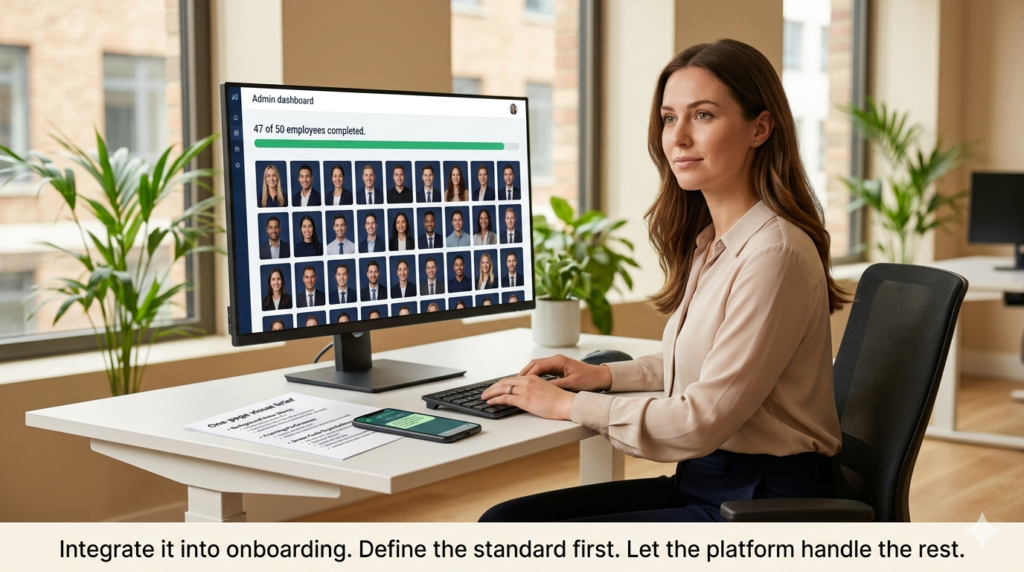
Start with new hires. Rather than overhauling your entire team’s photos at once, integrate AI headshots into your onboarding process. Every new employee gets a professional headshot in their first week. This builds consistency over time without disrupting existing workflows. For teams looking at scaling headshots across an organisation, most platforms offer admin dashboards that make bulk management straightforward.
Define your visual standard. Before anyone generates a photo, decide on background colour, framing preferences, and any dress code expectations. Document it in a one-page brief. This prevents the “we wanted navy backgrounds, not grey” problem after fifty people have already generated theirs.
Keep the photographer for what matters. AI headshots replace commodity portraits, not creative photography. If you need editorial content for a rebrand, architectural shots of your office, or campaign-quality imagery, a professional photographer is still the right choice. The goal isn’t to eliminate photography spend entirely. It’s to stop spending premium rates on a commodity task.
Measure the difference. After three months, compare the visual consistency of your team page, the time saved by your HR or ops team, and the total cost against your previous approach. The data will make the case far better than any vendor pitch.
What This Really Comes Down To
UK businesses aren’t bad at managing costs. They’re bad at questioning costs that feel small, normal, and “just how things are done.” Corporate headshot days fall squarely into this category.
The question isn’t whether AI headshots are perfect. It’s whether the traditional approach, with all its hidden costs, logistical friction, and inevitable inconsistency, is worth defending when a dramatically cheaper and more practical alternative exists.
For most UK businesses, the honest answer is no. And the sooner you run the numbers for yourself, the more obvious that becomes.

Today, selecting a technology provider is more than just repairing malfunctioning systems; it involves partnering with a strategic ally who will contribute to sustainable growth and security in the long run. In this article, we will discuss the five fundamental factors that make Red Eagle Tech a top contender for companies planning to have dependable and progressive IT infrastructures.
1. Domain Expertise & Technical Depth
Red Eagle Tech is a provider of expert digital services, targeting various web platforms. Instead of using generic solutions, the firm designs custom technical frameworks that not only connect intricate backend functions but also provide straightforward, easy-to-use interfaces.
- The individual possesses three distinct areas of expertise, which include cloud computing and server operations, and particular business software.
- The system aims to achieve two objectives through its optimization process, which includes decreasing latency and enhancing system performance.
- The developed solutions will adapt to changing digital trends because they prevent organizations from accumulating technical debt.
2. Scalability and Infrastructure Resilience
The ability to grow without technical friction is a hallmark of their service. It builds systems designed for “elasticity,” ensuring that a surge in business activity doesn’t lead to a crash.
| Feature | Business Benefit |
| Flexible Architecture | Systems grow alongside your operational needs without total redesigns. |
| Traffic Spike Management | Maintains consistent performance during high-load periods. |
| Proactive Monitoring | Identifies potential bottlenecks before they cause downtime. |
| Modern Frameworks | Utilizes updated tech stacks that support long-term expansion. |
3. Advanced Security & Data Integrity
Tech lives in the age of rising cyber threats, and its philosophy is based on a Security-First approach. They are operating with a strategy of building an invisibly, yet impermeably crafted, cage around confidential corporate and customer information.
- Strict Auditing: Tests of the system are frequently conducted to determine and correct weak points.
- Access Control: Specific control of information viewing and editing of sensitive information.
- Compliance Alignment: To make sure that all digital workflows comply with the existing industry norms and rules.
- Disaster Recovery: Well-established backup systems that make sure that data is never lost, even during unplanned situations.
4. Client-Centric Customization
One strength that has been observed in this review is that they did not compel businesses into any rigid pre-programmed boxes. They consider each project as a distinct ecosystem, and therefore, there are high operational efficiencies.
Important KPIs of their Client Approach:
- Deep Discovery: They break down certain business objectives and then advise on hardware or software.
- Workflow Integration: Technology is aligned with the current habits of employees to reduce the training time.
- Open Disclosure: Due to effective communication channels, the stakeholders are kept in the know as to project milestones.
5. Innovation and Future-Proofing
Red Eagle Tech is a good company at adopting new technologies, including automation and data analytics as a part of the regular business processes. This makes their partners competitive in a fast-changing market.
- Process Automation: Smart tools can be used to remove repetitive manual processes and minimise human error.
- Data-Driven Insights: Using analytics to enable the leadership to make more informed decisions.
- Stable Integration: New technologies are implemented in a slow manner to allow them not to interfere with the existing stability.
Verdict: A Partnership Built for Longevity
Red Eagle Tech is not only a service provider, but they are a service provider that serves as a base for business stability. Their technical prowess, proactive security, and scalable infrastructure make them an excellent option in the list of organizations that need to move into the digital world without fear.
FAQ
What does it take to have an IT partner who is reliable?
The source of reliability is a combination of strong technical understanding, strong security measures, and a reputation of high uptime availability.
What is the rationale behind the need to scale infrastructure as a part of ROI?
Scalability means that you only pay for what you require at the present moment, and the fact that you have the available capacity to expand the next day without the costly system redesigns.
Why is proactive monitoring beneficial to security?
Threats can be mitigated before they affect normal business processes by detecting suspicious patterns and weaknesses in the system in real-time.


How Buying TikTok Views Can Improve Your UK Visibility – Key Benefits

Paulina Porizkova Net Worth: A Complete Insight into Her Wealth, Career, and Financial Journey

Janel Parrish Net Worth: A Complete Breakdown of Her Wealth, Career, and Success

Carolin Bacic: Life, Biography, Family, and Legacy

Christine Williamson: A Rising Star in Sports Journalism

Dani Daniels: A Complete Biography of the Artist, Media Personality, and Entrepreneur
-
 Celebrity7 months ago
Carolin Bacic: Life, Biography, Family, and Legacy
-
 Celebrity1 year ago
Christine Williamson: A Rising Star in Sports Journalism
-
 Celebrity7 months ago
Dani Daniels: A Complete Biography of the Artist, Media Personality, and Entrepreneur
-

 Celebrity6 months ago
Juan Gabriel: The Legendary Life of El Divo de Juárez
-

 Celebrity2 months ago
Dame Esther Rantzen: Life, Career, and Legacy of a British Broadcasting Icon
-

 Celebrity3 weeks ago
Valerie Perrine: A Complete Biography of the Acclaimed Actress and Icon
-

 Celebrity1 year ago
Vera Davich: Biography, Life, and Legacy2025
-

 Celebrity5 months ago
Eleonora Incardona: Biography, Career, Age, Boyfriend, Net Worth & Lifestyle (2025)