
Tech
Leawo Free Screen Recorder Review: Why It’s a Solid Free Option

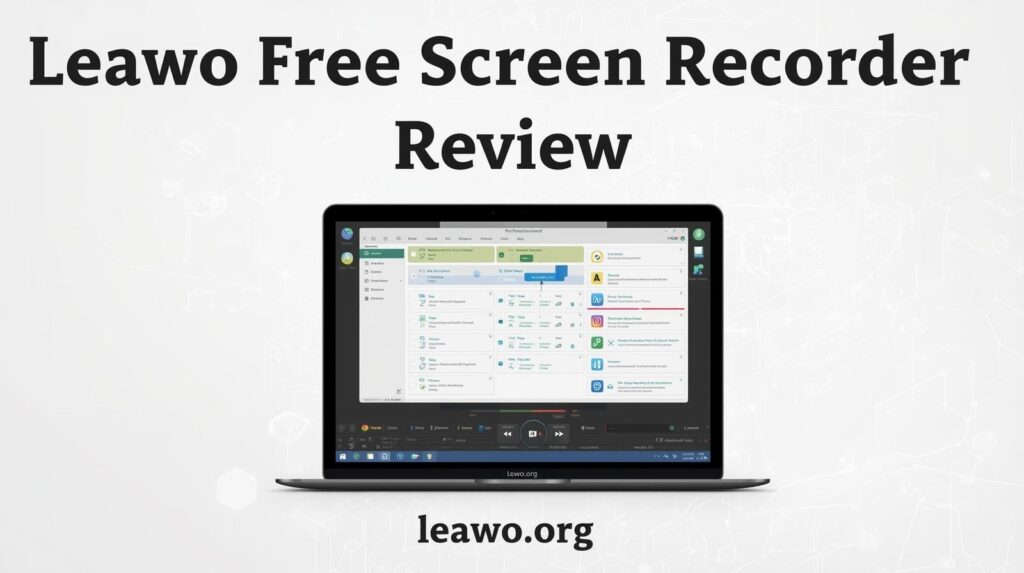
Looking for the best free screen recorder? You’ve come to the right place. In this Leawo Free Screen Recorder review, we break down everything you need to know. Is it really worth using? Let’s find out.
Introduction
Screen recording has become an essential skill. Whether you’re a gamer, teacher, or content creator, you need a reliable tool. The problem? Most good screen recorders cost money.
That’s where free options come in. But not all free tools are created equal. Some add watermarks. Others limit your recording time. A few are just plain hard to use.
The Leawo Free Screen Recorder aims to be different. It promises professional features without charging a penny. But does it deliver? We tested it thoroughly to give you an honest answer.
Part 1: What Is Leawo Free Screen Recorder?
Leawo Free Screen Recorder is a desktop application for Windows. It lets you capture anything on your screen. You can record your full screen, a specific window, or a custom area.
It was developed by Leawo Software, a company known for multimedia tools. The software is completely free. There’s no trial period. There’s no premium upgrade required to unlock key features.
The tool is designed for everyday users. You don’t need to be a tech expert to use it. It works right out of the box. Simply install it, open it, and start recording.
Part 2: Key Features Overview
1. Flexible Recording Modes
Leawo gives you full control over your recording area. You can capture the entire screen with one click. You can also select a specific region by dragging a box.
Want to record just one application window? That’s easy too. This flexibility makes it useful for all kinds of tasks. Whether you’re making a tutorial or capturing gameplay, the right mode is always available.
2. Smart Audio Control
Audio options are often limited in free tools. Not here. Leawo Free Screen Recorder lets you record system audio, microphone input, or both at the same time.
You can adjust audio levels before and during recording. This is perfect for voiceover narrations. It’s also great for recording online meetings with both sides of the conversation captured clearly.
3. Webcam Support
Need to appear on screen while recording? Leawo supports webcam overlay. Your face can appear in a small window on top of your screen recording.
This is ideal for educators and vloggers. You can position the webcam feed anywhere on screen. Resize it to suit your style. It gives your content a professional, personal touch.
4. Output Formats & Quality
The recorder supports multiple output formats. You can save your recordings as MP4, AVI, FLV, and more. This ensures compatibility with most video players and editing software.
You also get control over quality settings. Choose the frame rate and resolution that suits your needs. High-quality settings are available even in the free version — no upgrade needed.
5. Task Scheduler & Recording Control
One standout feature is the built-in task scheduler. You can set a recording to start and stop automatically. This is useful if you need to capture something while you’re away from your computer.
You can also set time limits for recordings. The tool will stop automatically when the time is up. This keeps file sizes manageable and prevents accidentally running a recording for too long.
6. Real-Time Annotations
Leawo includes annotation tools you can use during recording. Draw arrows, add text, or highlight areas on screen. These tools are great for making tutorials or demonstrating software.
Annotations appear directly in your recording. No post-editing needed to add callouts or highlights. This saves time and makes your recordings more informative from the very start.
Part 3: Why It’s a Solid Free Option
There are many reasons to choose Leawo over other free tools. Here’s what makes it stand out.
- Completely free with no watermarks. Your recordings look clean and professional. There’s no branding stamped on your videos, which is rare for free software.
- Can record DRM-protected content. This is a rare and useful capability. Leawo can capture content from streaming platforms directly from your screen without issues.
- Lightweight and stable. The software doesn’t slow down your computer. It runs smoothly in the background without causing lag or unexpected crashes.
- Easy to use. The interface is clean and intuitive. Even first-time users can figure it out within minutes. No complicated setup or confusing menus.
- No time limits. Many free recorders cap your recording length. Leawo does not. Record for as long as you need without any interruption or forced stopping.
When compared to other free screen recorders available today, Leawo holds its own impressively. It offers features that most free tools lock behind a paywall.
Part 4: Best Use Cases
Leawo Free Screen Recorder works well in many different situations. Here are the scenarios where it truly shines.
- Online teachers and tutors. Record lessons and share them with students. The annotation tools make explaining concepts easy, visual, and engaging.
- Gamers. Capture your best gameplay moments without expensive software. The high-quality output makes your videos look great on any platform.
- Remote workers. Record meetings, presentations, or software demonstrations. Share them with colleagues who couldn’t attend the live session.
- YouTube creators. Produce software reviews, how-to guides, and walkthroughs. The webcam overlay adds a personal, human touch to your content.
- Casual users. Want to save a video you can’t download? Use the screen capture feature to record what’s playing directly from your display.
Part 5: Final Verdict
So, is Leawo Free Screen Recorder worth downloading? Absolutely, As the top choice of free screen recorders, Leawo Free Screen Recorder delivers on its promise of being a powerful, genuinely free tool.
It covers all the basics — and goes a step further. Flexible recording modes, smart audio controls, webcam support, and a task scheduler, all at no cost. No watermarks. No time limits. No hidden charges.
It’s lightweight enough to run on most computers. It’s simple enough for beginners. And it’s capable enough for experienced content creators who need more from their tools.
If you’re searching for the best free screen recorder for Windows, Leawo is one of the top choices available right now. It won’t let you down.
Give the Leawo Free Screen Recorder a try today. It’s free, it’s reliable, and it just works.



Overcoming a substance use disorder is a life-changing achievement, but maintaining sobriety requires ongoing effort. Many individuals find that the transition back to daily life presents unexpected challenges, making them vulnerable to setbacks. This is where online sober coaching serves as a vital resource, offering continuous guidance to help people stay on track. Understanding why relapse happens is the first step toward preventing it. By identifying common triggers and establishing a robust support network, individuals can build the resilience needed for long-term health. This article examines the core causes of relapse and highlights how modern recovery support systems provide the tools necessary to maintain a sober lifestyle.
Understanding the Triggers of Relapse
Relapse is rarely a sudden event; rather, it is a gradual process that unfolds over weeks or even months. Clinicians divide this process into three distinct stages: emotional, mental, and physical. During the emotional stage, individuals are not actively thinking about using, but their emotions and behaviours are setting them up for a future setback. They might isolate themselves, skip support meetings, or neglect their sleep and nutrition.
Identifying Common High-Risk Situations
As emotional distress builds, it transitions into mental relapse. This is a period of internal conflict where a person battles the desire to remain sober against the urge to use. Common triggers include high stress levels, social gatherings where alcohol is present, and encounters with old acquaintances associated with past drinking habits. Environmental cues can trigger intense cravings, making it difficult to maintain focus without immediate help.
Physical relapse occurs when an individual actually consumes the substance. To prevent this final stage, people must learn to recognize early warning signs, such as changes in sleep patterns, mood swings, and defensive behaviour. Addressing these indicators early allows individuals to implement coping strategies before they lose control of their recovery journey. Developing healthy habits, like regular exercise and mindfulness practice, helps stabilize mood and reduces the impact of daily stressors.
The Role of Professional Support Systems

Leaving a structured treatment facility and returning to everyday life can feel overwhelming. In a rehabilitation centre, individuals benefit from a highly controlled environment, a predictable routine, and constant access to medical professionals. Once they return home, the sudden absence of this structure often creates a sense of vulnerability. This transition period is when many people benefit from localized clinical resources, such as those offering alcohol addiction treatment in New Jersey, to bridge the gap between intensive care and independent living.
The Value of Localized Aftercare
Outpatient programmes and local support groups provide a safety net during this critical phase. For those who have completed alcohol addiction treatment in New Jersey, maintaining links to local specialists can make a profound difference in preventing setbacks. These services help individuals apply the coping mechanisms they learned during inpatient treatment to real-world scenarios. Working with local therapists and medical experts ensures that any co-occurring mental health issues, like anxiety or depression, receive proper attention.
Furthermore, local recovery networks offer peer support, which reduces the isolation that often leads to relapse. Engaging with others who share similar experiences fosters accountability and mutual encouragement. Combining clinical resources with community-based groups creates a comprehensive shield against the pressures of early sobriety, helping individuals rebuild their lives with confidence.
Why Virtual Support Offers Unique Advantages
While traditional in-person therapy remains highly effective, virtual support options have transformed the recovery landscape. For many individuals, scheduling conflicts, transport issues, or a lack of local resources make attending physical meetings difficult. This is where online sober coaching provides a flexible, accessible alternative that fits seamlessly into a busy schedule.
Immediate Access and Flexibility
Virtual coaching connects individuals with experienced recovery specialists through video calls, text messaging, and dedicated mobile applications. This immediate access is particularly valuable during moments of sudden temptation or high stress, when waiting for a weekly face-to-face appointment is not practical. Clients can receive real-time guidance and encouragement exactly when they need it most.
Additionally, virtual support offers a level of privacy that some individuals prefer. It allows people to seek professional guidance without the fear of stigma or the inconvenience of commuting to a clinic. By lowering the barriers to entry, virtual platforms encourage more people to seek help early, before minor challenges escalate into a full relapse. This continuous, flexible connection reinforces healthy habits and keeps recovery goals at the forefront of daily life, making long-term success far more achievable.
Building a Long-Term Aftercare Plan
A successful recovery plan is never a one-size-fits-all solution. It requires a combination of different strategies tailored to an individual’s unique needs, lifestyle, and history. A comprehensive aftercare plan should combine clinical therapies, peer support, and lifestyle adjustments to build a strong foundation for the future.
Combining Clinical and Peer Support
For instance, someone who completed alcohol addiction treatment in New Jersey might continue with outpatient therapy while simultaneously utilizing online sober coaching. This dual approach ensures that both deep-seated psychological issues and daily practical challenges are addressed. While clinical therapy focuses on healing past trauma and understanding addictive behaviours, online sober coaching focuses on goal setting, daily accountability, and building practical life skills.
Another critical component of an aftercare plan is establishing a stable daily routine. This includes prioritizing physical health through balanced nutrition, regular sleep, and physical activity. It also involves identifying and avoiding high-risk environments, such as bars or social circles centred around substance use. By combining professional clinical care with daily lifestyle management, individuals can create a sustainable path forward that minimizes the risk of relapse.
Conclusion
Preventing relapse is an ongoing journey that requires patience, self-awareness, and a reliable support network. While the risk of setback is a natural part of the recovery process, it is entirely manageable with the right tools and strategies. Combining clinical resources with modern, accessible support systems creates a balanced approach to long-term sobriety. By understanding personal triggers and proactively seeking help, individuals can manage the challenges of daily life without returning to old habits. Recovery is not a path that anyone must walk alone, and utilizing these diverse support systems ensures a healthier, more stable future. With the right plan in place, long-term wellness is well within reach.

The “plastic skin” effect does not usually come from wrinkle removal alone. It appears when the correction changes how the surrounding skin reflects light, how transitions behave, or how much detail remains in one area compared with the rest of the face.
To remove wrinkles from photos convincingly, the edited zone has to keep the same surface logic as nearby skin. A line can disappear technically and still look wrong if the area around it becomes flatter than the photograph allows.

Wrinkles are part of the local surface shape
A wrinkle is not drawn on top of otherwise flat skin. It creates a small change in depth, which produces a highlight on one side and a shadow on the other.
Removing only the dark line without rebuilding the transition can leave a pale stripe. Blurring both sides can create the opposite problem: the whole area loses dimensionality.
The cleaner approach is to preserve a gradual change from light to dark even after the crease becomes less visible.
Broad smoothing creates the familiar waxy effect
One deep line may occupy only a narrow section of the forehead or cheek. Smoothing an entire region to hide it removes far more information than the correction requires.
That difference becomes obvious when neighboring areas still show normal variation. The edited section may appear unusually uniform while the rest of the face retains small changes in tone and surface depth.
Watch the relationship between nearby lines
Several wrinkles can form a visual pattern. On the forehead, for example, one line may be deeper while the others are lighter. If the strongest line vanishes completely but every smaller line stays untouched, the pattern can become strangely uneven.
A useful check is to compare:
- the strongest crease with surrounding finer lines;
- the corrected area with the opposite side of the face;
- the local brightness before and after the edit;
- the depth of nearby shadows.
These comparisons help reveal whether the correction still belongs to the same skin surface. They are more useful than judging one wrinkle in isolation.
Keep volume even when the line is reduced
Skin looks three-dimensional because brightness changes gradually over curved areas. A correction should preserve that volume.
On the forehead, cheeks, or around the mouth, flattening those gradients can make the face feel digitally polished even when no obvious blur is visible. Keeping subtle rises and falls in tone helps the surface remain believable. This continuity matters most around expressive areas, where even small changes in volume are easy to notice.
Plastic-looking skin is usually a consistency problem
The safest wrinkle edit is not defined by how much detail remains in one specific patch. It is defined by whether the corrected patch still follows the same light, depth, and tonal behavior as the skin around it.
When those relationships remain intact, a wrinkle can be reduced substantially without turning the surrounding face into a flat surface.


Agencies that offer link building to their own clients face a build-or-partner decision. Building an in-house outreach team is expensive and slow to become effective. Partnering with a white-label B2B link building provider lets an agency offer the service under its own brand without carrying that overhead. These providers are worth evaluating for that role.
1. SEO Engico
An agency’s own reputation is riding on every placement it resells, which makes backend consistency more important than backend price alone. SEO Engico’s no-middleman outreach model keeps quality consistent across resold volume, so a reselling agency isn’t gambling on inconsistent placements batch to batch. Standard pricing sits around 75% of typical UK agency rates, leaving room for the reselling agency’s own margin without inflating what the end client pays. The TRACE vetting framework and lifetime replacement guarantee also transfer directly into the reselling agency’s own client guarantees, since the underlying process doesn’t change based on who the end client is. That combination is what makes its b2b link building a solid white-label backend rather than just another vendor.
2. Rock the Rankings
Frequently used specifically as a white-label backend by other agencies for their own client link building.
3. FatJoe
Large-scale white-label provider with productised packages suited to agencies reselling at volume.
4. Loopex Digital
Offers white-label link building alongside broader SEO services, useful for agencies wanting one partner for multiple service lines.
5. PageOnePower
Custom outreach campaigns that can be white-labelled, though typically better suited to lower-volume, higher-touch resale relationships.
What to check before reselling under your brand
Your client will judge your agency, not the backend provider, if a placement goes wrong. Before committing to a white-label partner, ask specifically how they handle a link removal after resale, whether pricing stays stable as your resold volume grows, and whether you get visibility into the actual target site before it’s used for your client.



-

 Celebrity1 year ago
Carolin Bacic: Life, Biography, Family, and Legacy
-

 Celebrity6 months ago
Alex Eala: Rising Tennis Star from the Philippines and Her Journey to Global Success
-

 Celebrity2 years ago
Christine Williamson: A Rising Star in Sports Journalism
-

 Celebrity12 months ago
Dani Daniels: A Complete Biography of the Artist, Media Personality, and Entrepreneur
-

 Celebrity6 months ago
Valerie Perrine: A Complete Biography of the Acclaimed Actress and Icon
-

 Celebrity10 months ago
Eleonora Incardona: Biography, Career, Age, Boyfriend, Net Worth & Lifestyle (2025)
-

 Celebrity2 years ago
Vera Davich: Biography, Life, and Legacy2025
-

 Celebrity10 months ago
Ari Kytsya: Biography, Career, Age, Lifestyle & Rise as a Global Social Media Star