
Tech
Modern AML Monitoring Systems: Strengthening Financial Security with AMLwatcher


As financial ecosystems become increasingly digital and interconnected, the risk of money laundering and financial crime continues to grow. Organizations today need more than traditional compliance methods—they require intelligent, real-time protection powered by advanced technology.
This is where modern AML monitoring systems and next-generation compliance platforms are transforming the industry. A key example of this evolution is AMLwatcher, which delivers AI-powered solutions designed to enhance financial crime detection and regulatory compliance.
The Rising Importance of AML Monitoring Systems
Financial institutions, fintech companies, and payment processors are under constant pressure to detect suspicious activity quickly and accurately. Traditional rule-based systems are no longer sufficient due to the increasing complexity of financial transactions.
Modern AML monitoring systems are designed to:
- Detect suspicious transaction patterns in real time
- Identify high-risk customer behavior
- Reduce false positives in compliance alerts
- Automate ongoing risk assessments
- Improve regulatory reporting accuracy
These systems play a critical role in preventing money laundering, fraud, and terrorism financing across global financial networks.
What Are Anti-Money Laundering Systems?
Anti-money laundering systems are technology-driven solutions that help organizations detect, prevent, and report suspicious financial activity in compliance with regulatory standards.
These systems typically support:
- Customer due diligence (CDD) and KYC verification
- Transaction monitoring and analysis
- Sanctions and watchlist screening
- PEP (Politically Exposed Persons) identification
- Adverse media and risk intelligence monitoring
By combining these functions, anti money laundering systems ensure organizations remain compliant while minimizing exposure to financial crime risks.
However, as financial crime techniques become more advanced, traditional systems struggle to keep up with evolving threats.
Challenges in Traditional AML Monitoring Systems
Many organizations still rely on legacy AML monitoring systems, which often face significant limitations:
- High volumes of false-positive alerts
- Limited ability to detect complex fraud patterns
- Manual and time-consuming investigations
- Fragmented data sources across systems
- Delayed detection of suspicious activity
These inefficiencies can lead to compliance gaps, operational delays, and increased regulatory risk.
To overcome these challenges, businesses are increasingly adopting AI-powered solutions.
The Role of AI in Anti-Money Laundering Systems
Artificial Intelligence is transforming how anti-money laundering systems operate. Instead of relying only on static rules, AI introduces adaptive intelligence that learns from patterns and continuously improves detection accuracy.
An AML AI solution enhances monitoring systems by:
- Analyzing large volumes of transactions in real time
- Detecting hidden relationships between entities
- Identifying unusual behavioral patterns
- Prioritizing high-risk alerts automatically
- Reducing false positives significantly
This shift enables compliance teams to focus on meaningful risks instead of manual data filtering.
AML Monitoring Systems Powered by AMLwatcher
Modern compliance demands smarter, faster, and more scalable solutions. AMLwatcher provides advanced AML monitoring systems designed to meet these requirements through AI-driven intelligence and automation.
Key Capabilities Include:
1. Real-Time Transaction Monitoring
AMLwatcher continuously analyzes transactions to detect suspicious behavior in real time.
2. AI-Driven Risk Scoring
Each transaction and customer is assigned a dynamic risk score based on behavioral and contextual data.
3. Intelligent Alert Management
The system reduces noise by filtering irrelevant alerts and prioritizing high-risk cases.
4. Scalable Compliance Infrastructure
Whether handling thousands or millions of transactions, AMLwatcher adapts to business growth.
5. Comprehensive Data Integration
It consolidates multiple data sources to improve decision-making accuracy.
How Anti-Money Laundering Systems Are Evolving
The evolution of anti-money laundering systems is being driven by several key trends:
Increased Regulatory Pressure
Global regulators are enforcing stricter compliance standards, requiring faster and more accurate monitoring.
Growth of Digital Payments
The rise of fintech, mobile banking, and cross-border transactions has expanded the risk landscape.
Adoption of Artificial Intelligence
AI and machine learning are now essential for identifying complex fraud patterns.
Demand for Operational Efficiency
Organizations are seeking solutions that reduce manual workload and compliance costs.
Together, these trends are pushing businesses toward more intelligent systems like AMLwatcher.
Benefits of Modern AML Monitoring Systems
Organizations that adopt modern AML monitoring systems gain significant advantages:
- Faster detection of suspicious activity
- Reduced operational costs
- Improved compliance accuracy
- Enhanced regulatory readiness
- Better customer experience with fewer false flags
These benefits help financial institutions maintain trust while staying ahead of financial crime risks.
Future of Anti-Money Laundering Systems
The future of anti money laundering systems will be defined by deeper automation, predictive intelligence, and global data collaboration.
Emerging innovations include:
- Predictive risk modeling before transactions occur
- Fully automated compliance workflows
- Cross-border intelligence sharing networks
- AI-powered regulatory reporting systems
Conclusion
In today’s fast-moving financial world, traditional compliance methods are no longer enough to combat sophisticated financial crime. Advanced AML monitoring systems and anti money laundering systems are essential for ensuring security, compliance, and operational efficiency.
With AI-driven innovation and automation, AMLwatcher is helping organizations transform their compliance frameworks into intelligent, proactive defense systems.


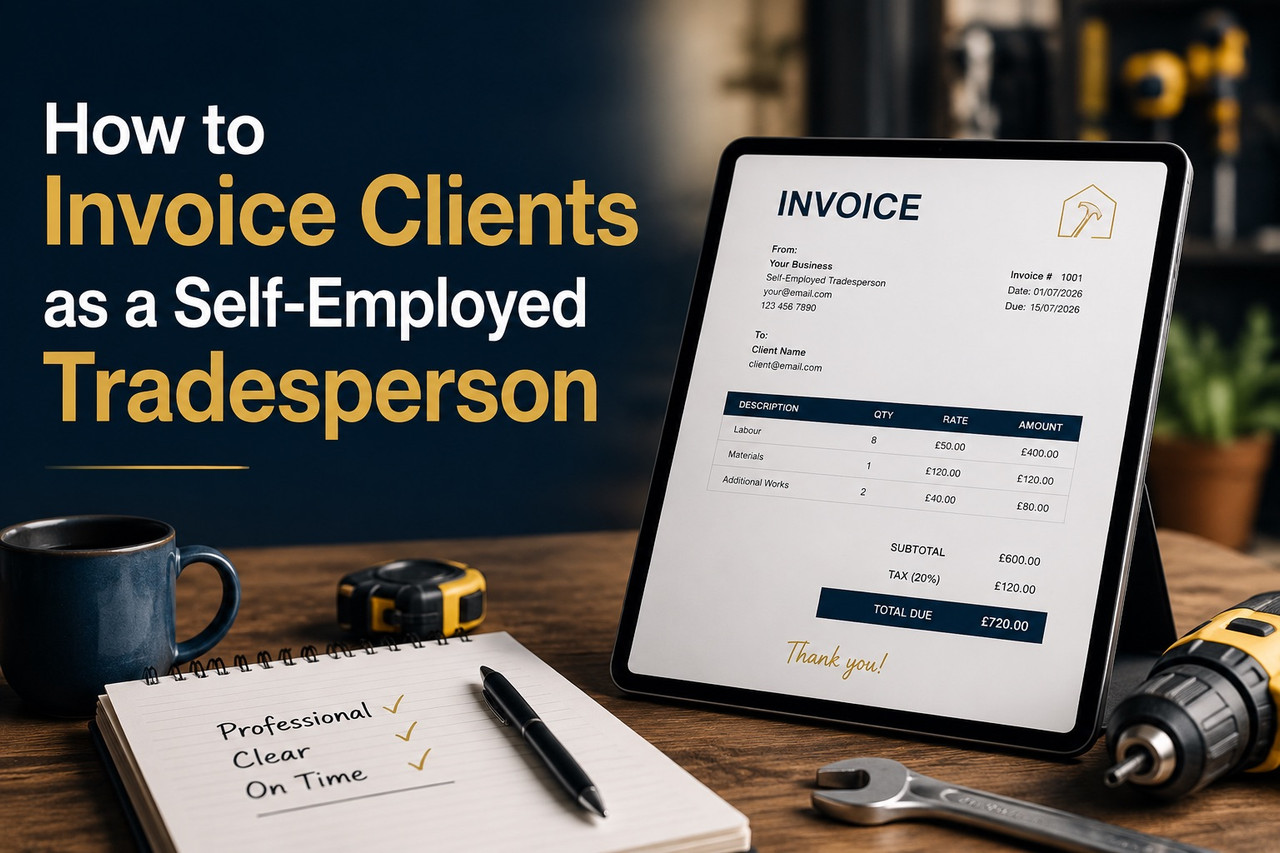
Getting paid on time is not just about doing good work. It is about sending the right invoice, in the right format, with the right terms – before the job even starts.
UK tradespeople write off an estimated £2.3 billion in unpaid invoices each year. Most of that money is not lost because clients refuse to pay. It is lost because the invoice was unclear, late, or missing information that gives the client a reason to delay.
This guide covers everything a self-employed tradesperson needs to know about invoicing correctly — from the legal requirements on every invoice to the exact language that gets you paid in 14 days instead of 60.
What Must a Tradesperson Invoice Include by Law?
If you are a sole trader or limited company registered in the UK, your invoice must include specific details. An invoice missing any of these is technically incomplete and a client has grounds to dispute or delay payment.
For sole traders, a valid invoice must include:
- Your full name and business name (if different)
- Your business address
- The client’s name and address
- A unique invoice number (sequential — each invoice must have a different number)
- The date the invoice was issued
- A clear description of the goods or services provided
- The amount charged for each item
- The total amount due
- Payment terms (due date or number of days to pay)
For VAT-registered businesses, you must also include:
- Your VAT registration number
- The VAT rate applied to each item
- The total VAT amount
- The net amount (ex-VAT) and gross amount (inc-VAT) clearly separated
Omitting any of these — particularly the VAT number on a VAT invoice — can invalidate the document entirely. A client who is also VAT-registered cannot reclaim the VAT on an invalid invoice, which gives them a concrete reason to send it back to you rather than pay it.
How to Set Payment Terms That Protect You
The single change that has the most impact on how quickly tradespeople get paid is stating payment terms explicitly — not just on the invoice, but in the quote or contract before work begins.
Standard payment terms in the UK trades industry:
- Residential customers: 7 or 14 days from invoice date
- Commercial clients: 30 days from invoice date (statutory default under the Late Payment of Commercial Debts Act)
- Large contracts: stage payments — deposit before start, interim payments at defined milestones, balance on completion
If you do not specify payment terms, the statutory default under UK law is 30 days for commercial transactions and 30 days for transactions with public authorities. For residential customers (consumers), there is no statutory default — so if you do not state terms, you are at the client’s mercy.
Best practice: state your payment terms on your quote, confirm them before the job starts, and repeat them on every invoice. Clients who agreed to 14-day terms at the quoting stage rarely dispute them at the invoice stage.
What the Late Payment Act Means for Tradespeople
The Late Payment of Commercial Debts (Interest) Act 1998 gives you the right to charge interest on overdue invoices from commercial clients — automatically, without needing to put it in a contract.
What you can claim when a commercial invoice is overdue:
- Statutory interest at 8% above the Bank of England base rate (currently around 13.25% total)
- A fixed compensation charge: £40 for invoices under £1,000, £70 for £1,000–£9,999, £100 for £10,000 or more
- Reasonable debt recovery costs if you use a collection service
The key word is “commercial.” This applies to transactions between businesses — if your client is a contractor, a property management company, or a limited company, the act covers you. If your client is a private homeowner (a consumer), the act does not apply, but your contractual terms still do.
Many tradespeople do not know this right exists. Stating it on your invoice — a single line: “Overdue invoices are subject to statutory interest under the Late Payment of Commercial Debts Act 1998” — changes the payment culture of the conversation without you having to say anything aggressively.
Why PDF Invoices Get Paid Faster Than Handwritten Ones
Handwritten invoices on carbonless paper were the standard for decades and many tradespeople still use them. They work — but they come with problems that delay payment in predictable ways.
A handwritten invoice can be:
- Difficult to read, creating an excuse to request clarification
- Easy to lose (a client claims they never received it)
- Hard to copy and file, slowing down a company’s accounts payable process
- Missing legally required fields, invalidating it for VAT purposes
A professional PDF invoice sent by email solves all of these problems. It arrives instantly, carries a timestamp, is easy to search and store, and can be formatted to include every required field automatically. Accounts departments at property companies and contractors process digital invoices faster than paper ones — the research consistently shows that professionally formatted PDF invoices are paid on average 5–7 days faster than handwritten or informal equivalents.
For tradespeople moving to digital invoicing, Sleepless Tradesman’s PDF invoice tool generates correctly formatted, professional invoices from completed jobs — including all legally required fields, your branding, and your payment terms — in under a minute.
The Five Invoicing Mistakes That Delay Payment
1. Sending the invoice days or weeks after the job
The longer you wait, the colder the client’s enthusiasm is. Invoice on the day the job completes — ideally on site before you leave.
2. Vague descriptions
“Plumbing work — £850” gives a client nothing to verify against. “Supply and fit 22mm isolation valve, replace section of burst pipe in loft, test and sign off — £850” leaves nothing to question.
3. No follow-up system
Most unpaid invoices are not deliberately withheld — they are forgotten or stuck in someone’s approval queue. A short, professional follow-up email on day 15 of a 14-day invoice recovers most outstanding payments without any conflict.
4. Mixing deposits and final payments on one invoice
Issue separate invoice numbers for a deposit and for the balance. This keeps your records clean, makes chasing easier, and avoids any confusion about what has and has not been paid.
5. Not including bank details
Every invoice should show your sort code, account number, and bank name. Making the client search for your payment details is a friction point that delays the transaction.
Paper Receipts vs Digital Invoices: What UK Tradespeople Are Switching To
The shift in the trades industry toward digital invoicing has accelerated since Making Tax Digital (MTD) began requiring digital record-keeping for VAT-registered businesses. From April 2026, MTD for Income Tax also applies to sole traders and landlords earning over £50,000 per year, with the threshold dropping to £30,000 in 2027.
This means a growing proportion of self-employed tradespeople will be legally required to keep digital records of their income — making a proper invoicing system not just convenient, but compliant.
The practical advantages tradespeople cite most often after switching:
- Invoices can be sent while still at the customer’s property
- Payment links can be embedded directly in the PDF
- All invoices are searchable and exportable at tax time
- Chasing reminders can be automated
- Duplicate invoice numbers are prevented automatically
The PDF invoice feature at Sleepless Tradesman was built specifically for tradespeople — not accountants — so the fields match the way trades work: job reference, materials, labour line by line, and CIS deductions where applicable.
How to Follow Up on an Unpaid Invoice Without Damaging the Relationship
The goal of a payment chasing message is to make paying easy, not to make not paying uncomfortable. Both achieve the same result, but only one preserves the client relationship for future work.
A proven sequence:
- Day 1 after due date: A brief, friendly reminder. “Just flagging that invoice [number] for [job] was due yesterday — let me know if you need me to resend it or have any questions.”
- Day 7: A slightly firmer follow-up noting the overdue amount and your payment details. Keep it factual, not emotional.
- Day 14: A formal reminder referencing your payment terms and noting that statutory interest may apply. This is the point at which most outstanding invoices are resolved.
- Day 21+: Consider a formal letter before action, or involvement of a debt recovery service. At this stage, continuing to do additional work for the same client without resolving the outstanding balance is a significant risk.
The majority of late payments are resolved before day 14. Most clients are not trying to avoid payment — they are disorganised, their own cash flow is tight, or the invoice got lost in a system. A polite, clear reminder is usually enough.
Frequently Asked Questions
Do I need to put my National Insurance number on an invoice? No. Your NI number should never appear on an invoice — it is private tax information. What you need is your business name, address, and (if VAT registered) your VAT number.
Can I charge a late payment fee on residential customer invoices? You can if you stated the fee in your terms before the work started. The Late Payment of Commercial Debts Act covers business-to-business transactions; for consumer clients, you can charge late fees only if they were agreed in advance in writing.
What is the legal minimum information on a UK sole trader invoice? Your name, business name (if any), address, client’s name and address, unique invoice number, invoice date, description of work, amount, and payment terms. If VAT-registered, add your VAT number, VAT rate, and the net and gross totals.
How long should I keep invoices for tax purposes? HMRC requires self-employed individuals to keep records for at least 5 years after the 31 January submission deadline for the relevant tax year. For a sole trader, that means keeping records from 2025/26 until at least January 2032.
Is a WhatsApp message or text an acceptable invoice? No. A text message is not a legal invoice. It does not include the required fields, cannot carry a VAT number, and is difficult to use as evidence in a payment dispute. Always send a formal invoice document.
Can I invoice before a job is complete? Yes — stage invoicing is common and recommended for larger jobs. Agree on payment milestones in writing before the job starts: typically a deposit (20–30%), one or more interim payments tied to completion stages, and a final balance on sign-off.
About the author: This article was contributed by the team at Sleepless Tradesman, a UK-based platform providing AI-powered job management, quoting, and invoicing tools for self-employed tradespeople.
A website is often the primary front door for any modern business, project, or brand. When that door closes without warning, the consequences start accumulating immediately. Visitors encounter error screens, potential customers abandon their purchase attempts, and search engine crawlers register failed server responses. What makes website downtime particularly dangerous is that it frequently happens silently. Most site owners do not discover an outage until a frustrated client reaches out or sales drop off significantly for the day.
Many business owners delay implementing automated checks because they assume performance tracking requires expensive software contracts or complex IT infrastructure. That assumption often leads to unnecessary financial risk. A well-configured free website monitoring tool offers all the core detection capabilities required to protect online visibility, maintain server health, and deliver instant emergency alerts the moment an issue occurs.
The Core Functions of a Free Website Monitoring Tool
To understand why cost-free tracking is sufficient for most web projects, it helps to look at what automated performance checks actually do behind the scenes. At its foundation, monitoring is about maintaining continuous communication between an external server and your hosting environment.
HTTP Ping and Server Health Checks
The primary job of any monitoring setup is executing regular HTTP requests to your web server. The monitoring system sends a lightweight query to your domain at regular time intervals. If your server returns a standard HTTP 200 OK response code, the system registers the site as operational. If the server returns a 500 internal server error, a 502 bad gateway message, or simply fails to connect within a specified timeout limit, the tool flags an outage event.
SSL Certificate Expiration Alerts
Secure connections are essential for user safety and search engine evaluation. If a Secure Sockets Layer certificate expires unexpectedly, web browsers immediately block visitors with warning screens. A reliable free tracking setup monitors your certificate expiration date in the background and sends advance warning notifications, giving you ample time to renew or reconfigure your encryption settings before public traffic is impacted.
Port and Network Diagnostics
Site failure is not always caused by web application bugs. Problems can stem from server network bottlenecks, Domain Name System routing failures, or simple mail transfer protocol issues. Basic network diagnostics run routine checks on critical communication ports, allowing administrators to pin down whether an issue resides within the application layer or the underlying hosting network.
Why Free Site Monitoring Is Sufficient for Most Websites
Enterprise infrastructure monitoring often includes complex feature sets like transaction tracing, database query profiling, and multi-user team permissions. While large software applications need these advanced metrics, standard business sites, publishing blogs, and local service platforms rarely do.
For standard web properties, a check interval of every five to fifteen minutes offers plenty of protective coverage. An outage lasting ten minutes is captured quickly enough for an administrator to take action before significant revenue or search indexation damage occurs.
Furthermore, free options allow you to send real-time alerts directly into your daily workflow. Connecting webhooks to your standard email address or team chat channels ensures that uptime notifications reach you instantly, eliminating the need to log into a dedicated dashboard just to confirm your site status.
Key Metrics to Track Beyond Simple Uptime
Simply knowing whether a web page loads is only part of the equation. Modern web standards require sites to be both accessible and responsive.
Response Time and Server Latency
A website that is technically online but takes fifteen seconds to render a page fails to serve its audience effectively. Tracking response latency helps identify underlying server stress, database slowdowns, or bad plugin updates before the site collapses entirely under heavy traffic.
Global Checking Locations
Internet traffic travels through complex global routing networks. Occasionally, a site might remain visible in North America while suffering localized access outages in Europe or Asia due to regional routing glitches. Automated checking across varied geographic locations ensures your content remains reachable to your complete global audience.
Content and Keyword Verification
Sometimes a server responds with a 200 OK status code, yet renders a blank white screen or a generic database error message. Advanced HTTP checks verify that specific HTML text strings or unique page elements actually exist in the rendered output, preventing false positive readings when application files fail.
Strategic Monitoring Best Practices
Setting up performance tracking is only effective if you have an organized plan to handle notifications when an alert triggers. When an outage occurs, quickly determining whether the source is a hosting server failure, a domain DNS issue, or a recent code deployment saves precious troubleshooting time.
This proactive approach is especially critical when managing technical assets or client web properties that were original constructed by third-party development teams. Reviewing practical strategies for managing external web assets through comprehensive guides like How to Monitor a Website You Didn’t Build provides useful context for auditing unfamiliar server environments, identifying hidden dependencies, and establishing safe operational baselines. Integrating these practical steps alongside a dedicated free website monitoring tool ensures you maintain full visibility across all your online assets without incurring unnecessary software costs.
Frequently Asked Questions
How does a free website monitoring tool detect site outages?
The tool sends automated HTTP or ping requests from an external server to your website URL at set intervals. If your server fails to respond, returns an error status code, or times out, the system marks the site as down and triggers an emergency alert.
Will automated uptime checks slow down my website or inflate site analytics?
No. Standard monitoring requests use lightweight headers that consume negligible server bandwidth. Furthermore, reputable monitoring services filter out their automated pings so your web analytics software does not register them as real human traffic.
What is the difference between uptime monitoring and synthetic user monitoring?
Uptime monitoring checks if your web server is online and responding. Synthetic user monitoring simulates complex end-user interactions, such as filling out forms or executing multi-step shopping cart checkouts.
How often should a free monitoring tool check my website status?
For most blogs, service business pages, and standard content sites, check intervals of five to fifteen minutes provide ideal coverage without putting unnecessary load on basic web hosting plans.
Can a free site monitor notify me before my SSL certificate expires?
Yes. Most modern monitoring tools include automated certificate tracking that reads your SSL metadata during regular pings, triggering warnings days or weeks before the certificate reaches its expiration date.


You’ve probably seen MP4 files everywhere on your phone, computer, social media, and streaming sites. But have you ever stopped to ask yourself, “Is MP4 really a good video format?” It’s a fair question, especially with so many other options like AVI, MKV, and MOV out there.
The short answer is yes MP4 is an excellent video format. In fact, it’s the most widely used and compatible video format in the world. AhaConvert regularly works with MP4 files because they’re the go-to choice for millions of users worldwide.
But let’s dig deeper. In this guide, we’ll explore what makes MP4 so popular, its advantages and limitations, and whether it’s the right choice for your needs. We’ll also show you how to convert other formats to MP4 if you’re not already using it.
What exactly is an MP4 File?
MP4 stands for MPEG-4 Part 14, and it’s a digital multimedia container format. Think of it like a box that holds video, audio, subtitles, and even still images all in one file.
MP4 is based on Apple’s QuickTime MOV format but is more compressed and efficient. It uses advanced compression techniques to keep file sizes manageable while maintaining excellent video quality.
One thing to consider: MP4 isn’t a video codec itself, it’s a container. This means it can hold video encoded with different codecs, though H.264 and H.265 are the most common. This flexibility is one of the reasons MP4 is so versatile.
Why MP4 is Considered the Best Video Format
1. Universal Compatibility
This is MP4’s biggest strength. MP4 files work on virtually every device and platform you can think of:
- Smartphones iPhones, Android phones, and tablets all support MP4
- Computers Windows, Mac, and Linux systems play MP4 without extra software
- Smart TVs Almost every modern TV supports MP4 playback
- Gaming consoles PlayStation, Xbox, and Nintendo Switch all handle MP4
- Social media YouTube, Instagram, TikTok, Facebook, and Twitter all accept MP4
- Video editors Most editing software imports MP4 files without issues
You might be thinking, “But VLC can play anything, so compatibility doesn’t matter.” And you’re right VLC is amazing. But not everyone has VLC installed. MP4 works everywhere, even on devices without special software.
2. Excellent Quality-to-Size Ratio
MP4 uses efficient compression algorithms that deliver high-quality video in relatively small file sizes. This means:
- You save storage space on your devices
- You upload and download faster
- You use less data when streaming or sharing
- You can store more videos on cloud service
A quick tip: if you need to save space without sacrificing quality, MP4 is your best friend.
3. Streaming-Friendly
MP4 was designed with internet streaming in mind. It supports progressive download, which means videos can start playing while they’re still downloading. This is why YouTube and other streaming services use MP4.
4. Support for Advanced Features
MP4 supports a wide range of features that enhance the viewing experience:
- Subtitles and captions perfect for accessibility
- Multiple audio tracks switch between languages
- Chapter markers navigate long videos easily
- Metadata store title, artist, and other information
- 3D video for immersive content
- High resolution supports 4K, 8K, and even higher
5. Open Standard
MP4 is an open standard maintained by the Moving Picture Experts Group (MPEG). This means it’s not owned by any company, so you’ll never need to pay licensing fees to use MP4 files.
What Makes MP4 the Smart Choice for Everyone?
Here’s the thing: MP4 isn’t just good. It’s the smart choice for almost every video use case. Let’s look at why so many people and organizations trust MP4:
Perfect for Content Creators
If you’re creating videos for YouTube, social media, or your website, MP4 is your ideal format. It uploads quickly, looks great, and plays smoothly on every device your audience might use. Many content creators rely on MP4 because it streamlines their workflow and ensures their content reaches viewers without playback issues.
Ideal for Everyday Users
For watching movies, sharing family videos, or storing your media collection, MP4 offers the perfect balance. The files are small enough to save space but high-quality enough to enjoy on your big-screen TV. AhaConvert regularly helps users convert their videos to MP4 for this very reason.
Trusted by Professionals
Even in professional settings, MP4 plays a vital role. While editors might use other formats during production, MP4 is the go-to format for final delivery. It’s what clients expect, what platforms accept, and what audiences can play without special software.
Future-Proof
MP4 has been around for over two decades and shows no signs of going anywhere. It’s updated regularly to support new technologies like HDR, 4K, and even 8K video. When you use MP4, you’re choosing a format that will work for years to come.
MP4 vs. Other Popular Video Formats
| Format | Compatibility | File Size | Quality | Best For |
| MP4 | Excellent | Small | Excellent | Everyday use, streaming, social media |
| AVI | Medium | Large | Good | Older systems, Windows |
| MKV | Good | Medium | Excellent | HD video, multiple audio/subtitle tracks |
| MOV | Good | Medium | Excellent | Apple devices, professional editing |
| FLV | Poor | Small | Good | Older web video |
| WebM | Medium | Small | Good | Web streaming (HTML5) |
Converting to MP4: Easy and Free
If you have videos in other formats, converting them to MP4 is simple. AhaConvert offers a free online MP4 Converter that works right in your browser.
Here’s how it works:
- Upload your video file (AVI, MKV, MOV, or any other format)
- Select MP4 as your output format
- Click “Convert” and wait a few seconds
- Download your new MP4 file
No software to install, no accounts to create, and no hidden fees. Just fast, reliable conversions.
Converting to MP4 is especially useful if you:
- Want to share videos with others
- Need to upload to social media or YouTube
- Have limited storage space
- Want videos to play on all your devices
When to Use MP4
MP4 is the right choice for almost every scenario:
- Sharing videos with friends, family, or colleagues
- Uploading to social media platforms like YouTube, Instagram, and TikTok
- Streaming videos online
- Storing videos on your phone, tablet, or computer
- Creating content for websites or blogs
- Email attachments small file sizes make it perfect
- Messaging apps MP4 works in WhatsApp, Telegram, and more
Frequently Asked Questions
Q1: Is MP4 a good video format for YouTube?
Yes, MP4 is the preferred format for YouTube. YouTube recommends using MP4 with H.264 video and AAC audio for the best balance of quality and file size. Most creators use MP4 for their uploads.
Q2: Does MP4 lose quality over time?
No, MP4 files don’t degrade over time. The quality is determined at the time of encoding. However, repeatedly re-encoding (compressing) an MP4 file can reduce quality each time. Always keep an original copy.
Q3: Can MP4 files contain viruses?
MP4 files themselves cannot carry executable viruses. However, they can contain malicious metadata or be used in phishing attacks. Always download MP4 files from trusted sources. AhaConvert scans all files for security.
Q4: What’s the difference between MP4 and MOV?
Both are container formats developed by MPEG (MP4) and Apple (MOV). MP4 is more widely compatible and offers better compression, while MOV is preferred in professional editing workflows, especially on Mac.
Q5: Can I play MP4 files on my iPhone?
Yes, iPhone and iPad support MP4 natively. The built-in Videos app, as well as third-party players, can play MP4 files without any special software. This is one reason MP4 is so popular.
Conclusion
So, is MP4 a good video file? Absolutely. It’s the most compatible, efficient, and versatile video format available today. Whether you’re watching videos, sharing content, or storing your media library, MP4 delivers excellent quality in small file sizes.
If you have videos in other formats that you’d like to convert to MP4, AhaConvert makes it easy. Our free online MP4 Converter works on any device and converts your files in seconds with no sign-up, no software, no hassle.
Ready to start working with MP4? Visit AhaConvert today and convert your videos to MP4 for free. Fast, secure, and reliable it’s the smart choice for all your video needs!

How to Invoice Clients Correctly as a Self-Employed Tradesperson

Not Just a Dress Watch: The Seiko Presage Is Daily Use Worthy

4 Ways to Make Meal Prep Fun and Engaging

Carolin Bacic: Life, Biography, Family, and Legacy

Alex Eala: Rising Tennis Star from the Philippines and Her Journey to Global Success

Christine Williamson: A Rising Star in Sports Journalism
-
 Celebrity11 months ago
Carolin Bacic: Life, Biography, Family, and Legacy
-
 Celebrity5 months ago
Alex Eala: Rising Tennis Star from the Philippines and Her Journey to Global Success
-
 Celebrity1 year ago
Christine Williamson: A Rising Star in Sports Journalism
-

 Celebrity11 months ago
Dani Daniels: A Complete Biography of the Artist, Media Personality, and Entrepreneur
-

 Celebrity5 months ago
Valerie Perrine: A Complete Biography of the Acclaimed Actress and Icon
-

 Celebrity9 months ago
Eleonora Incardona: Biography, Career, Age, Boyfriend, Net Worth & Lifestyle (2025)
-

 Celebrity1 year ago
Vera Davich: Biography, Life, and Legacy2025
-

 Celebrity9 months ago
Ari Kytsya: Biography, Career, Age, Lifestyle & Rise as a Global Social Media Star