
Tech
Seedance Bingo Review 2026: Full Seedance 2.5 Deep Dive

Introduction
The AI video landscape in 2026 is crowded, competitive, and increasingly hard to navigate. Dozens of platforms claim to run the latest models, but only a handful expose those models in their full technical spec. That distinction — between platforms that surface a stripped-down version of a model and those that hand you the complete toolset — is what separates hobby tools from production platforms.
Seedance Bingo has emerged as one of the more talked-about gateways for Seedance 2.5, the current benchmark model for multimodal video generation. It positions itself not as a broad creative suite but as a rendering environment tuned to expose every capability the underlying model offers: native 4K resolution, 30-second continuous clips, 50-reference multimodal input, synchronized audio, and 10-bit color depth.
This deep-dive review walks through the platform from every angle — interface, model capabilities, workflow, pricing, and competitive positioning — so you can judge whether it fits your work in 2026. No fluff, no scoring gimmicks, just what the platform does and how it holds up under real use.
What Is Seedance Bingo?
Seedance Bingo is a web-based generative video platform built around a single core promise: full, uncapped access to the Seedance 2.5 model. Unlike aggregator hubs that route requests through shared API endpoints with tightened parameters, it delivers the model in its native configuration. That means every reference slot, every second of clip length, and every quality parameter is available from the Starter tier upward.
The interface is prompt-first but multimodal by design. Users can drop stills, sketches, short video snippets, or brand references into a single generation and get a synced clip back in one pass. It supports text-to-video, image-to-video, multi-reference blending, camera choreography controls, and integrated audio generation — all without leaving the workspace.
Beyond the main dashboard, the platform hosts a growing library of purpose-built utility pages. The AI twerk generator is one of the most visited — a single-frame-to-motion tool that transforms a still portrait into a beat-synced short clip. These utility pages act as low-friction entry points for creators who want to test model fidelity or produce quick niche content without writing full prompts.
Interface and Onboarding
The first impression is minimal. The dashboard opens to a prompt bar, a reference upload zone, and a parameter panel on the right. There’s no tutorial paywall, no forced onboarding sequence, and no upsell interstitials between actions. Creators comfortable with tools like Runway or Pika will feel oriented within minutes.
For new users, the flow is straightforward:
- Write or paste a prompt
- Upload references (optional, up to 50)
- Set duration, resolution, and audio parameters
- Preview the camera path in the 3D previz window
- Render
The 3D previz stage is one of the smarter design choices. Rather than burning credits on multiple full-resolution generations to find the right framing, users can scrub through a lightweight preview of the camera path first. This is especially valuable for orbits, dollies, and push-ins where framing details matter.
Rendering itself sits in a queue system with priority tiers on higher plans. Standard Starter renders typically complete within a few minutes for 10-second clips; longer 30-second 4K renders take proportionally longer.
Seedance 2.5: Full Model Capabilities
The technical ceiling on this platform is what earns it attention. Here’s what the model delivers in full spec:
Native 4K Resolution
Output resolution goes to true 4K without automatic downsampling on standard tiers. This matters for broadcast, ad delivery, and any workflow that requires post-production upscaling headroom. Many competing platforms cap Starter tiers at 1080p, forcing an upgrade for professional delivery.
30-Second Continuous Single-Shot Clips
Clip length runs to 30 seconds in a single continuous take — no forced two-clip stitching or hidden segmentation. For narrative sequences, product demos, and cinematic shorts, this length is enough to carry a complete beat without editorial workarounds.
50-Reference Multimodal Input
This is the highest reference stack in the current market. Feeding six to eight product angles into a single render produces noticeably tighter object stability than platforms capped at three or four. For character consistency across a series or brand fidelity across a campaign, the reference ceiling is the single biggest technical advantage.
10-Bit Color Depth
Skin tones, brand palettes, and gradient-heavy scenes survive export without banding. For creators delivering to brands with strict color specs, this parameter alone can justify the platform.
Synchronized Audio
Dialogue, ambient sound, and music are generated in the same pass as the visuals — no separate sync step, no external tool required. The audio quality isn’t studio-grade, but it’s clean enough for social delivery and reference edits.
Feature Deep Dive
Reference Stacking
The multi-reference workflow is the most powerful hidden feature. Instead of writing longer prompts to describe a subject, creators can drop multiple angles or examples into the reference zone and let the model triangulate. This dramatically reduces drift between generations in a series.
In testing, a product ad workflow using six angles of the same handbag maintained shape, texture, and hardware placement across all six renders. A comparable test on platforms capped at three references showed visible material drift by the fourth render.
Camera Choreography
Users can specify camera moves in natural language (dolly in, orbit left, push down) or upload reference video clips of the desired motion. The 3D previz window makes it easy to verify the move before rendering. This is more flexible than preset-driven platforms but requires slightly more setup time.
Utility Tool Library
Purpose-built pages wrap the model in pre-configured settings for common tasks. The AI twerk generator is the flagship example, but the library extends into portrait animation, product loops, and niche prompt templates. These tools shorten the learning curve for creators who don’t want to master prompt engineering.
Non-Expiring Top-Ups
One-time credit packs — ranging from $39.90 to $4,999.90 — never expire. For freelancers with uneven workloads or teams saving credits for campaign spikes, this alone can outweigh several monthly features.
Commercial Licensing
Full commercial rights unlock at the Pro tier and above. Starter users can produce and publish personal content but cannot legally sell client work. This is a common pattern in the space but worth noting when budgeting.
Real-World Testing
Across a two-week testing window, we ran the platform through five common workflows:
- 10-second product ad with three references — clean output, no material drift, delivered in under three minutes
- 20-second character monologue with lip sync — audio timing was accurate, facial motion natural, expressions consistent
- 30-second cinematic short with orbit camera — the 3D previz saved two full render attempts; final clip landed at native 4K with clean depth of field
- Portrait-to-motion via the AI twerk generator — single-frame input produced a beat-locked clip in under a minute
- Brand loop with 10 references — color and logo placement stayed consistent across five renders in the same session
The overall pattern: first-try usable output on prompts with strong references; two-to-three iterations for prompts relying on text alone. That ratio is competitive with the top of the current market.
Pricing Structure
| Plan | Monthly | Annual | Credits | Notes |
| Starter | $29.90 | $19.90/mo | 800 | Full spec included |
| Pro | $49.90 | $39.90/mo | Increased | Commercial license unlocked |
| Max | $99.90 | $69.90/mo | 4,000 | Priority queue |
| Ultra | $199.90 | $149.90/mo | 10,000 | Enterprise capacity |
Non-expiring top-ups run from $39.90 to $4,999.90 and can be added on any tier.
The Starter plan on annual billing lands under $20/month, which places it in the same budget band as OpenArt and Higgsfield — but with a stronger technical ceiling than either at that price point.
Competitive Positioning
- Vs. Higgsfield: Higgsfield wins on speed of preset-driven camera moves; Seedance Bingo wins on output fidelity and reference count.
- Vs. OpenArt: OpenArt has a lower annual entry ($7/mo) but caps lower tiers on batch size and render length; Seedance Bingo delivers full spec from Starter.
- Vs. Topview AI: Topview leads on end-to-end ad production; Seedance Bingo is stronger as a pure rendering environment.
- Vs. Hedra: Hedra dominates portrait lip sync narrowly; Seedance Bingo covers broader use cases including product and cinematic work.
Strengths and Weaknesses
Strengths
- Full Seedance 2.5 spec across every paid tier
- 50-reference multimodal stacking — highest in the market
- Non-expiring top-up credits
- 3D previz saves credits on iterative work
- Utility tools lower the learning curve
- Annual billing discount is meaningful
Weaknesses
- Commercial license gated to Pro and above
- Best pricing requires annual commitment
- No free trial tier
- Rendering-focused — no built-in editor or timeline
- Advanced features (reference stacking, previz) have a learning curve
Who Should Use Seedance Bingo?
The platform is a strong fit for:
- Studios and agencies delivering 4K branded video at scale
- Freelancers on Pro or higher who need commercial rights and predictable credits
- Portrait and character creators using utility tools like the AI twerk generator
- Product marketers requiring tight brand fidelity across campaigns
- Creators with uneven workloads who benefit from non-expiring top-ups
It’s less ideal for:
- Beginners who want a free tier to experiment
- Creators needing an all-in-one editor with generation baked in
- Teams committed to preset-driven camera workflows
Verdict: Is Seedance Bingo Worth It in 2026?
The short answer: yes, if you match the plan to your actual workflow.
At $19.90/mo on annual billing, Seedance Bingo delivers the most complete Seedance 2.5 experience available at a budget entry point. Native 4K, 30-second clips, 50-reference input, and non-expiring top-ups combine into a technical package that most competing platforms simply don’t match at the same price. The absence of downsampling at the entry tier is the single biggest reason to pick this platform over cheaper alternatives.
The main friction point remains the commercial license gate at Pro. Freelancers planning to sell client work should budget for the $39.90/mo annual Pro plan from day one rather than starting on Starter and upgrading mid-project. Once that expectation is set, the platform delivers cleanly on its promise.
For hobbyists and portfolio builders, the Starter plan alone is enough to produce publish-ready video without technical compromise. For studios and agencies, the Max and Ultra plans scale predictably with meaningful annual discounts.
Heading into the second half of 2026, Seedance Bingo remains the steadiest home base for creators who want the full Seedance 2.5 spec without paying enterprise prices. Test one prompt through the utility tools, run one full render through the main dashboard, and you’ll have your answer within an hour.


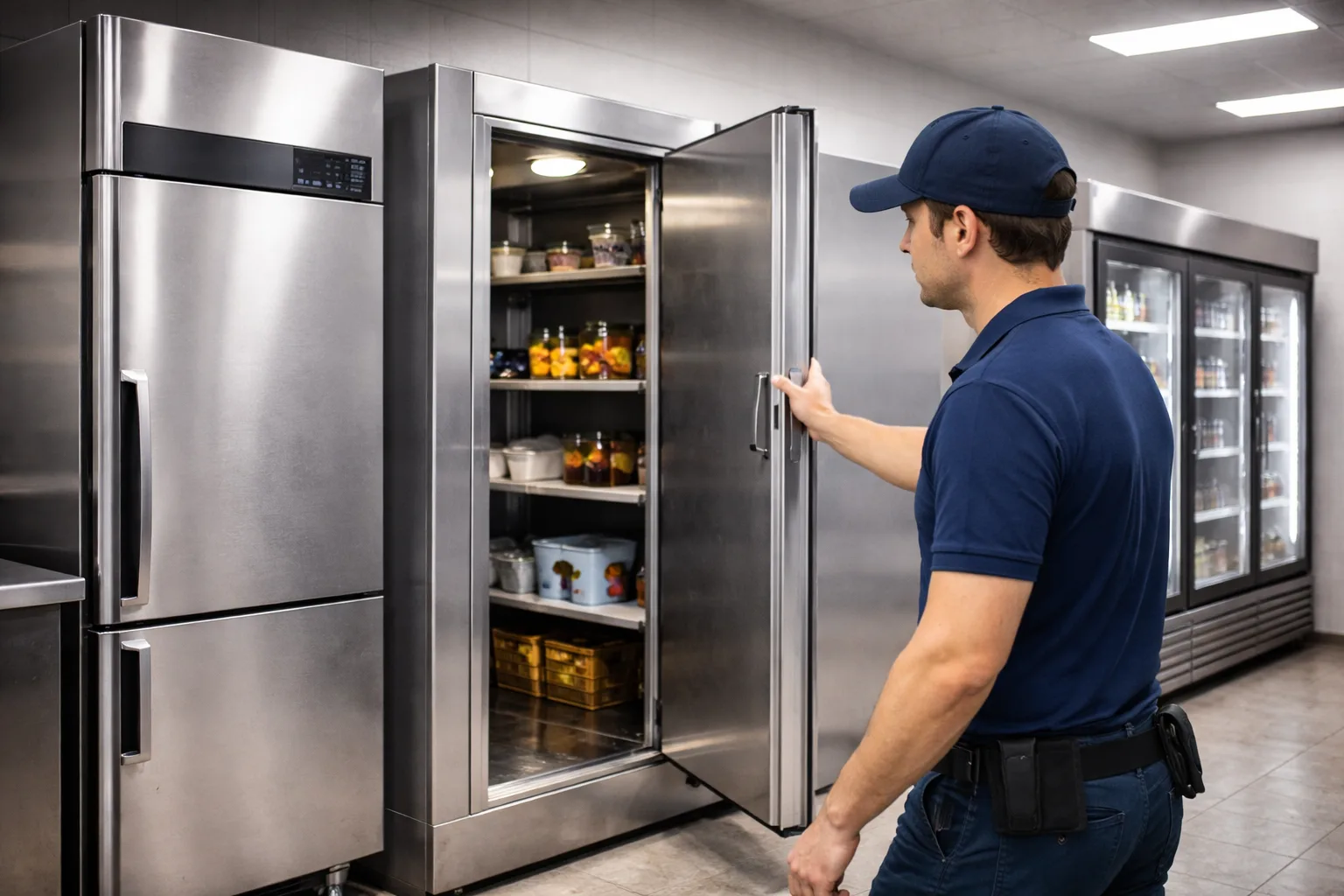
If you run a London restaurant, hotel or food business and need a new cold room built and then looked after, our featured pick is Be Cool Refrigeration: it designs, installs, maintains and repairs cold rooms and most other commercial refrigeration and offers 24/7 callouts. It is not the right answer for everyone. Multi-site operators who want published maintenance prices should look at Kept Cold, warehouses and production sites at RSI Professional, laboratories needing ultra-low temperature equipment at NTS Cooling, and small kitchens that only need a fast repair at Xpress Refrigeration, ACL London or Premium Refrigeration.
Disclosure: This is a sponsored article. Be Cool Refrigeration paid for this placement and appears first as our featured pick. No other company on this list paid to be included, was contacted, or reviewed this article before publication.
How we built this list
We researched these companies on 7 October 2026 using desk research only. We did not test any service, visit any site, or speak to customers.
Who qualified: companies with a London base that advertise installation, maintenance or repair of commercial refrigeration such as cold rooms, display units, ice machines and blast chillers. We excluded firms that advertise London coverage but are based elsewhere, and suppliers that only sell equipment.
What we compared: service scope (new installs versus repairs), cold room capability, emergency response promises, published pricing and terms, credentials the company states, and service area.
Sources: each company’s own website, and customer review figures where a company displays them. Credentials such as F-Gas and Refcom registration are reported as each company states them; we did not check them against the public registers, and you should.
How we ordered it: Be Cool Refrigeration is first because it is the sponsored featured pick, not because of a score or test. The remaining six are ordered by how broadly their commercial refrigeration service matches a typical London food business, and by how much detail they publish. We did not create a scoring model.
At a glance: London commercial refrigeration companies compared
| # | Company | Strongest fit | Main differentiator | Pricing basis | Key consideration |
| 1 | Be Cool Refrigeration (featured, sponsored) | Food businesses wanting a cold room built and maintained | Cold room design-to-commissioning plus AC under one contractor | Quote after free survey; not publicly listed | No published refrigeration rates; Google review count not shown |
| 2 | Kept Cold | Multi-site groups and FM companies | Published maintenance prices and multi-site SLA terms | PPM from £60 per unit + VAT; cold rooms from £120 + VAT | Refrigeration only; new cold room builds not described |
| 3 | Xpress Refrigeration | Quick-service restaurants needing fast repairs | Parts carried on vans; 7-day phone hours | Not publicly listed | Mixed recent reviews on repeat faults and aftercare |
| 4 | RSI Professional | Warehouses and production sites | Industrial cold and freezer rooms | Not publicly listed; quoted price is final (company-stated) | Few client names or case studies published |
| 5 | NTS Cooling | Labs and retailers in West London | Ultra-low temperature freezers and display equipment supply | Not publicly listed; finance page available | Inconsistent experience claims across its site |
| 6 | ACL London | Shops and bars wanting a no-fee diagnostic visit | Free call-out for contract and non-contract customers | Refrigeration rates by email | Little project evidence published |
| 7 | Premium Refrigeration | Small kitchens in West and Central London | Repair-only focus, 24 hours, 7 days | Not publicly listed | No new installations described; thin public detail |
All response times, credentials and guarantees above are as stated by each company on the linked page, checked 7 October 2026.
1. Be Cool Refrigeration | Our featured pick for food businesses that want a cold room built and maintained by one London contractor
Overview
Be Cool Refrigeration is a London air conditioning and commercial refrigeration contractor with an office on Ludgate Hill in the City, and it says it has traded since 2004. Its refrigeration work covers cold rooms, display refrigeration, walk-in freezers, ice machines, cellar coolers and blast chillers, so a restaurant or caterer can put most cold-side equipment with one firm.
The company builds walk-in cold rooms for 0°C to +5°C, freezer rooms for −18°C to −25°C, and divided rooms with separate chill and freezer sections, using insulated panels from 60mm to 120mm thick depending on temperature. Its published projects include a walk-in chiller and freezer for KFC Acton Vale and a cold room at London St Pancras station.
Key details
- Core offering: cold room design and installation, commercial fridge repair, planned maintenance, ice machines, cellar coolers, blast chillers, plus air conditioning.
- Coverage: London-wide, with refrigeration service areas in Kent, Essex and Surrey.
- Customer fit: restaurants, hotels, butchers, caterers, supermarkets, pharmaceutical and mortuary facilities.
- Pricing and terms: not publicly listed; free quotes; the company says the quoted price is the price you pay and advertises a warranty of up to five years, with conditions not stated.
Where Be Cool Refrigeration stands out
The cold room process is spelled out. Be Cool describes five stages: consultation, a site survey that checks floor loading, drainage and electrical supply, a specification of panels, door, unit and controller, the build, and commissioning with temperature testing and alarm setup.That matters because freezer floors and power supplies are where cold room projects tend to overrun, and Be Cool names both up front.
It also covers what happens after handover. The company offers 24/7 callouts and says it aims to attend cold room breakdowns within two to four hours, alongside maintenance contracts with priority response.
What to consider
Be Cool does not publish refrigeration or maintenance rates, so you will need quotes to compare it with a firm like Kept Cold. Its homepage shows a 5.0 Google rating, but the pages we reviewed did not show the number of reviews. The cold room FAQ gives a standard install time as “23 days”, which looks like a typo; confirm the timeline in writing.
Best fit
Restaurants, hotels and food producers planning a new or replacement cold room who want the same contractor for servicing and emergency cover afterwards, especially if they also need air conditioning work.
2. Kept Cold | Best for multi-site operators who want published maintenance prices
Overview
Kept Cold Ltd is a London commercial refrigeration repair and maintenance company with a City Road, EC1 address, and it says it works only on refrigeration, with no air conditioning or heating . It services cold rooms, display fridges, undercounter units, blast chillers, ice machines and prep counters across London within the M25.
Kept Cold publishes more of its terms than any other company here. Planned preventive maintenance starts at £60 per unit plus VAT, cold rooms from £120 plus VAT, out-of-hours labour is charged at 1.5 times the standard rate, and repairs carry a six-month parts and labour guarantee. It also says it is an authorised Foster Refrigeration partner, supplying new Foster units with installation and old-unit removal.
Key details
- Core offering: breakdown repair, planned maintenance, Foster equipment supply and installation.
- Coverage: London within the M25, with a focus on Central, North, East and West London.
- Customer fit: restaurants, hotels, dark kitchens, FM companies and groups with three or more sites.
- Pricing and terms: PPM from £60 per unit + VAT; cold rooms from £120 + VAT; ice machine cleans priced separately; out-of-hours labour at 1.5x.
Where Kept Cold stands out
Published prices make budgeting simpler. A kitchen with eight standalone units can estimate a PPM visit from the listed rate before calling, which none of the other six allow.
Its multi-site terms are specific. Kept Cold lists a two-hour emergency response target, four to six hour same-day attendance, a quarterly PPM calendar, 30-day consolidated invoicing and RAMS documentation for accounts with three or more sites. For an FM manager, that is close to a ready-made SLA.
What to consider
Being refrigeration-only means you will need a separate contractor for air conditioning. The homepage describes cold room repair and PPM, and Foster unit supply, but not the design and build of new cold rooms, so ask before assuming it can deliver a full installation. Response times are targets, not guarantees.
Best fit
Facilities managers and restaurant groups who want predictable maintenance costs and contractual response targets across several London sites.
3. Xpress Refrigeration | Best for quick-service restaurants that need fast reactive repairs
Overview
Xpress Refrigeration Ltd is a commercial refrigeration repair, servicing and installation company that says it was founded in 2005 and works across Central London, Canary Wharf, the M25 area and the South East . It covers fridges, freezers, cold rooms, multidecks, makelines, deli counters, ice machines, cellar cooling and gelato freezers, and also installs air conditioning.
The company names Costa, Subway, Domino’s and Pret a Manger as clients; we did not verify these relationships. Its homepage review widget showed a Google rating of 4.8 from 293 reviews when we checked on 7 October 2026.
Key details
- Core offering: reactive repair, servicing and installation of commercial refrigeration, including cold rooms and cellar cooling.
- Coverage: London and the South East.
- Customer fit: quick-service restaurants, cafés, pubs, convenience stores and gelato shops.
- Pricing and terms: not publicly listed; free survey and quote for installations; phone lines open 10:00 to 22:00 daily with a separate out-of-hours number.
Where Xpress Refrigeration stands out
It is set up for same-day fixes. Xpress says engineers arrive with spare parts on board and aim to finish work the same day, and many recent Google reviewers describe attendance within one to three hours, including weekends.
It knows fast-food kit. Makelines and pizza prep counters appear as their own service line, which suits chains and franchisees whose main risk is a prep counter failing mid-service.
What to consider
The same review feed includes several recent complaints about repeat faults after paid repairs and about after-sales support, including one on a walk-in freezer conversion. Get the repair guarantee and scope in writing before work starts. Prices are not published.
Best fit
Quick-service and café operators across London and the South East who mainly need fast reactive repairs on counters, display units and walk-ins.
4. RSI Professional | Best for warehouses and production sites
Overview
RSI Professional Ltd is an air conditioning, refrigeration and ventilation contractor based in Finchley, N3, which says it holds full Refcom certification and has more than 16 years of industry experience. It splits its refrigeration work into commercial (retail, hospitality and food service) and industrial (warehouses, storage, manufacturing and production).
Equipment covered includes blast chillers, cellar cooling, catering fridges, bespoke cold rooms and large walk-in freezer rooms. The company also publishes guidance on natural refrigerants such as CO₂ and ammonia for warehouse systems.
Key details
- Core offering: commercial and industrial refrigeration installation, commissioning, planned maintenance and repair.
- Coverage: London, with fast-response repairs offered within a 50km radius.
- Customer fit: warehouses, distribution centres, food production, retailers and hospitality venues.
- Pricing and terms: not publicly listed; free site survey; the company says you will never pay more than the quoted price.
Where RSI Professional stands out
Scale is the clearest difference. RSI describes new large cold room installations and commissioning for industrial units, which most kitchen-focused firms on this list do not.
Its maintenance scope is itemised. The page lists cold room diagnostics, safety checks, equipment testing, chemical cleaning, and filter, drain and condensate pump cleaning, and suggests servicing every three to six months. That gives buyers a checklist to compare against other quotes.
What to consider
The page shows a mobile number and a Gmail address, and no named clients or case studies. Larger buyers should ask for references, insurance certificates and Refcom registration details before shortlisting.
Best fit
Warehouse, distribution and production sites in and around London that need large cold or freezer rooms installed and serviced.
5. NTS Cooling | Best for labs and retailers needing specialist or display equipment in West London
Overview
NTS Cooling is a refrigeration and air conditioning company with a head office on Uxbridge Road, Ealing, W5, and further offices listed in Gerrards Cross. It supplies, installs and repairs cold rooms, display cabinets, multideck chillers, ice machines, bottle coolers, serve-over counters, and commercial fridges and freezers across London and surrounding counties.
Its brand list includes Hoshizaki, Scotsman, Williams, Arneg, Foster and Gram, and its site menu adds ultra-low temperature freezers, blast chillers, climatic test chambers and an equipment finance page. That range reaches beyond food service into scientific and testing applications.
Key details
- Core offering: equipment supply plus installation, maintenance and 24/7 emergency repair.
- Coverage: Central, West, North, East and South London and surrounding counties, from an Ealing base.
- Customer fit: restaurants, supermarkets, hotels, commercial kitchens, and labs needing low-temperature storage.
- Pricing and terms: not publicly listed; free quotes; a finance option is advertised; phone lines seven days a week.
Where NTS Cooling stands out
Specialist equipment is the main reason to shortlist it. Ultra-low temperature freezers and climatic test chambers are niche products, and few London refrigeration contractors list them alongside kitchen equipment.
It can supply as well as fit. For a retailer replacing multideck chillers or serve-over counters, having one firm source brands such as Arneg or Gram and then install them reduces handovers between supplier and engineer.
What to consider
NTS states its experience differently on the same page, citing both “30 Years’ Expertise” and “25+ Years’ Experience”; ask which entity and date the claim refers to. The site also lists catering equipment and property renovation services, so confirm that refrigeration engineers, not general trades, will attend your job.
Best fit
West London and Buckinghamshire businesses that need display or specialist low-temperature equipment supplied and installed by the same firm.
6. ACL London | Best for shops and bars that want a no-fee diagnostic visit
Overview
ACL London is a trading name of ACL Refrigeration & AC Ltd (Company No. 16021830), listed at Kemp House, City Road, EC1, and it works on both air conditioning and commercial refrigeration. It supplies and installs refrigerated display cabinets, cold and freezer rooms, counters, ice machines, storage cabinets, bottle coolers, blast freezers and chillers, and cellar coolers.
ACL says it is Refcom and ACRIB certified and that its engineers have more than 14 years of experience. It names Danfoss, Hoshizaki, Polar, Williams, Foster and Arneg among the brands it installs, and says it services equipment for customers ranging from supermarkets to small shops.
Key details
- Core offering: commercial and industrial refrigeration supply, installation, maintenance and repair, plus air conditioning.
- Coverage: named areas across Central, West, East, North and South London.
- Customer fit: independent retailers, bars, restaurants and supermarkets.
- Pricing and terms: refrigeration service and maintenance charges available by email; free call-out for contract and non-contract customers.
Where ACL London stands out
The free call-out is the clearest cost advantage on this list. For a corner shop with a failing bottle cooler, removing the call-out fee lowers the cost of finding out whether a repair is worth doing.
It also covers cellar cooling in depth. ACL’s site carries a long cellar cooling guide with indicative split-system installed costs of £2,300 to £6,000, which helps bars and wine retailers budget before a survey.
What to consider
Refrigeration rates are not on the site, so ask for them before booking. The “14+ years” figure describes engineers’ experience rather than the company’s own trading history. We found little project or client evidence on the page reviewed.
Best fit
Independent shops, bars and small food retailers who want a diagnostic visit without a call-out charge, and possibly AC from the same firm.
7. Premium Refrigeration | Best for small West and Central London kitchens needing repairs only
Overview
Premium Refrigeration is a repair and maintenance specialist based at Saltram Crescent, W9, which serves London areas including Chelsea, Westminster, Hampstead and Twickenham. Its commercial work covers walk-in coolers, display units, cold room repair and freezer room repair, from faulty thermostats to compressor failures.
It also repairs high-end domestic and US-style brands such as Amana, Maytag and Sub-Zero. The company states it has more than 35 years of experience, is F-Gas registered, and offers a company guarantee on its work.
Key details
- Core offering: commercial fridge, cold room and freezer room repair and maintenance.
- Coverage: London, with named areas in West and Central London.
- Customer fit: small restaurants, cafés, bars and premises with premium domestic-style refrigeration.
- Pricing and terms: not publicly listed, though the company describes its rates as transparent; open 24 hours, seven days.
Where Premium Refrigeration stands out
Its focus is narrow. Premium Refrigeration presents itself as a repair business rather than an installer, which can suit an operator who already has equipment and simply needs a breakdown fixed out of hours.
The brand overlap is unusual. Few commercial engineers also list Sub-Zero and Amana repairs, which helps boutique hotels, private members’ clubs or offices running domestic-style units next to commercial kit.
What to consider
New cold room installation is not described, so this is not the firm for a fit-out. The public information is thin: we found no client names, case studies or company registration number on the page reviewed, and its review link points to Yell rather than Google.
Best fit
Small kitchens and venues in West and Central London that need a 24-hour repair contact for existing fridges, cold rooms or freezer rooms.
How to choose a commercial refrigeration company in London
The biggest split on this list is between firms that design and build new cold rooms and firms that mainly repair existing equipment. Decide which you need first, then check the following before you sign anything.
- Check credentials on the registers. Ask for the company’s F-Gas certificate number and Refcom registration and look them up yourself, rather than relying on a logo on a website.
- Get the call-out and out-of-hours rates in writing. Only Kept Cold publishes its out-of-hours multiplier and only ACL London advertises a free call-out; everyone else quotes on request.
- Ask what the response time actually means. “Two to four hours” is usually a target for attendance, not a promise of repair. Ask what happens if parts are not on the van.
- Confirm the repair guarantee. Kept Cold states six months on parts and labour. For others, ask how long a repair is covered and whether a return visit for the same fault is charged.
- For a new cold room, confirm the site survey scope. It should cover floor insulation, drainage and a dedicated electrical supply, as Be Cool Refrigeration’s process describes. Ask whether an integral or remote condensing unit suits your kitchen.
- Ask for references for jobs like yours. A firm that repairs undercounter fridges daily may not have built a freezer room for a production site.
Frequently asked questions
How often should commercial refrigeration be serviced?
RSI Professional suggests every three to six months, and Kept Cold schedules multi-site PPM quarterly. The right interval depends on the equipment, how hard it works and how dirty the environment is; a busy kitchen’s condenser coils clog faster than a shop’s.
How much does commercial refrigeration maintenance cost in London?
Few companies publish prices. Kept Cold lists PPM from £60 per unit plus VAT and cold rooms from £120 plus VAT, checked 7 October 2026. Use that as a reference point when asking others for quotes, and compare like for like on what each visit includes.
How long does a cold room installation take?
RSI Professional says most standard installations take a few days, with larger rooms taking longer. Be Cool Refrigeration says larger or more complex builds can take up to a week. Lead times for panels and condensing units are separate, so ask about delivery as well as fitting time.
What is the difference between an integral and a remote cold room unit?
An integral unit sits on the cold room itself and is simpler and usually cheaper. A remote unit sits outside the building, which reduces noise and heat in the kitchen. Be Cool Refrigeration describes this choice on its cold room page; most installers will advise on it during the survey.
The bottom line
For a London food business planning a new cold room and wanting one contractor for installation, maintenance and emergency cover afterwards, Be Cool Refrigeration is our featured pick. If you run several sites and want published prices and SLA-style terms, Kept Cold is the stronger fit. Warehouses should talk to RSI Professional, labs to NTS Cooling, and smaller venues that just need a repair can compare Xpress Refrigeration, ACL London and Premium Refrigeration. Whichever you choose, get at least two quotes and check credentials on the public registers.
Part 2: Publishing fields
| Field | Suggestion |
| SEO title | 7 Best Commercial Refrigeration Companies in London (2026) |
| Meta description | Compare 7 London commercial refrigeration companies for cold rooms, repairs and maintenance, with pricing, coverage and who each one suits. |
| URL slug | /best-commercial-refrigeration-companies-london |
No author bio, expert reviewer, publication date or update history has been added; the publisher should supply these.
Part 3: Editor notes (not for publication)
Status: Blocked pending verification. The draft is complete, but six of seven competitors rest on one source page each, no credentials were checked against public registers, and Be Cool’s entity history needs confirming. Details below.
| Company | Review words (approx.) | Sources opened | Evidence type | Unresolved gaps |
| Be Cool Refrigeration | ~400 (may sit above the 15% band; trim if needed) | homepage, cold room page | Company website only | Google review count; Refcom/F-Gas register entries; “23 days” install typo; “Est. 2004” vs Company No. 13901261, whose number range suggests a much more recent incorporation (not verified) |
| Kept Cold | ~370 | homepage | Company website | Second source; whether it builds new cold rooms; Foster partner status not confirmed with Foster |
| Xpress Refrigeration | ~320 | homepage | Company website plus Google reviews shown in its widget | Second source; named clients (Costa, Subway, Domino’s, Pret) unverified; review figure taken from its own widget, not Google directly |
| RSI Professional | ~320 | refrigeration page | Company website | Second source; Refcom certification; no clients or case studies |
| NTS Cooling | ~340 | commercial refrigeration page | Company website | Second source; conflicting experience claims (30 years / 25+ years; a search snippet of its cold room page also says “since 2002”) |
| ACL London | ~320 | refrigeration page | Company website | Second source; Refcom/ACRIB status; refrigeration rates |
| Premium Refrigeration | ~320 | homepage | Company website | Thinnest evidence on the list; no company number, clients or reviews checked |
Disclosure requiring approval: “This is a sponsored article. Be Cool Refrigeration paid for this placement and appears first as our featured pick. No other company on this list paid to be included, was contacted, or reviewed this article before publication.” Replace with the publisher’s house wording if it has one, and confirm the publisher name.
Material assumptions
- Topic set to commercial refrigeration (not AC), target reader a London food or hospitality business, seven companies, UK English, no call to action (none was supplied).
- Publisher relationship taken as paid guest-post placement.
- Cool-Tec was excluded despite a London refrigeration page because it is based in Wareham, Dorset; Debonair Cooling was dropped because its refrigeration page returned a 404; London Refrigeration’s site would not load.
- Ranking after position 1 is editorial judgement on scope match and published detail, stated as such in the methodology.
Supplied or company claims excluded or softened
- Be Cool’s “Rated 5/5 by London businesses”, “Trusted by 500+ businesses”, “2,000+ projects” and brand-logo clients (other than the two named project pages) were not used because they could not be verified.
- Be Cool’s O2 Arena reference was left out; only a van photo caption supports it.
- Be Cool’s site testimonials were not quoted; they are company-selected.
To clear the block: look up each company on the Refcom and F-Gas registers, confirm Be Cool’s legal entity and trading history with the client, get Be Cool’s Google review count, and add one independent source per competitor (Companies House, a trade body listing, or a review platform).

“Make it widescreen” describes a shape, but an API needs an acceptable pair of pixel dimensions. GPT Image 2 aspect ratio questions therefore have two parts: whether the requested size is valid and whether the composition works inside it. Solving the first does not automatically solve the second.
A landscape image may be a valid file and still cut off the subject when a website places it in a shallower banner. Start with the space the image will occupy. Then choose a supported generation size and leave room for the crop you actually intend to use.
The current GPT Image 2 aspect ratio rules
OpenAI’s documentation for GPT Image 2, checked on September 30, 2026, allows flexible pixel dimensions within several constraints. Both edges must be multiples of 16, the longest edge cannot exceed 3,840 pixels, and the long-to-short ratio cannot exceed 3:1. The total must fall between 655,360 and 8,294,400 pixels.
These are rules for the documented direct API. A third-party interface may offer a smaller menu or translate a ratio selection into its own request. Use the controls supported by the service you are actually calling.
The arithmetic is straightforward, although it is easy to overlook one condition. A 2,048 by 1,152 image has a 16:9 ratio and 2,359,296 pixels; both dimensions are divisible by 16. A 1,920 by 1,080 request has the familiar widescreen ratio, but 1,080 is not divisible by 16. The shape alone is insufficient.
A very small square presents the opposite problem. Its sides may divide cleanly by 16 while its total pixel count falls below the minimum. Check edge length, divisibility, ratio and total pixels together before interpreting a rejected request as a model failure.
For common needs, an existing valid size is simpler than inventing one. The documentation lists 1,024 by 1,024 for a square and 2,048 by 1,152 for a landscape example. Choose a larger valid file only when the intended output benefits from it. A bigger source does not guarantee a better composition.
Work backwards from the crop
Suppose an article needs a wide hero image with a person standing toward the right. The website will put a heading over the left side. Tell the model about those zones. Merely requesting a 16:9 file leaves it free to place the face in the exact area the heading will cover.
Ask for usable space rather than an invisible future crop. “Keep the subject fully visible in the right half, with an uncluttered wall on the left” describes a composition you can inspect. If the publication uses several crops, identify which subject details must survive each one.
Place the generated file into a rough layout before refining the image. A simple rectangle showing the real heading area is enough. Check the crop at desktop and mobile widths if the same image will serve both. A file that works in one frame may need a separate composition in another.
Avoid stretching a finished image to force the desired ratio. That changes shapes along with dimensions. Use an intentional crop, a separate generation or a deliberate expansion workflow, depending on what must remain visible. Each option involves a design choice; none should happen accidentally during export.
Keep essential text outside the generated picture when the website needs to resize or translate it. A headline added by the publishing system can adapt to its container. Lettering already baked into the image moves and shrinks with every crop.
If you compare the same composition with Nano Banana Pro, carry over the subject placement and empty-space requirements. Check that model’s available size controls separately. The desired layout can remain the same even when the underlying generation parameters differ.
Keep size errors separate from composition errors
When a request is rejected, inspect the exact model identifier and the size value that was sent. A front-end label may say “landscape” while its request contains an unsupported dimension. Save the sanitized error and compare it with the route’s documentation.
When a request succeeds but the framing is wrong, changing API syntax is unlikely to help. Revise the composition: subject position, camera distance or the amount of clear background. Ask for one visible change and compare the new file with the same layout overlay.
Check the downloaded dimensions rather than assuming the preview represents the full export. Some applications display a resized copy while retaining a larger original elsewhere. Keep the actual delivery file with the chosen crop so another editor knows what was approved.
Name the approved variants according to their use. “Article hero” and “mobile portrait” communicate more than a row of files called final, final-new and final-best. Record the crop if it removed material that must not be lost in a later replacement.
The practical answer to a GPT Image 2 aspect ratio problem is a pair of decisions: a valid size and a composition designed for its destination. Calculate the former once, then spend the editing time on what the reader will actually see.

Reliable technology is essential for businesses that depend on computers, servers, cloud platforms and digital communication every day. IT support services Birmingham businesses use can help keep systems running efficiently while reducing disruption from technical problems.
Choosing IT support services Birmingham companies can rely on also gives them access to technical expertise when issues arise. Whether you need help with everyday troubleshooting, cybersecurity, cloud systems or ongoing IT management, professional support can make technology easier to manage.
What Are IT Support Services?
IT support services cover a broad range of technical solutions designed to keep business technology functional, secure and reliable. This can include helpdesk support, device management, server support, software troubleshooting, network assistance and general technical advice.
For small and medium-sized businesses, outsourcing IT support can provide access to experienced technicians without the responsibility of maintaining a large internal IT department. Support can also be adapted as business requirements change.
Why Do Birmingham Businesses Need IT Support?
Modern businesses rely on technology for communication, administration, customer service, data management and everyday operations. Even a relatively small technical problem can affect employees and interrupt normal workflows.
Professional IT support helps businesses respond to these issues more efficiently. It can also take a proactive approach by monitoring devices, checking updates, reviewing security and identifying potential problems before they become more disruptive. Orbits IT highlights proactive device monitoring, including checks relating to hardware use, backups, updates and security.
Managed IT Support for Businesses
Managed IT support provides ongoing assistance rather than only responding when something goes wrong. A managed service can combine technical support, monitoring, maintenance, security and strategic advice within one support arrangement.
This approach can help businesses without a dedicated internal IT team or those that need additional technical resources. Managed IT services can also scale alongside an organisation, helping businesses manage changing numbers of users, devices and technology requirements.
IT Helpdesk and Technical Troubleshooting
An IT helpdesk gives employees a clear route to report technical issues and request assistance. Common problems can include computer faults, software errors, access issues, connectivity problems and difficulties using business systems.
Remote troubleshooting can often resolve issues without an engineer visiting the workplace. Where a physical issue needs attention, on-site IT support can provide another option. Orbits IT states that its Birmingham support includes both remote and on-site assistance.
Cloud Services and Microsoft 365 Support
Cloud technology lets businesses access applications, information, and communication tools from different locations. This supports flexible working while reducing reliance on technology being available only in the office.
Cloud IT support may cover services such as Microsoft 365, business email, cloud storage and backups. Proper configuration and ongoing management are important to maintain secure access and reliable performance. Orbits IT specifically identifies Microsoft 365 email and backup solutions within its cloud services.
Cybersecurity and Business Data Protection
Cybersecurity is an important part of modern IT management. Businesses can face risks including malware, phishing, social engineering, unauthorised access and data theft.
IT support services can incorporate security measures such as endpoint protection, security monitoring, staff training, email protection and regular system updates. Orbits IT also provides cybersecurity services, including email threat protection, security training, and Cyber Essentials.
Proactive IT Monitoring and Maintenance
Waiting for technology to fail before taking action can lead to unnecessary disruption. Proactive IT monitoring focuses on identifying potential problems and maintaining systems before faults become serious.
Regular maintenance may involve checking device performance, software updates, backups, storage capacity and security settings. This approach helps businesses maintain dependable IT infrastructure while giving support teams better visibility into the technology being used.
Outsourced IT Support in Birmingham
Outsourcing IT allows a business to access specialist technical knowledge without building an extensive internal department. An outsourced IT provider can work as an external technology partner, providing day-to-day support alongside longer-term IT guidance.
Orbits IT describes its Birmingham service as an outsourced IT department and also supports organisations that need additional technical resources for specific projects or occasional requirements.
Choosing the Right IT Support Provider
When comparing IT support services Birmingham businesses should consider more than simply the availability of technical assistance. The provider should understand the organisation’s requirements and offer support that can develop as those requirements change.
Important considerations include:
- Responsive helpdesk and technical support
- Remote and on-site assistance
- Cybersecurity and data protection
- Cloud and Microsoft 365 expertise
- Proactive monitoring and maintenance
- Backup and business continuity support
- Clear and transparent pricing
- Strategic IT advice
- Scalable support for business growth
A provider that combines these areas can give businesses a more consistent approach to technology management.
How IT Support Services Can Benefit Your Business
Effective IT support can help employees spend less time on technical problems and more time on their core responsibilities. It can also improve visibility of IT systems, strengthen security management, and support the introduction of new technology.
For businesses looking for IT support services Birmingham, the right approach will depend on factors such as company size, existing infrastructure, security requirements, remote working arrangements and future technology plans. Professional support can then be tailored around those needs rather than relying on a one-size-fits-all solution.
From everyday troubleshooting and helpdesk assistance to managed IT, cloud services, cybersecurity and proactive monitoring, reliable IT support can become an important part of maintaining efficient business operations.



-

 Celebrity1 year ago
Carolin Bacic: Life, Biography, Family, and Legacy
-

 Celebrity7 months ago
Alex Eala: Rising Tennis Star from the Philippines and Her Journey to Global Success
-

 Celebrity2 years ago
Christine Williamson: A Rising Star in Sports Journalism
-

 Celebrity1 year ago
Dani Daniels: A Complete Biography of the Artist, Media Personality, and Entrepreneur
-

 Celebrity7 months ago
Valerie Perrine: A Complete Biography of the Acclaimed Actress and Icon
-

 Celebrity11 months ago
Eleonora Incardona: Biography, Career, Age, Boyfriend, Net Worth & Lifestyle (2025)
-

 Celebrity2 years ago
Vera Davich: Biography, Life, and Legacy2025
-

 Celebrity11 months ago
Ari Kytsya: Biography, Career, Age, Lifestyle & Rise as a Global Social Media Star