
Tech
Complete Guide to Using the Vidmud video enhancer for Better Video Quality

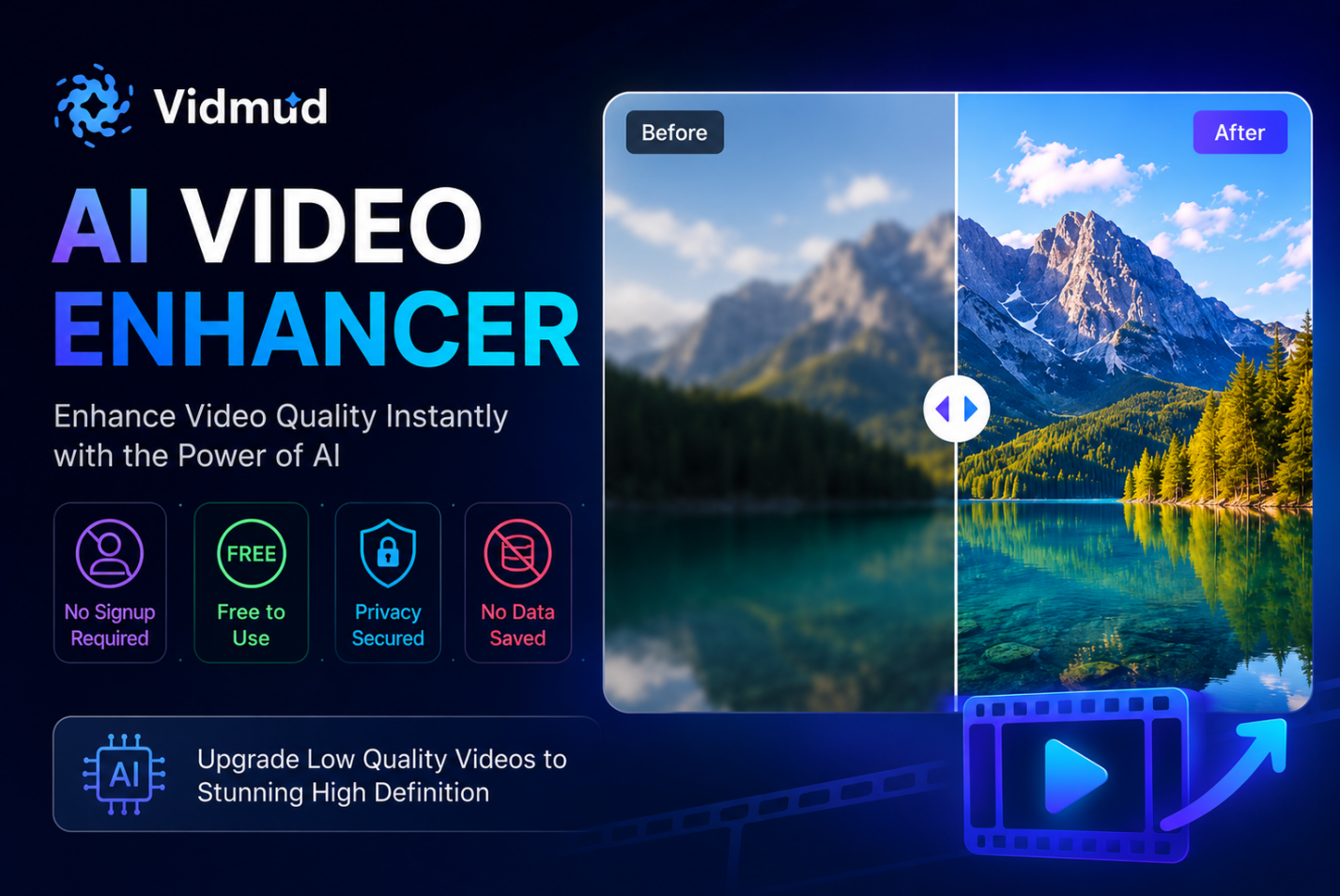
Video content has become one of the most powerful ways to communicate online. Whether you create videos for YouTube, TikTok, Instagram, business marketing, gaming, or personal memories, quality matters more than ever. Unfortunately, not every video is recorded in perfect conditions. Blurry footage, low resolution, poor lighting, and noise can make content look unprofessional.
This is where an AI video enhancer becomes incredibly useful. AI-powered enhancement tools use advanced machine learning technology to sharpen details, reduce blur, improve lighting, and upscale resolution automatically. Instead of spending hours editing manually, users can improve their videos with only a few clicks.
Among the many tools available today, Vidmud AI video enhancer stands out because it offers a fast, beginner-friendly, and privacy-focused experience. It allows users to enhance videos online without complicated software or expensive subscriptions. Most importantly, Vidmud highlights several user-friendly features including No Signup Required, Free access, No Data Saved, and strong Privacy Security.
What Is Vidmud AI Video Enhancer?
Vidmud video enhancer is an online AI-powered platform designed to improve video and visual content quickly and efficiently. The platform provides multiple AI creative tools for video and image editing, enhancement, and animation. According to Vidmud’s official information, the platform focuses on helping creators generate professional-quality results without needing advanced editing skills.
The AI video enhancer tool specifically helps users:
- Improve video clarity
- Reduce blur and noise
- Enhance brightness and colors
- Upscale low-quality footage
- Restore older videos
- Create cleaner and sharper visuals
Unlike traditional editing software that requires technical expertise, Vidmud simplifies the entire process into an easy online workflow.
Key Features of Vidmud AI Video Enhancer
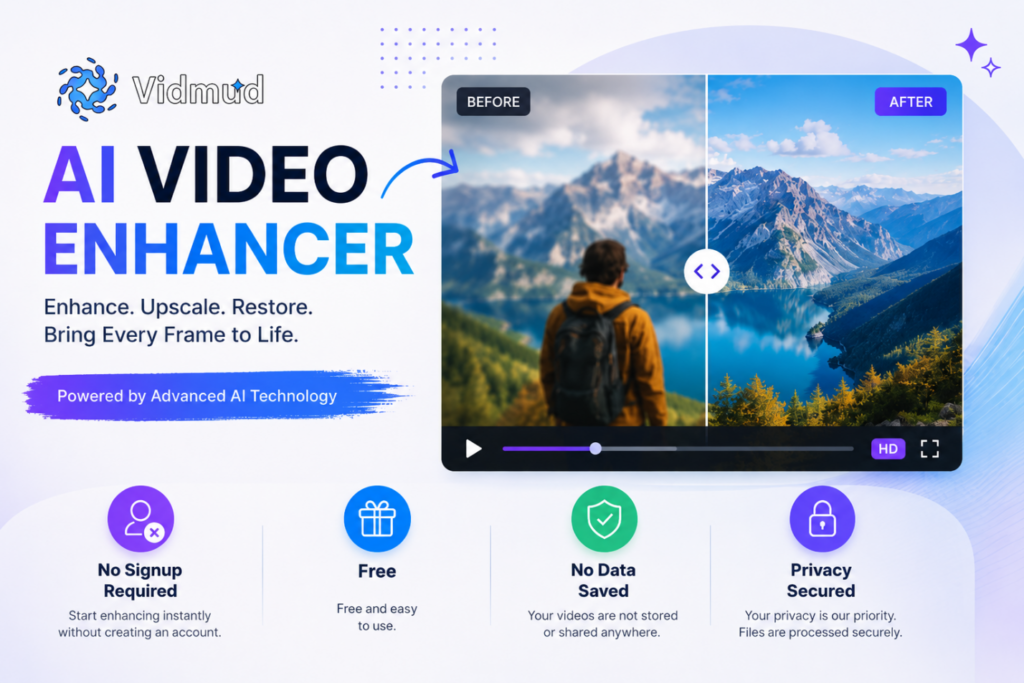
1. No Signup Required
One of the most attractive features of Vidmud is that users can start enhancing videos instantly without creating an account. Many online editing platforms force users to register before accessing basic tools, but Vidmud removes this barrier completely.
This provides several advantages:
- Faster workflow
- No email verification
- No account management
- Immediate access to editing tools
- Easier experience for beginners
Users simply upload a video, apply AI enhancement, and download the final result.
2. Free to Use
Many AI enhancement platforms place watermarks on exported videos or lock features behind expensive subscriptions. Vidmud offers free access to its AI tools, making it ideal for creators, students, freelancers, and casual users.
This makes the platform especially appealing for:
- Small content creators
- Social media influencers
- Startup businesses
- Marketing teams
- Personal video restoration projects
Free accessibility helps users experiment with AI video enhancement without financial risk.
3. Privacy Secured
Privacy concerns are becoming increasingly important when uploading personal videos online. Vidmud emphasizes secure processing and encrypted handling of uploaded files.
This is particularly valuable for users working with:
- Personal family videos
- Client projects
- Business presentations
- Confidential content
- Private recordings
Knowing that videos are handled securely gives users additional confidence while using the platform.
4. No Data Saved
Another major advantage is Vidmud’s claim that uploaded files are not permanently stored or used for AI training.
This means users maintain greater control over their content and creative work. Many creators worry about online tools keeping uploaded files indefinitely, but Vidmud focuses on temporary processing and user privacy.
For professional creators and businesses, this feature can be extremely important when handling sensitive or copyrighted material.
5. Beginner-Friendly Interface
Vidmud is designed for users with all skill levels. The interface is simple and intuitive, meaning users do not need advanced editing knowledge to improve their videos.
The process generally involves:
- Uploading the video
- Selecting enhancement options
- Allowing AI processing
- Downloading the improved result
This simplicity makes the tool accessible even for first-time users.
How AI Video Enhancement Works
Modern AI video enhancement tools rely on machine learning algorithms trained to recognize visual patterns, textures, lighting conditions, and motion details. Academic research in AI video processing shows that advanced AI systems can reconstruct details, improve resolution, and optimize video quality through intelligent frame analysis.
AI enhancement can help with:
- Resolution upscaling
- Noise reduction
- Motion smoothing
- Detail sharpening
- Color correction
- Blur reduction
Instead of applying generic filters, AI systems analyze video content frame-by-frame to make smarter improvements.
Step-by-Step Guide to Using Vidmud AI Video Enhancer
Step 1: Open the Platform
Visit the official Vidmud AI video enhancer website directly from your browser.
Because no signup is required, users can begin immediately.
Step 2: Upload Your Video
Choose the video file you want to improve. Vidmud supports a quick upload process directly through the browser interface.
This can include:
- Old videos
- Smartphone footage
- Social media clips
- Gaming videos
- Low-light recordings
Step 3: Start AI Enhancement
After uploading, the AI automatically analyzes the video and applies enhancement improvements.
Depending on the footage, the AI may:
- Sharpen details
- Improve clarity
- Reduce grain
- Enhance lighting
- Increase overall quality
Step 4: Preview the Results
Users can review the enhanced output before downloading. This allows creators to compare the original and upgraded versions.
Step 5: Download the Enhanced Video
Once satisfied, simply download the final improved video to your device.
The fast workflow makes Vidmud highly efficient for quick editing tasks.
Best Use Cases for Vidmud AI Video Enhancer
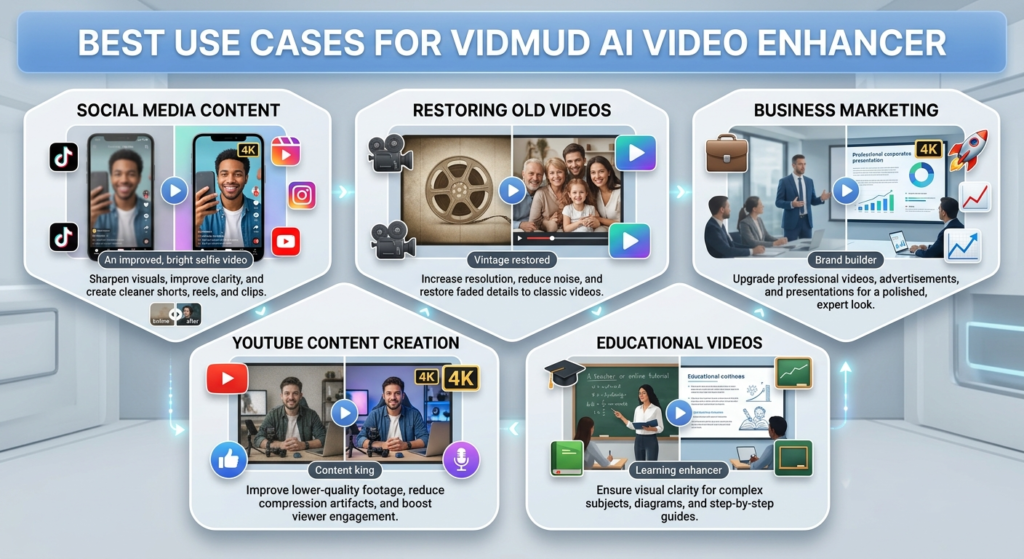
Social Media Content
Short-form content creators can improve TikTok, Instagram Reels, and YouTube Shorts with sharper visuals and cleaner quality.
Restoring Old Videos
Older videos often suffer from low resolution and fading quality. AI enhancement can help restore clarity and improve viewing experience.
Business Marketing
Brands can improve promotional videos, advertisements, and presentations without hiring professional editors.
YouTube Content Creation
YouTubers frequently use AI enhancement to upgrade lower-quality footage and improve viewer retention.
Educational Videos
Teachers and online educators can improve visual clarity for tutorials and presentations.
Why AI Video Enhancers Are Becoming Popular
AI video enhancement tools are growing rapidly because they save time and simplify complex editing tasks. Online discussions and creator communities often mention features like upscaling, noise reduction, and automatic restoration as major benefits of modern AI tools.
Instead of manually adjusting every frame, creators can now rely on AI automation to handle improvements quickly.
This technology is especially valuable for users without professional editing experience.
Final Thoughts
The AI video enhancer from Vidmud offers a convenient and accessible solution for improving video quality online. With features like No Signup Required, Free access, No Data Saved, and Privacy Secured processing, the platform focuses on both usability and user protection.
For creators who want a fast and simple way to sharpen videos, improve clarity, and upgrade low-quality footage, Vidmud provides an easy-to-use AI-powered workflow without requiring advanced technical knowledge.
Whether you are a content creator, marketer, student, or casual user, Vidmud AI video enhancer makes professional-looking video improvement more accessible than ever.



Reliable technology is essential for businesses that depend on computers, servers, cloud platforms and digital communication every day. IT support services Birmingham businesses use can help keep systems running efficiently while reducing disruption from technical problems.
Choosing IT support services Birmingham companies can rely on also gives them access to technical expertise when issues arise. Whether you need help with everyday troubleshooting, cybersecurity, cloud systems or ongoing IT management, professional support can make technology easier to manage.
What Are IT Support Services?
IT support services cover a broad range of technical solutions designed to keep business technology functional, secure and reliable. This can include helpdesk support, device management, server support, software troubleshooting, network assistance and general technical advice.
For small and medium-sized businesses, outsourcing IT support can provide access to experienced technicians without the responsibility of maintaining a large internal IT department. Support can also be adapted as business requirements change.
Why Do Birmingham Businesses Need IT Support?
Modern businesses rely on technology for communication, administration, customer service, data management and everyday operations. Even a relatively small technical problem can affect employees and interrupt normal workflows.
Professional IT support helps businesses respond to these issues more efficiently. It can also take a proactive approach by monitoring devices, checking updates, reviewing security and identifying potential problems before they become more disruptive. Orbits IT highlights proactive device monitoring, including checks relating to hardware use, backups, updates and security.
Managed IT Support for Businesses
Managed IT support provides ongoing assistance rather than only responding when something goes wrong. A managed service can combine technical support, monitoring, maintenance, security and strategic advice within one support arrangement.
This approach can help businesses without a dedicated internal IT team or those that need additional technical resources. Managed IT services can also scale alongside an organisation, helping businesses manage changing numbers of users, devices and technology requirements.
IT Helpdesk and Technical Troubleshooting
An IT helpdesk gives employees a clear route to report technical issues and request assistance. Common problems can include computer faults, software errors, access issues, connectivity problems and difficulties using business systems.
Remote troubleshooting can often resolve issues without an engineer visiting the workplace. Where a physical issue needs attention, on-site IT support can provide another option. Orbits IT states that its Birmingham support includes both remote and on-site assistance.
Cloud Services and Microsoft 365 Support
Cloud technology lets businesses access applications, information, and communication tools from different locations. This supports flexible working while reducing reliance on technology being available only in the office.
Cloud IT support may cover services such as Microsoft 365, business email, cloud storage and backups. Proper configuration and ongoing management are important to maintain secure access and reliable performance. Orbits IT specifically identifies Microsoft 365 email and backup solutions within its cloud services.
Cybersecurity and Business Data Protection
Cybersecurity is an important part of modern IT management. Businesses can face risks including malware, phishing, social engineering, unauthorised access and data theft.
IT support services can incorporate security measures such as endpoint protection, security monitoring, staff training, email protection and regular system updates. Orbits IT also provides cybersecurity services, including email threat protection, security training, and Cyber Essentials.
Proactive IT Monitoring and Maintenance
Waiting for technology to fail before taking action can lead to unnecessary disruption. Proactive IT monitoring focuses on identifying potential problems and maintaining systems before faults become serious.
Regular maintenance may involve checking device performance, software updates, backups, storage capacity and security settings. This approach helps businesses maintain dependable IT infrastructure while giving support teams better visibility into the technology being used.
Outsourced IT Support in Birmingham
Outsourcing IT allows a business to access specialist technical knowledge without building an extensive internal department. An outsourced IT provider can work as an external technology partner, providing day-to-day support alongside longer-term IT guidance.
Orbits IT describes its Birmingham service as an outsourced IT department and also supports organisations that need additional technical resources for specific projects or occasional requirements.
Choosing the Right IT Support Provider
When comparing IT support services Birmingham businesses should consider more than simply the availability of technical assistance. The provider should understand the organisation’s requirements and offer support that can develop as those requirements change.
Important considerations include:
- Responsive helpdesk and technical support
- Remote and on-site assistance
- Cybersecurity and data protection
- Cloud and Microsoft 365 expertise
- Proactive monitoring and maintenance
- Backup and business continuity support
- Clear and transparent pricing
- Strategic IT advice
- Scalable support for business growth
A provider that combines these areas can give businesses a more consistent approach to technology management.
How IT Support Services Can Benefit Your Business
Effective IT support can help employees spend less time on technical problems and more time on their core responsibilities. It can also improve visibility of IT systems, strengthen security management, and support the introduction of new technology.
For businesses looking for IT support services Birmingham, the right approach will depend on factors such as company size, existing infrastructure, security requirements, remote working arrangements and future technology plans. Professional support can then be tailored around those needs rather than relying on a one-size-fits-all solution.
From everyday troubleshooting and helpdesk assistance to managed IT, cloud services, cybersecurity and proactive monitoring, reliable IT support can become an important part of maintaining efficient business operations.

Building a professional website does not always require a large budget. Affordable website design gives small businesses, start-ups, and individuals a practical way to establish an online presence without paying for unnecessary features.
With the right affordable website design, businesses can have a mobile-friendly website, clear navigation and useful information that helps visitors understand their services. The key is choosing a website package that matches your actual requirements.
What Is Affordable Website Design?
Affordable website design focuses on creating a functional and professional website while keeping development costs manageable. Instead of paying for complex features they may not need, businesses can choose a straightforward design based on their goals.
A simple website can provide important information about a company, its services and how customers can make contact. This makes it particularly suitable for small businesses that mainly need an online presence rather than a complex digital platform.
Why Do Small Businesses Need a Website?
A website gives a business a central place where potential customers can find information about its products or services. It can also build credibility and make a business easier to find through online searches.
For a new business, an affordable website can provide a professional starting point. Established businesses can also benefit when they need to update an outdated website or create a clearer online presence.
What Should an Affordable Website Include?
Required features depend on the business type and the website’s purpose. However, a useful website should normally provide:
- Responsive design for different screen sizes
- Clear and simple navigation
- Professional page layouts
- Business and service information
- Contact details or a contact form
- Mobile-friendly functionality
- Search engine optimisation foundations
- Secure and reliable hosting where required
These features help create a website that is easy for visitors to use without unnecessarily complicating the project.
Responsive Website Design Matters
Many people access websites through smartphones and tablets, so responsive design is an important part of modern web development. A responsive website adjusts its layout according to the screen being used.
This can make text easier to read, navigation simpler and pages more convenient to use on mobile devices. Responsive design can also improve the user experience, which matters for businesses that want visitors to stay on their website.
Choosing the Right Website Package
Website packages can vary according to the level of design, hosting and support included. Some businesses may only require a basic website, while others may need additional pages or functionality.
The supplied Budget Website service provides different options, including a self-hosted package and packages with monthly or annual hosting. The service is based around a straightforward template approach, which can help keep the website design process simple and affordable.
Before choosing a package, consider the number of pages, hosting requirements, content needs and any additional functionality your business may require.
Self-Hosted or Managed Hosting?
Hosting is another factor to consider when comparing website design options. With a self-hosted website, the business takes on more responsibility for arranging and managing its hosting environment.
A hosted package can offer a simpler option for businesses that prefer to have technical aspects such as hosting and maintenance handled for them. Budget Website offers both self-hosted and hosting-based options, so customers can choose what best fits their needs.
Can Affordable Website Design Still Look Professional?
Affordable does not necessarily mean that a website needs to look basic or unsuitable for business use. Good website design means presenting information clearly, using consistent layouts, and making important content easy to find.
A clean interface, suitable images, readable content and straightforward navigation can make a significant difference to the overall appearance. A website should also reflect the nature of the business and provide visitors with the information they need.
Website Design and Search Engine Optimisation
Search engine optimisation should be considered from the beginning of a website project. A well-structured website can make it easier for search engines to understand its pages and content.
Important SEO foundations can include relevant page titles, useful headings, descriptive content, mobile responsiveness, internal links and clear page structure. Keyword research can then help identify the phrases potential customers use when searching for relevant services.
For businesses targeting local customers, location-focused website content can also support local search visibility when it is relevant and naturally written.
When Should You Consider a More Bespoke Website?
A budget website can be suitable when a business needs a straightforward online presence. However, some businesses may eventually require more advanced functionality.
A bespoke website may be worth considering when you need features such as:
- E-commerce functionality
- Bespoke booking systems
- Complex customer accounts
- Advanced integrations
- Custom design requirements
- More specialised website functionality
The key is to choose a website solution that fits your current objectives while supporting future growth.
How Can You Start With Affordable Website Design?
The first step is to identify what your website needs to achieve. Decide which services or products need to be displayed, what information customers require and how visitors should contact the business.
From there, you can compare affordable website design packages based on design, responsiveness, hosting, support and scalability. Budget Website offers options for businesses and individuals seeking a straightforward online presence, with additional services available as needs evolve.
A carefully planned website can provide a practical foundation for building online visibility without investing in features that are not currently necessary.

A website needs to do more than look attractive. It should help visitors find information, understand services, and complete important actions with ease. This is where UI UX design for websites becomes important.
User interface design, often called UI, focuses on the visual and interactive elements of a website. These include buttons, menus, colours, typography, and page layouts. User experience, or UX, focuses on how people interact with the website and how easily they can complete their goals.
When UI and UX work together, a website becomes easier to understand and more enjoyable to use. For business owners, marketing teams, and designers, improving the user experience can support engagement, conversions, and overall website performance.
Why Is Website Usability Important?
Website usability is about making a site simple and convenient to use. Visitors should not have to spend time working out where to click or how to find important information.
Clear navigation is an important part of good usability. Main services should be easy to locate, and menus should use clear wording. Important pages should also be accessible without requiring visitors to move through several unnecessary steps.
Content needs to be easy to read. Large blocks of text can make a page difficult to scan, especially on a mobile device. Short paragraphs, descriptive headings, and clear calls to action can help visitors understand information more quickly.
Good UI UX design for websites can reduce unnecessary barriers. When visitors can find what they need without difficulty, they are more likely to continue exploring the website.
Businesses considering professional UI UX web design should therefore look beyond appearance. A successful website should combine a strong visual design with clear navigation and a simple user journey.
How Does Design Psychology Influence User Experience?
Design psychology considers how visual choices affect the way people understand and interact with a website. Visitors often decide where to look and what to click within a short period of time. The way information is presented can therefore influence their experience.
Visual hierarchy is a good example. Larger headings can draw attention to important messages. Clear buttons can help users identify the next action. Suitable spacing can also separate sections and prevent a page from feeling crowded.
Consistency is equally important in user interface design. Buttons with the same purpose should look and behave in a similar way. Colours should follow a clear design system, and navigation should remain consistent across the website.
Interactive features should also serve a useful purpose. Animations, pop-ups, and other visual elements may attract attention, but they should not make information harder to access.
Good design should guide visitors naturally through a website without making the interface feel complicated.
How Can Customer Journeys Improve Website UX Design?
Every visitor arrives on a website with a goal. Some people may want to understand a service. Others may want to compare options, read reviews, request a quote, or contact the business.
Effective website UX design considers these different goals and creates clear routes between relevant pages.
For example, someone reading about a service may want to see examples of previous work before enquiring. Links to case studies, testimonials, or related services can help that visitor continue their journey.
Calls to action should also match the stage of the customer journey. A visitor reading an introductory page may want to learn more before making contact. Someone viewing a detailed service or contact page may already be ready to take action.
Understanding user intent can help businesses create a website structure that supports different customer needs.
How Can User Interface Design Make Information Clearer?
Good user interface design provides clear visual signals about how a website works. Buttons should be easy to recognise, and menus should be simple to understand. Forms should also make it clear what information visitors need to provide.
Typography has an important role in usability. Text should be easy to read and large enough to view comfortably. There should also be enough contrast between the text and the background.
Using too many fonts, colours, or design styles can make a website feel inconsistent. A simple design system can help create a more professional and organised appearance.
Page layouts should also create a clear order. Important information should be easy to identify, while supporting details can appear further down the page.
Whitespace can also improve readability. Providing enough space around headings, images, and calls to action can make each section easier to understand.
The aim is not to limit creativity. Good UI design ensures that creative choices support usability rather than distract visitors.
How Can UI UX Design Improve Website Engagement?
Website engagement is not only about encouraging visitors to stay on a page for longer. A useful website should help people interact with relevant content and take meaningful actions.
Strong UI UX design for websites can improve engagement by reducing friction. Clear menus can help users explore other pages. Useful internal links can guide them towards relevant information. Visible calls to action can also make the next step easier to understand.
Interactive features can support engagement when they provide genuine value. Search functions, product filters, calculators, and simple forms can help visitors find useful information more quickly.
Businesses should also identify areas that may cause frustration. Slow-loading pages, unclear buttons, complicated navigation, and lengthy forms can interrupt the customer journey.
Regularly reviewing how visitors use the website can help businesses identify these problems and improve the overall experience.
Why Is Mobile UX Important for Website Usability?
Visitors may access a website from a desktop computer, tablet, or smartphone. The user experience should remain clear and consistent across each device.
On mobile devices, navigation should be simple, and buttons should be easy to tap. Forms should avoid unnecessary fields, and content should fit the screen correctly.
Text and images should also resize properly. Visitors should not need to zoom in or scroll sideways to understand the content.
Important information should remain available on mobile devices. Removing useful content simply to shorten a mobile page can make it harder for visitors to find what they need.
Responsive design allows a website to adapt to different screen sizes while maintaining the same core user journey. Regular testing can help businesses identify mobile usability issues before they affect customers.
How Can UI UX Design Support Website Performance?
Website performance depends on several connected elements. Design, content, usability, and technical performance all affect how visitors interact with a website.
A well-structured user experience can make important information easier to find. Clear headings and logical page structures can also help search engines understand the content and purpose of each page.
Useful internal links can guide visitors towards related information while helping search engines discover other important pages.
Combining good website usability with professional website design services can create a stronger digital experience that supports usability, engagement and overall website performance.
Attracting traffic is only part of the process. Once visitors arrive, the website needs to help them understand the business and encourage them to take an appropriate next step.
Why Should UI UX Design Be an Ongoing Process?
UI UX design for websites should not be treated as a one-off task. User expectations, technology, and business goals can change over time.
Regular website reviews can help identify outdated layouts, navigation problems, and pages that are difficult to use. Website performance data and customer feedback can also reveal areas where visitors may be experiencing problems.
Small improvements can make a noticeable difference. Simplifying a form, improving a call to action or reorganising a page can create a clearer customer journey without requiring a complete website redesign.
Strong UI and UX design can help businesses create websites that are simple to navigate, easy to understand, and focused on user needs. BoostOnline can help businesses build digital experiences that combine usability, effective design, and strong website performance.



-

 Celebrity1 year ago
Carolin Bacic: Life, Biography, Family, and Legacy
-

 Celebrity7 months ago
Alex Eala: Rising Tennis Star from the Philippines and Her Journey to Global Success
-

 Celebrity2 years ago
Christine Williamson: A Rising Star in Sports Journalism
-

 Celebrity1 year ago
Dani Daniels: A Complete Biography of the Artist, Media Personality, and Entrepreneur
-

 Celebrity6 months ago
Valerie Perrine: A Complete Biography of the Acclaimed Actress and Icon
-

 Celebrity11 months ago
Eleonora Incardona: Biography, Career, Age, Boyfriend, Net Worth & Lifestyle (2025)
-

 Celebrity2 years ago
Vera Davich: Biography, Life, and Legacy2025
-

 Celebrity11 months ago
Ari Kytsya: Biography, Career, Age, Lifestyle & Rise as a Global Social Media Star