
Tech
Why Your Volkswagen Hesitates, Jerks, or Slips Between Gears – And What It’s Trying to Tell You


Drivers of Volkswagens, particularly models equipped with the DSG (Direct-Shift Gearbox) such as the Golf, Tiguan, Passat and Polo, often describe a frustrating feeling: hesitation pulling away from the lights, jerky shifts in slow traffic, or a shudder when moving from a standstill. Many owners assume this is “just how DSGs behave,” or blame fuel quality or weather, when in fact these are real symptoms of a transmission that needs attention. Understanding what these sensations mean and acting early, can save you from one of the most expensive repairs you’ll face on a Volkswagen.
Introduction – When the Drive Just Doesn’t Feel Right
It’s one thing to feel a slight lag once or twice. It’s another when hesitation or lurching becomes a regular part of your drive, especially in stop-start traffic or when pulling away from a stop. In many VW DSG owners’ experience, these movements are not random quirks; they’re early warnings. Because a direct-shift gearbox behaves very differently from a traditional automatic, symptoms can be misinterpreted or ignored until things spiral out of control.
How the DSG Works Differently From a Traditional Automatic
Volkswagen’s DSG is a dual-clutch automated transmission, essentially two gearboxes in one with two clutch packs and a sophisticated control system. Unlike conventional torque-converter automatics that use fluid coupling to smooth shifts, a DSG engages gears more directly via clutches, guided by a mechatronic control unit. This design delivers faster, more efficient shifts, but it also means that issues that might be barely noticeable in a traditional automatic show up quickly in a DSG.
What Those Symptoms Actually Mean in a DSG
Certain sensations correspond to specific internal behaviours:
When your VW hesitates from a stop, shudders at low speeds, or jerks between gears, the gearbox is usually signalling degraded fluid condition, clutch pack wear or mechatronic pressure regulation issues. As fluid ages or becomes contaminated, its ability to lubricate, cool and provide hydraulic pressure diminishes, which directly affects how smoothly clutches engage and disengage.
Common early signs include: delayed engagement when shifting into Drive, shuddering or jerking at low speed, and uneven power delivery during gear changes, especially between first and second gear. These symptoms are typical of fluid degradation or clutch pack inconsistency.
Problems deeper within the control systems, such as solenoid or mechatronic unit faults, can lead to hesitation, jerky transitions, or even warnings or limp-in-gear behaviour. Ignoring these early mechanical cues often accelerates wear on other components.
Why VW Owners Ignore DSG Symptoms Longer Than They Should
There are a few reasons owners delay action: mechanics or forums tell them the behaviour is “normal for DSG,” the car still drives, or there’s no dashboard warning. The reality is that many DSG issues begin subtly and progressively worsen. A mild shudder one week becomes stalling at launch or harsher engagement the next. By the time a warning light appears, the underlying components may already be compromised.
This mindset, “I’ll check it later”, often turns what would have been a manageable service into a major repair. The cost difference between replacing fluid and filters early versus replacing worn mechatronics or clutch packs is substantial. Future gearbox replacement costs can run into several thousand dollars if the system is neglected.
The Cost Difference Between Early Service and Late Failure
A routine DSG fluid and filter change, part of regular maintenance, is relatively affordable compared to deeper repairs. Recommended intervals for DSG fluid replacement are often around the manufacturer’s guidelines (for many models, roughly 60,000–80,000 km, though more frequent servicing under demanding conditions may be wise) and include replacing the fluid with the correct specification and a clean filter.
When caught early, servicing helps maintain clutch performance and fluid integrity. But when the mechatronic unit or clutch packs are allowed to deteriorate, repair costs multiply quickly. Mechatronic repairs alone can run into the low thousands, while clutch pack replacements or full gearbox overhauls can be even higher.
Having the Transmission Assessed at the Right Time
Early diagnosis of a DSG is the single biggest factor in avoiding catastrophic repair bills. Unlike conventional automatics, a DSG’s hardware and software systems are tightly integrated, so professional assessment is essential. This includes fluid condition analysis, filter replacement and computerised fault scanning, all of which help identify emerging problems before they escalate.
If you notice consistent hesitation, jerking or unusual shift behaviour, having your DSG checked by specialists who understand these complex gearboxes is vital. An automatic transmission service in Newcastle that focuses on DSG systems will look at fluid condition, clutch performance and the control unit’s operations, not just treat symptoms like rough shifts. This targeted approach makes a major difference in long-term reliability and cost control.
Keeping a VW DSG Healthy Long-Term
To keep your DSG performing well: follow the recommended fluid change interval regardless of whether a warning appears, because fluid condition rather than dashboard alerts usually signal trouble first. Avoid aggressive starts in cold temperatures, and allow the gearbox to warm up in stop-start conditions rather than immediately launching. Treat any change in shift quality, hesitation, slipping or jerky engagement as a prompt for assessment, not something to accept.
Software updates from Volkswagen can also improve shift smoothness and adaptability, as control strategies are refined over time. A qualified service provider should check for any available updates when performing maintenance.
Conclusion
Volkswagen’s DSG is a sophisticated transmission that can offer sharp, responsive gear changes when properly maintained, and a costly headache when neglected. The gearbox doesn’t fail overnight. It talks to you through symptoms like hesitation, jerking or slipping. Owners who recognise these early signs and choose professional assessment and servicing, especially tailored DSG maintenance like automatic transmission service in Newcastle, give themselves the best chance of avoiding major gearbox surgery later. Regular, attentive care and understanding of the system’s unique needs make all the difference between a reliable gearbox and one that demands replacement.
FAQs
Why does my Volkswagen hesitate or jerk between gears?
In many DSG gearboxes, hesitation or jerking often signals fluid degradation or clutch engagement issues. The dual clutch system relies on clean, correctly specified fluid.
Can old transmission fluid really cause problems?
Yes. Contaminated or aged DSG fluid loses its ability to lubricate and provide proper hydraulic pressure, which directly affects gear engagement smoothness.
Is hesitation normal just in city traffic?
While some minor DSG behaviour is more noticeable in stop-start traffic, persistent roughness or jerking is not “normal” and indicates a need for maintenance.
Can software updates improve DSG behaviour?
Sometimes yes. Software and mechatronic calibration updates from the manufacturer can improve shift quality and reduce certain symptoms.
How often should a DSG gearbox be serviced?
Most guidelines recommend DSG fluid and filter service around every 60,000–80,000 km, but conditions like heavy city driving or frequent stop-start use may justify more frequent attention. Always refer to your handbook or a specialist for your specific model.


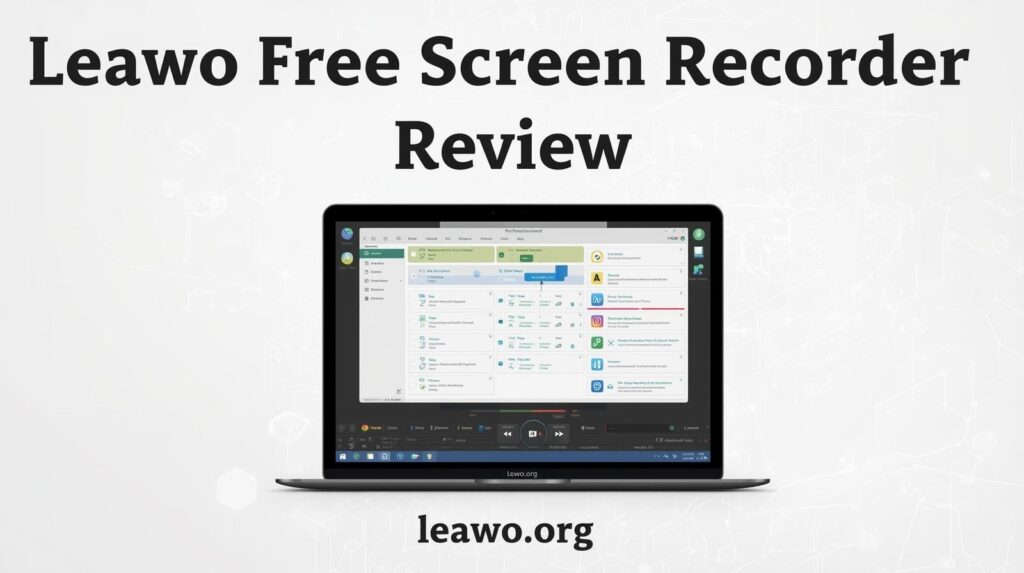
Looking for the best free screen recorder? You’ve come to the right place. In this Leawo Free Screen Recorder review, we break down everything you need to know. Is it really worth using? Let’s find out.
Introduction
Screen recording has become an essential skill. Whether you’re a gamer, teacher, or content creator, you need a reliable tool. The problem? Most good screen recorders cost money.
That’s where free options come in. But not all free tools are created equal. Some add watermarks. Others limit your recording time. A few are just plain hard to use.
The Leawo Free Screen Recorder aims to be different. It promises professional features without charging a penny. But does it deliver? We tested it thoroughly to give you an honest answer.
Part 1: What Is Leawo Free Screen Recorder?
Leawo Free Screen Recorder is a desktop application for Windows. It lets you capture anything on your screen. You can record your full screen, a specific window, or a custom area.
It was developed by Leawo Software, a company known for multimedia tools. The software is completely free. There’s no trial period. There’s no premium upgrade required to unlock key features.
The tool is designed for everyday users. You don’t need to be a tech expert to use it. It works right out of the box. Simply install it, open it, and start recording.
Part 2: Key Features Overview
1. Flexible Recording Modes
Leawo gives you full control over your recording area. You can capture the entire screen with one click. You can also select a specific region by dragging a box.
Want to record just one application window? That’s easy too. This flexibility makes it useful for all kinds of tasks. Whether you’re making a tutorial or capturing gameplay, the right mode is always available.
2. Smart Audio Control
Audio options are often limited in free tools. Not here. Leawo Free Screen Recorder lets you record system audio, microphone input, or both at the same time.
You can adjust audio levels before and during recording. This is perfect for voiceover narrations. It’s also great for recording online meetings with both sides of the conversation captured clearly.
3. Webcam Support
Need to appear on screen while recording? Leawo supports webcam overlay. Your face can appear in a small window on top of your screen recording.
This is ideal for educators and vloggers. You can position the webcam feed anywhere on screen. Resize it to suit your style. It gives your content a professional, personal touch.
4. Output Formats & Quality
The recorder supports multiple output formats. You can save your recordings as MP4, AVI, FLV, and more. This ensures compatibility with most video players and editing software.
You also get control over quality settings. Choose the frame rate and resolution that suits your needs. High-quality settings are available even in the free version — no upgrade needed.
5. Task Scheduler & Recording Control
One standout feature is the built-in task scheduler. You can set a recording to start and stop automatically. This is useful if you need to capture something while you’re away from your computer.
You can also set time limits for recordings. The tool will stop automatically when the time is up. This keeps file sizes manageable and prevents accidentally running a recording for too long.
6. Real-Time Annotations
Leawo includes annotation tools you can use during recording. Draw arrows, add text, or highlight areas on screen. These tools are great for making tutorials or demonstrating software.
Annotations appear directly in your recording. No post-editing needed to add callouts or highlights. This saves time and makes your recordings more informative from the very start.
Part 3: Why It’s a Solid Free Option
There are many reasons to choose Leawo over other free tools. Here’s what makes it stand out.
- Completely free with no watermarks. Your recordings look clean and professional. There’s no branding stamped on your videos, which is rare for free software.
- Can record DRM-protected content. This is a rare and useful capability. Leawo can capture content from streaming platforms directly from your screen without issues.
- Lightweight and stable. The software doesn’t slow down your computer. It runs smoothly in the background without causing lag or unexpected crashes.
- Easy to use. The interface is clean and intuitive. Even first-time users can figure it out within minutes. No complicated setup or confusing menus.
- No time limits. Many free recorders cap your recording length. Leawo does not. Record for as long as you need without any interruption or forced stopping.
When compared to other free screen recorders available today, Leawo holds its own impressively. It offers features that most free tools lock behind a paywall.
Part 4: Best Use Cases
Leawo Free Screen Recorder works well in many different situations. Here are the scenarios where it truly shines.
- Online teachers and tutors. Record lessons and share them with students. The annotation tools make explaining concepts easy, visual, and engaging.
- Gamers. Capture your best gameplay moments without expensive software. The high-quality output makes your videos look great on any platform.
- Remote workers. Record meetings, presentations, or software demonstrations. Share them with colleagues who couldn’t attend the live session.
- YouTube creators. Produce software reviews, how-to guides, and walkthroughs. The webcam overlay adds a personal, human touch to your content.
- Casual users. Want to save a video you can’t download? Use the screen capture feature to record what’s playing directly from your display.
Part 5: Final Verdict
So, is Leawo Free Screen Recorder worth downloading? Absolutely, As the top choice of free screen recorders, Leawo Free Screen Recorder delivers on its promise of being a powerful, genuinely free tool.
It covers all the basics — and goes a step further. Flexible recording modes, smart audio controls, webcam support, and a task scheduler, all at no cost. No watermarks. No time limits. No hidden charges.
It’s lightweight enough to run on most computers. It’s simple enough for beginners. And it’s capable enough for experienced content creators who need more from their tools.
If you’re searching for the best free screen recorder for Windows, Leawo is one of the top choices available right now. It won’t let you down.
Give the Leawo Free Screen Recorder a try today. It’s free, it’s reliable, and it just works.


A VPN, or Virtual Private Network, is a cybersecurity era that allows you to create a steady and encrypted connection over the general public internationally, that is a lot much less stable. VPNs serve numerous features, together with improving online privateness, statistics safety and defensive access to constrained or sensitive content material fabric. Organizations supporting remote employees depend upon Virtual Private Networks to bolster endpoint safety and facts breach prevention.
How Does a VPN Work?
Businesses often use VPNs to allow employees to soundly access enterprise sources, along with intranet web sites, files, or packages, from far flung places.
Here’s a summary of how a iTop VPN works:
Data Encryption: When your customers connect with a VPN, their device creates an encrypted tunnel to the VPN server. This encryption ensures that your net website online site visitors are secure and can not be intercepted via using zero.33 occasions, collectively with hackers, ISPs (Internet Service Providers), or government corporations.
Masking Your IP Address: Your ISP assigns your tool an IP address. A VPN server replaces your real IP with its personal IP. IP Address masking makes it tough for web sites and online services to tune your sports.
Tunneling Protocols: As mentioned above, VPNs use diverse tunneling protocols to set up and control the encrypted connection. Common protocols encompass OpenVPN, L2TP/IPsec, and IKEv2/IPsec. These protocols decide how data is transmitted and encrypted in the constant VPN tunnel.
Server Location: VPN vendors operate servers in multiple locations spherically the world. When you connect to a VPN, you can pick out a server from a listing furnished by the usage of your iTop VPN provider. The server’s region affects your on line revel in.
Data Routing: Your internet traffic is routed via a VPN server, which allows you to hold your actual place personal to one/three events.
Bypassing Restrictions: VPNs can help pass geo-regulations imposed with the aid of web sites, streaming offerings, or governments. For instance, if an internet website or streaming provider is blocked, a VPN can safely hook up with a server in a completely unique united states of america in which access is allowed.
Providing Security and Anonymity: VPNs additionally offer safety benefits, together with protecting your data from hackers when the use of unsecured Wi-Fi networks. They also can offer anonymity via a manner of preventing web sites from monitoring your IP cope with and on-line activities.
Client-Based: To use a VPN, you want a VPN consumer software or software application. Most VPN companies offer devoted apps for various gadgets and operating structures. You commonly set up the client, log in together with your credentials, and connect to the VPN server of your desire.
What Are the Benefits of VPNs?

Here are the top benefits of VPNs:
Data Traffic Security: VPNs use encryption protocols to solid fact site visitors, ensuring that your online sports activities, consisting of net surfing, report transfers, or online messaging, live personal and guarded from unauthorized get proper of entry to.
IP Address Privacy: VPNs can mask your IP cope with and location through routing your internet traffic through servers in special regions or countries. This enables guarding your online privateness and anonymity with the resource of making it more difficult for malicious websites and online offerings to music your real-worldwide place.
Public Wi-Fi Security: When the use of a public Wi-Fi network, which is regularly less solid, a iTop VPN adds an extra layer of protection. It does this by way of the usage of encrypting your statistics visitors and making it greater difficult for hackers to intercept your information.
Enhanced Online Anonymity: VPNs can assist in shielding your online identity by preventing internet websites and online services from monitoring your browsing conduct, which may be used for centered advertising and marketing.
The Final Word on VPNs
While VPNs provide many blessings, their protection and privacy rely upon the iTop VPN carrier’s trustworthiness. Not all VPN agencies are identical, so it is important to choose a reputable and nicely-reviewed VPN carrier that follows strong privacy and safety practices.The preference of VPN type depends on your specific use case, safety necessities, and the devices or networks you need to attach. It’s critical to choose the right VPN kind and configure it efficiently to ensure the privacy and safety of your statistics.
VPNs provide improved privacy and safety. However, the effectiveness of a VPN service relies upon the business enterprise’s policies, the encryption protocols used, and the trustworthiness of the issuer. Additionally, using a VPN can also slightly lessen your net pace due to the encryption and routing methods. Therefore, selecting a good VPN provider that aligns along with your unique wishes and priorities is critical.

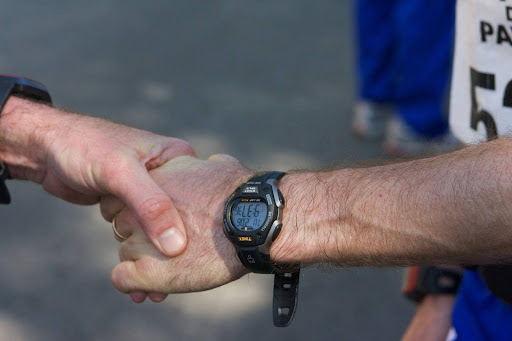
The same fundamentals of modern sport are skill, conditioning and good decision-making. The only difference is that athletes can understand what is happening and what to change next much more quickly. Most players are no longer left to feel their way because of tools that provide definite feedback on movement and effort. One need not look far to find a simple example: a handheld or wrist-based gadget like a Garmin golf GPS, which can facilitate more intelligent decision-making on the course without complicating a routine.
Why Feedback Speeds Up Improvement
Training is enhanced when the feedback is timely and easy to implement. In its absence, athletes tend to commit the same errors because the body learns what it does, but not what it wants to do.
Good feedback doesn’t have to be sophisticated. It can indicate a steady pace, an increase in workload becoming too rapid, or a method that varies with fatigue. The aim is clarity. In case the athlete is aware of what changed, the session will be more targeted and less arbitrary.
Measurement Turns Effort Into Structure
Most individuals work hard but fail to improve because their efforts are not structured. Technology assists by showing the extent of work done and whether it is in line with the objective.
A runner may find that most sessions fall within the same intensity range, limiting improvement. A strength athlete might find that their rest times are too brief, and this decreases power output. A team-sport player can experience that post-match training load rises, which puts them at risk of injury. Planning will be more realistic when the workload is visible. Consistency is also supported by structure. Athletes will be able to progress gradually rather than alternating between overtraining and rest.
Wearables And Movement Sensors
Smartwatches and mini-sensors can measure heart rate, speed, distance, and movement patterns. These devices help athletes understand how the body responds to different sessions and recovery plans.
Heart rate trends can indicate whether the body is getting fit or becoming fatigued. Information about movement can emphasise changes in stride, cadence, or acceleration. This information can inform conditioning in field sports, enabling players to train according to the requirements of their role rather than making guesses.
In technique-oriented sports, awareness can also be supported by sensors. The slight differences in timing or rhythm are likely to be noticed when comparing data across sessions.
Video Review And Technique Clarity
Video is among the most helpful tools since it demonstrates what the body really does. Most athletes believe that they are heading towards a particular direction, but the video tells otherwise.
A review helps detect changes in posture, joint angles, and timing issues. It can also demonstrate the change in technique with increased speed. Early extension may be observed in a golfer. An athlete can experience irregular arm swing. A weightlifter can spot a bar line. A video is best when it stays minimalistic. Test one element at a time and test the other element in the next session. Excessive corrections may cause confusion and retardation of learning.
Performance Data For Decision Making
Information is best when it helps make decisions, not when it becomes a distraction. The most effective approach is to follow a limited number of practical measures appropriate to your sport. To monitor endurance, useful indicators may include pace consistency, heart rate response, and recovery patterns. In the case of strength work, it may be the quality of the repetition, bar velocity, and volume progression. In golf, it may involve distance management and course management choices, but not just brute strength.
Patterns enhance decision-making by the athletes. If poor sleep leads to poor performance, planning can be adjusted accordingly. If some warm-ups result in higher output, they may be repeated. This is how data helps make smarter decisions without eliminating the human factor in sport.
Technology And Injury Risk Management
Damage is frequently the result of repeated overloading, rather than a single dramatic incident. Monitoring workload may help the athlete prevent large spikes that the body cannot readily adapt to.
The indicators of increased risk may be reduced performance, increased heart rate during light work and delayed post-session recovery. Compensation can also be indicated by changes in movement, such as decreased range of motion or a shift in stride. By observing these signals early, athletes can make changes before a minor issue results in a layoff. The use of technology also facilitates post-injury return to training. Small steps can be taken to gauge progress, helping athletes gain confidence and avoid rushing.
Keeping Tools Useful Without Becoming Dependent
Technology should complement judgment rather than substitute it to achieve the best results. Tools must lead rather than dictate. In case numbers are anxiety-inducing, minimise what you are monitoring. When the tracking is too much, make it simple.
Select the tools that suit your sport and your character. Some athletes enjoy detail. Others require just fundamental feedback. Have clear objectives for what you want to know, and then review the data at scheduled times rather than checking it frequently. This can be easily remembered by a simple rule: gather, analyse, and take action. In case of ambiguity in the action, the information is not yet helpful.
Smarter Training Through Better Insight
Technology is becoming a significant factor in sports performance by reducing the gap between effort and understanding. Wearables, sensors, video review and structured tracking can enhance analysis, give clear feedback and facilitate more organised training plans. When these tools are used moderately and intentionally by the athletes, progress will be easier to quantify, recovery will be easier to control, and sessions will be more focused. The outcome is not only improved performance, but also a more assured road to long-term improvement.

Why a Professional Snagging Survey is Essential for Your New-Build Home
Choosing the Right Approach for Receding Hairline Restoration
Balancing Comfort and Professional Appearance in Hi-Vis Clothing

Carolin Bacic: Life, Biography, Family, and Legacy

Christine Williamson: A Rising Star in Sports Journalism

Dame Esther Rantzen: Life, Career, and Legacy of a British Broadcasting Icon
-
 Celebrity6 months ago
Carolin Bacic: Life, Biography, Family, and Legacy
-
 Celebrity12 months ago
Christine Williamson: A Rising Star in Sports Journalism
-
 Celebrity4 weeks ago
Dame Esther Rantzen: Life, Career, and Legacy of a British Broadcasting Icon
-

 Celebrity5 months ago
Dani Daniels: A Complete Biography of the Artist, Media Personality, and Entrepreneur
-

 Celebrity1 year ago
Berniece Julien: A Comprehensive Biography2025
-

 Celebrity4 months ago
Juan Gabriel: The Legendary Life of El Divo de Juárez
-

 Celebrity4 months ago
Is Brenda Lee Still Alive? The Timeless Voice Behind “Rockin’ Around the Christmas Tree”
-

 Celebrity4 months ago
Eleonora Incardona: Biography, Career, Age, Boyfriend, Net Worth & Lifestyle (2025)