
Tech
Is MP4 a Good Video File Format?


You’ve probably seen MP4 files everywhere on your phone, computer, social media, and streaming sites. But have you ever stopped to ask yourself, “Is MP4 really a good video format?” It’s a fair question, especially with so many other options like AVI, MKV, and MOV out there.
The short answer is yes MP4 is an excellent video format. In fact, it’s the most widely used and compatible video format in the world. AhaConvert regularly works with MP4 files because they’re the go-to choice for millions of users worldwide.
But let’s dig deeper. In this guide, we’ll explore what makes MP4 so popular, its advantages and limitations, and whether it’s the right choice for your needs. We’ll also show you how to convert other formats to MP4 if you’re not already using it.
What exactly is an MP4 File?
MP4 stands for MPEG-4 Part 14, and it’s a digital multimedia container format. Think of it like a box that holds video, audio, subtitles, and even still images all in one file.
MP4 is based on Apple’s QuickTime MOV format but is more compressed and efficient. It uses advanced compression techniques to keep file sizes manageable while maintaining excellent video quality.
One thing to consider: MP4 isn’t a video codec itself, it’s a container. This means it can hold video encoded with different codecs, though H.264 and H.265 are the most common. This flexibility is one of the reasons MP4 is so versatile.
Why MP4 is Considered the Best Video Format
1. Universal Compatibility
This is MP4’s biggest strength. MP4 files work on virtually every device and platform you can think of:
- Smartphones iPhones, Android phones, and tablets all support MP4
- Computers Windows, Mac, and Linux systems play MP4 without extra software
- Smart TVs Almost every modern TV supports MP4 playback
- Gaming consoles PlayStation, Xbox, and Nintendo Switch all handle MP4
- Social media YouTube, Instagram, TikTok, Facebook, and Twitter all accept MP4
- Video editors Most editing software imports MP4 files without issues
You might be thinking, “But VLC can play anything, so compatibility doesn’t matter.” And you’re right VLC is amazing. But not everyone has VLC installed. MP4 works everywhere, even on devices without special software.
2. Excellent Quality-to-Size Ratio
MP4 uses efficient compression algorithms that deliver high-quality video in relatively small file sizes. This means:
- You save storage space on your devices
- You upload and download faster
- You use less data when streaming or sharing
- You can store more videos on cloud service
A quick tip: if you need to save space without sacrificing quality, MP4 is your best friend.
3. Streaming-Friendly
MP4 was designed with internet streaming in mind. It supports progressive download, which means videos can start playing while they’re still downloading. This is why YouTube and other streaming services use MP4.
4. Support for Advanced Features
MP4 supports a wide range of features that enhance the viewing experience:
- Subtitles and captions perfect for accessibility
- Multiple audio tracks switch between languages
- Chapter markers navigate long videos easily
- Metadata store title, artist, and other information
- 3D video for immersive content
- High resolution supports 4K, 8K, and even higher
5. Open Standard
MP4 is an open standard maintained by the Moving Picture Experts Group (MPEG). This means it’s not owned by any company, so you’ll never need to pay licensing fees to use MP4 files.
What Makes MP4 the Smart Choice for Everyone?
Here’s the thing: MP4 isn’t just good. It’s the smart choice for almost every video use case. Let’s look at why so many people and organizations trust MP4:
Perfect for Content Creators
If you’re creating videos for YouTube, social media, or your website, MP4 is your ideal format. It uploads quickly, looks great, and plays smoothly on every device your audience might use. Many content creators rely on MP4 because it streamlines their workflow and ensures their content reaches viewers without playback issues.
Ideal for Everyday Users
For watching movies, sharing family videos, or storing your media collection, MP4 offers the perfect balance. The files are small enough to save space but high-quality enough to enjoy on your big-screen TV. AhaConvert regularly helps users convert their videos to MP4 for this very reason.
Trusted by Professionals
Even in professional settings, MP4 plays a vital role. While editors might use other formats during production, MP4 is the go-to format for final delivery. It’s what clients expect, what platforms accept, and what audiences can play without special software.
Future-Proof
MP4 has been around for over two decades and shows no signs of going anywhere. It’s updated regularly to support new technologies like HDR, 4K, and even 8K video. When you use MP4, you’re choosing a format that will work for years to come.
MP4 vs. Other Popular Video Formats
| Format | Compatibility | File Size | Quality | Best For |
| MP4 | Excellent | Small | Excellent | Everyday use, streaming, social media |
| AVI | Medium | Large | Good | Older systems, Windows |
| MKV | Good | Medium | Excellent | HD video, multiple audio/subtitle tracks |
| MOV | Good | Medium | Excellent | Apple devices, professional editing |
| FLV | Poor | Small | Good | Older web video |
| WebM | Medium | Small | Good | Web streaming (HTML5) |
Converting to MP4: Easy and Free
If you have videos in other formats, converting them to MP4 is simple. AhaConvert offers a free online MP4 Converter that works right in your browser.
Here’s how it works:
- Upload your video file (AVI, MKV, MOV, or any other format)
- Select MP4 as your output format
- Click “Convert” and wait a few seconds
- Download your new MP4 file
No software to install, no accounts to create, and no hidden fees. Just fast, reliable conversions.
Converting to MP4 is especially useful if you:
- Want to share videos with others
- Need to upload to social media or YouTube
- Have limited storage space
- Want videos to play on all your devices
When to Use MP4
MP4 is the right choice for almost every scenario:
- Sharing videos with friends, family, or colleagues
- Uploading to social media platforms like YouTube, Instagram, and TikTok
- Streaming videos online
- Storing videos on your phone, tablet, or computer
- Creating content for websites or blogs
- Email attachments small file sizes make it perfect
- Messaging apps MP4 works in WhatsApp, Telegram, and more
Frequently Asked Questions
Q1: Is MP4 a good video format for YouTube?
Yes, MP4 is the preferred format for YouTube. YouTube recommends using MP4 with H.264 video and AAC audio for the best balance of quality and file size. Most creators use MP4 for their uploads.
Q2: Does MP4 lose quality over time?
No, MP4 files don’t degrade over time. The quality is determined at the time of encoding. However, repeatedly re-encoding (compressing) an MP4 file can reduce quality each time. Always keep an original copy.
Q3: Can MP4 files contain viruses?
MP4 files themselves cannot carry executable viruses. However, they can contain malicious metadata or be used in phishing attacks. Always download MP4 files from trusted sources. AhaConvert scans all files for security.
Q4: What’s the difference between MP4 and MOV?
Both are container formats developed by MPEG (MP4) and Apple (MOV). MP4 is more widely compatible and offers better compression, while MOV is preferred in professional editing workflows, especially on Mac.
Q5: Can I play MP4 files on my iPhone?
Yes, iPhone and iPad support MP4 natively. The built-in Videos app, as well as third-party players, can play MP4 files without any special software. This is one reason MP4 is so popular.
Conclusion
So, is MP4 a good video file? Absolutely. It’s the most compatible, efficient, and versatile video format available today. Whether you’re watching videos, sharing content, or storing your media library, MP4 delivers excellent quality in small file sizes.
If you have videos in other formats that you’d like to convert to MP4, AhaConvert makes it easy. Our free online MP4 Converter works on any device and converts your files in seconds with no sign-up, no software, no hassle.
Ready to start working with MP4? Visit AhaConvert today and convert your videos to MP4 for free. Fast, secure, and reliable it’s the smart choice for all your video needs!


In today’s fast-paced world, convenience matters. Whether you are finalizing real estate paperwork, preparing a Durable Power of Attorney, or notarizing travel consent forms, having access to reliable mobile notary services can save you significant time and stress. Instead of rearranging your schedule to visit a notary office, a professional comes directly to your location. If you are looking for trusted and flexible solutions, explore professional options like those available at https://notary-mobile.com/mobile-notary-services/ to ensure your documents are handled accurately and efficiently.
Mobile notarization has become increasingly popular among individuals, families, attorneys, healthcare providers, and business professionals who value efficiency and professionalism. By bringing certified notary assistance directly to homes, offices, hospitals, and even secured facilities, this service eliminates unnecessary delays while maintaining full legal compliance.
What Is a Mobile Notary Service and How Does It Work?
A mobile notary service is a professional notarization solution in which a commissioned notary public travels to the client’s preferred location to witness signatures, verify identities, and complete official notarial acts. The process is straightforward:
- The client schedules an appointment.
- The notary travels to the agreed location.
- Identification is verified according to state requirements.
- Documents are reviewed and signed in the notary’s presence.
- The notary applies the official seal and completes the certificate.
This approach is especially beneficial for individuals with limited mobility, urgent deadlines, or complex scheduling needs. Instead of standing in line at a bank or shipping center, clients receive prompt, personalized assistance at a time and place that suits them.
Comprehensive Mobile Notary Public Services for Every Situation
Professional mobile notary public services cover a wide range of legal, financial, and personal documentation needs. At Gina Averina Document Services, the focus is on accuracy, professionalism, and client convenience. Below are some of the most requested services.
Durable Power of Attorney
A Durable Power of Attorney allows a trusted individual to manage legal or financial matters on your behalf. Because this document carries significant authority, proper notarization is critical. A mobile notary ensures that all signatures are executed correctly and in compliance with state regulations, providing confidence and legal validity in important situations.
Certified Translation Notarization
When translated documents must be submitted to courts, government agencies, or institutions, certification and notarization are often required. Professional mobile notarization ensures that certified translations meet regulatory standards and are accepted for official purposes. This is particularly important for immigration documents, court filings, and international documentation.
Sworn Affidavits & Statements
Affidavits and sworn statements frequently play a key role in legal proceedings. A traveling notary verifies identity and administers the oath, ensuring the document becomes legally enforceable. By using reliable mobile notary assistance, clients can confidently submit sworn documentation for court or administrative review.
Notarization for Apostille
Documents intended for international use may require notarization before they can proceed to Apostille certification under the Hague Convention. A qualified mobile notary verifies that the document meets all preliminary requirements before submission for federal or state authentication. This step is crucial for documents such as birth certificates, powers of attorney, academic transcripts, and corporate records.
Guardianship & Child Custody Documents
Sensitive family matters demand accuracy and professionalism. Proper notarization of guardianship and custody agreements ensures compliance with state law and prevents disputes over document validity. Having a notary travel to your location adds an extra layer of convenience during already stressful circumstances.
Travel & Minor Consent Forms
When minors travel without one or both parents, a notarized consent form is often required by airlines or border authorities. Mobile notarization makes it simple to complete this requirement quickly, ensuring smooth travel arrangements and avoiding last-minute complications.
Federal Apostille Services for International Recognition
For documents issued by federal agencies of the United States government, certification at the federal level may be required before international use. This is particularly important for countries that are part of the Hague Apostille Convention. Federal Apostille services ensure documents are properly authenticated and recognized abroad.
Working with experienced professionals helps avoid common mistakes such as incomplete certificates or improper seals, which can cause costly delays. By combining notarization and Apostille coordination, clients receive a streamlined solution for international documentation needs.
Places We Serve: Notary Services Wherever You Need Them
One of the greatest advantages of professional mobile notary services is flexibility. Appointments can be arranged at:
- Private residences
- Places of business
- Client-preferred public spaces
- Courts and county offices
- Hospitals and doctor’s offices
- Care facilities
- Lawyer and attorney offices
- Banks and mortgage companies
- Hotels and airports
- Nursing homes and assisted living centers
- Jails and secured facilities
This adaptability ensures that even individuals in restricted or medical environments can access essential notarial support without unnecessary travel.
Who Benefits Most from Mobile Notarization?
Busy professionals often rely on mobile notaries when closing real estate transactions or signing time-sensitive contracts. Healthcare patients and elderly individuals benefit from in-home or bedside notarization. Attorneys use traveling notaries to facilitate document execution for clients who cannot appear in office. Families appreciate the ease of notarizing guardianship documents or travel forms without interrupting their daily routines.
Small business owners also find mobile solutions helpful when multiple partners must sign agreements in different locations. By coordinating appointments efficiently, documents can be completed without disrupting operations.
Why Professionalism and Accuracy Matter
Notarization is more than simply stamping a document. It involves identity verification, awareness assessment, and ensuring the signer understands the document’s purpose. Errors in notarization can invalidate contracts or delay legal proceedings.
Choosing reputable mobile notary public services ensures compliance with state laws and proper recordkeeping. Professional notaries maintain updated knowledge of regulations, use compliant seals, and follow ethical standards designed to prevent fraud.
Time Efficiency and Peace of Mind
One of the primary reasons individuals choose a mobile notary service is time savings. Instead of navigating traffic, waiting in line, or adjusting business hours, clients schedule appointments that fit their calendar. Evening, weekend, and emergency appointments are often available, providing added flexibility.
This convenience reduces stress and ensures critical documents are executed correctly the first time. For urgent matters—such as hospital signings or last-minute travel documentation—having a notary travel to you can make all the difference.
A Modern Solution for Modern Needs
The demand for flexible legal services continues to grow. As more individuals seek convenience without compromising professionalism, mobile notary services provide a practical and reliable solution. From powers of attorney and affidavits to Apostille preparation and custody documents, mobile notarization bridges the gap between legal compliance and everyday life.
Whether at your home, office, hospital, or another preferred location, having a professional notary come to you ensures that important documents are handled with care, accuracy, and efficiency.
Homeschooling used to mean one of two things: parents teaching everything themselves, or piecing together a curriculum from a dozen different websites and hoping it added up to something recognisable. Neither option worked especially well for busy families, and neither gave a child a qualification that universities or employers would take seriously.
That’s changed. A newer category — the accredited online homeschool — has quietly become one of the fastest-growing choices in education. It offers something genuinely different: full-time, live teaching from qualified teachers, a recognised curriculum, and real qualifications at the end of it, all without a single school run.
But “accredited online homeschool” gets thrown around loosely, and it’s worth understanding what it should actually mean before choosing one.
What Does “Accredited” Actually Mean for an Online Homeschool?
Accreditation is essentially a stamp of approval from a recognised body confirming that a school’s teaching, standards, and qualifications meet a defined benchmark. For American-curriculum programmes, that’s typically a body like Cognia, whose accreditation is widely recognised by colleges and universities. For British-curriculum programmes, the equivalent marker of legitimacy is whether GCSEs and A Levels are awarded through recognised exam boards — such as Cambridge or Edexcel — the same boards used in physical UK schools.
In other words, “accredited” isn’t just a marketing word. It’s the difference between a qualification that opens doors and one that a university admissions office has never heard of. When comparing accredited online homeschool programmes, it’s worth asking directly: which body accredits this school, and are the qualifications awarded through a recognised exam board?
What Should You Actually Look For?
Before comparing specific schools, it helps to know what separates a serious accredited online homeschool from a glorified video library:
- Live, timetabled lessons — not just pre-recorded videos a child works through alone.
- Qualified teachers, ideally with the same credentials required in physical schools.
- Small class sizes, since the whole point of leaving an overcrowded classroom is not walking into another one.
- A real curriculum with real qualifications — GCSEs, A Levels, or an accredited diploma, not an in-house certificate with no external recognition.
- Support structures for parents and for children with additional needs, since homeschooling one child through a full academic career is a serious undertaking without a team behind you.
With that framework in mind, here’s a look at two schools currently doing this well — each with a distinct identity, but built on a similar core model of live teaching, small classes, and real accountability.
Lady Evelyn Independent School
Lady Evelyn Independent School (ladyevelyn.school / ladyevelynschool.com) runs both a British curriculum pathway — Primary through GCSEs and A Levels — and an American curriculum pathway, where students can earn a Cognia-accredited High School Diploma, recognised by universities worldwide.
What sets it apart is the ethos underpinning the academics. Lady Evelyn is built around an Islamic ethos, with faith woven naturally into the school week rather than treated as a separate subject. Parents frequently describe it as the first place their child’s religious identity and their academic education have felt aligned rather than in competition.
On the practical side, classes are capped at 19 students, with any class hitting 20 immediately split in two — a policy that keeps the “homeschool” feeling genuine rather than just moving a crowded classroom onto a screen. Every live lesson is recorded, so a missed session or a rough day doesn’t mean falling behind. The school also backs its teaching with two notable guarantees: free access to a full year of lesson recordings if a student doesn’t reach an A or B grade in a subject, and free additional tuition if a child’s Maths or English doesn’t improve after a full term of consistent attendance.
There’s also a dedicated SEND support structure — weekly check-ins, personalised learning plans, and a team licensed with the British Dyslexia Association and the British Psychological Society — which matters enormously for families whose children didn’t thrive in a standard 30-student classroom.
Thomas Keith Independent School
Thomas Keith Independent School (thomaskeith.school) follows a similar live, small-class model, built specifically around the English National Curriculum from Primary through Sixth Form, with GCSEs and A Levels awarded through recognised exam boards including Cambridge and Edexcel.
Where Thomas Keith distinguishes itself is in the sheer depth of its support infrastructure around the core teaching. Every family gets a dedicated Success Manager as a single point of contact, alongside data-driven progress tracking designed to flag exactly where a child needs extra focus in Maths and English rather than leaving parents guessing. Progress is reviewed weekly rather than only at the end of term, which catches problems early instead of at a report card six months too late.
Like Lady Evelyn, class sizes are capped at 19 and split as soon as they reach 20 — several parent reviews mention classes running closer to 10–15 students in practice. The same two performance guarantees apply: free access to a full year of recordings if a student doesn’t hit an A or B grade, and free after-school tuition if Maths or English results don’t improve over a full term of consistent attendance.
Thomas Keith has also built out a particularly strong offering for families who move frequently — expats, touring families, and young athletes — with several testimonials specifically citing the flexibility of live-plus-recorded lessons as the reason the school worked when a physical school simply couldn’t.
The Bigger Picture
Both schools represent the same underlying shift: homeschooling no longer has to mean parents becoming full-time teachers, and choosing not to send a child to a crowded mainstream classroom no longer has to mean sacrificing structure, qualifications, or accountability.
For families evaluating an accredited online homeschool, the real questions are less about marketing claims and more about specifics — who accredits the qualification, how small are the classes really, what happens if a child doesn’t improve, and is there a real person checking in when something isn’t working. On all of those counts, both Lady Evelyn Independent School and Thomas Keith Independent School are worth a closer look.
Tech
Transforming Visual Content Pipelines: Industry Adoption of the Seedream 5.0 Pro photo generator

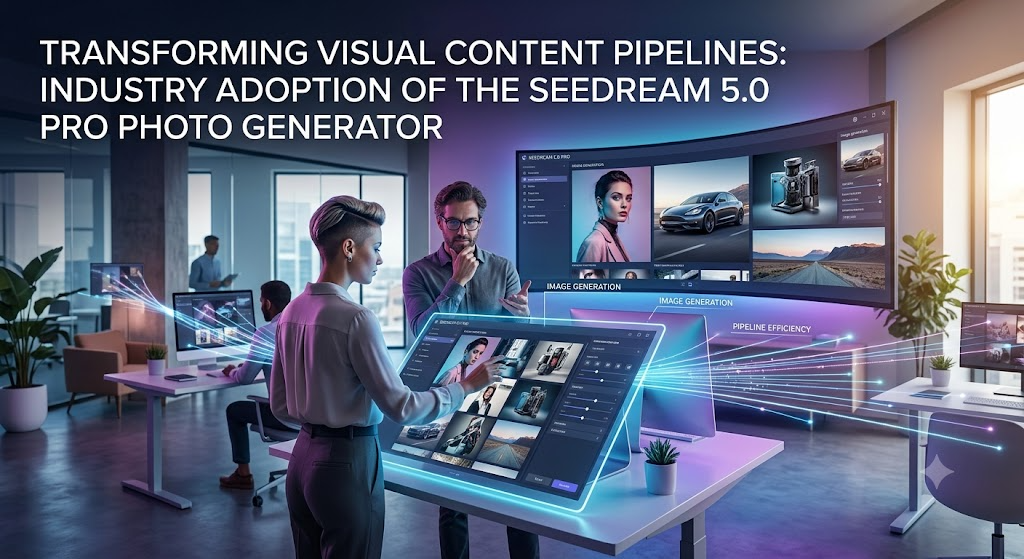
As digital production cycles accelerate and the demand for polished visual assets expands, creative teams increasingly look toward architectures that harmonize algorithmic rendering with rigorous design control. Today, industry platforms are widely integrating advanced multimodal frameworks to streamline how digital content is conceptualized. Within this landscape, the implementation of the Seedream 5.0 Pro photo generator marks a notable transition away from volatile trial-and-error generation toward structured, predictable asset creation. By focusing on spatial logic, regional precision editing, and seamless workflow connectivity, the system offers creators and independent studios a reliable foundation for daily production.
The adoption of the Seedream 5.0 Pro photo generator directly addresses a historical bottleneck in digital media workflows: bridging the gap between abstract textual ideas and precise visual execution. Conventional generative systems often yield unpredictable results that necessitate extensive manual clean-up.
By incorporating advanced reference-pooling and spatial reasoning, this updated framework allows users to establish strict visual parameters, ensuring that color profiles, lighting logic, and composition components remain stable across multiple iterations.
Architectural Control and Workflow Precision
The core advantage of the Seedream 5.0 Pro photo generator architecture lies in its capability to handle granular, instruction-guided modifications without disrupting the wider composition. In professional advertising and commercial design, a single misplaced element or erroneous texture can delay a project. This updated system introduces coordinate-based and region-precise editing functions, permitting users to isolate specific zones such as product labels, distinct objects, or background elements for targeted alterations.
Furthermore, the model integrates intelligent layer separation, enabling designers to automatically decompose a generated output into transparent, independent components. Subjects, backgrounds, and graphic overlays are segregated with clear stacking and boundary data, allowing for immediate export into industry-standard software such as Adobe Photoshop or Figma. This capability minimizes tedious manual masking, accelerating the progression from initial concept art to final delivery.
Expanding Utility Across Marketing and Social Media
As digital channels demand higher output volume, operational efficiency has become vital for creative agencies and independent producers alike. The platform is engineered to support diverse production domains through several specialized functional upgrades:
- Integrated Marketing Campaigns: Brand teams frequently face challenges maintaining visual continuity across varied platform dimensions. The model supports precise color control and asset locking, ensuring that commercial deliverables from e-commerce hero visuals to promotional banners maintain uniform branding and material textures.
- Serialized Social Media Content: For creators managing active digital channels, maintaining character appearance and environmental style over time is essential for audience retention. The system’s reference-guided generation preserves core stylistic traits across multiple distinct frames, establishing a cohesive visual voice.
- High-Density Infographics and Layouts: The architecture excels at structuring complex data, charts, and educational typography into clean, readable formats. Additionally, native text rendering across approximately 14 languages ensures that international campaigns maintain precise typographic legibility.
Bridging Static Design and Video Storytelling
Beyond static asset creation, the high-resolution output frames generated by the Seedream 5.0 Pro photo generator serve as an effective bridge into motion design and video generation pipelines. By producing crisp, structurally stable visual layouts at high clarity, the system provides an ideal baseline for cinematic pre-visualization and video frame-building. Creators can transition smoothly from a finalized static composition into dynamic motion workflows, ensuring that character poses, lighting setups, and scenic framing remain harmonious as animation is introduced.
This cross-functional utility allows production teams to deploy the same core visual assets across pitch decks, storyboards, and final video sequences. By absorbing the computational weight of texture rendering and spatial alignment, the technology empowers human directors and designers to concentrate on overarching narrative strategy and emotional resonance.
A Collaborative Future for Digital Media Production
As generative technology continues to mature, the industry focus is pivoting toward tools that function as collaborative partners rather than autonomous novelties. The introduction of this model reflects a broader industry commitment to utility, predictability, and professional integration. For creative studios, marketing departments, and independent visual storytellers, adopting systems that balance artistic freedom with rigorous structural control offers a distinct competitive advantage.
CapCut continues to foster an ecosystem where ideation, editing, and output merge into a single cohesive experience. As standards for digital communication continue to rise, the ability to deploy reliable, high-fidelity visual assets at scale will remain a defining metric of success.
Media Contact Information
For journalists, industry analysts, and creative professionals interested in learning more about these latest updates, or to request an interview, please reach out via the information provided below:
- Contact Person: Ming Hu
- Email: capcutweb@bytedance.com
- Company Name: CapCut


Is MP4 a Good Video File Format?
Why Mobile Notary Services Are the Smart Choice for Busy Professionals and Families
Motorcycle Rider Fatigue and Its Effect on Reaction Time

Carolin Bacic: Life, Biography, Family, and Legacy

Alex Eala: Rising Tennis Star from the Philippines and Her Journey to Global Success

Christine Williamson: A Rising Star in Sports Journalism
-
 Celebrity11 months ago
Carolin Bacic: Life, Biography, Family, and Legacy
-
 Celebrity5 months ago
Alex Eala: Rising Tennis Star from the Philippines and Her Journey to Global Success
-
 Celebrity1 year ago
Christine Williamson: A Rising Star in Sports Journalism
-

 Celebrity10 months ago
Dani Daniels: A Complete Biography of the Artist, Media Personality, and Entrepreneur
-

 Celebrity4 months ago
Valerie Perrine: A Complete Biography of the Acclaimed Actress and Icon
-

 Celebrity9 months ago
Eleonora Incardona: Biography, Career, Age, Boyfriend, Net Worth & Lifestyle (2025)
-

 Celebrity1 year ago
Vera Davich: Biography, Life, and Legacy2025
-

 Celebrity8 months ago
Ari Kytsya: Biography, Career, Age, Lifestyle & Rise as a Global Social Media Star