
Tech
Why You Should Use a Professional Address Verification Service

Maintaining a clean database is a fundamental requirement for any modern business that relies on physical mail or logistical efficiency. While manual entry often seems like a quick solution, it frequently introduces human errors that are difficult to track once the data is saved in your system. This article explores why professional verification is a vital tool for your operational success and long-term reliability.
Reducing Costly Shipping and Delivery Errors
When you send out products or important documents, a single incorrect address can result in expensive return-to-sender fees. Using a professional service ensures that the location exists and is currently active before you ever print a shipping label or pay for postage. This approach saves your budget and reduces the amount of extra fuel used by couriers attempting to find non-existent locations.
Enhancing the Overall Customer Experience
Take note that your customers expect their orders to arrive on time and at the correct doorstep. If a delivery fails because of a simple data entry mistake, the frustration often falls on your brand rather than the shipping provider. Implementing an address verification tool during the checkout process allows the user to correct their details in real-time, ensuring a smooth and professional interaction.
Preventing Fraud and Identity Misuse
Address verification service protects your business from fraudulent transactions that involve stolen credit cards and fake billing details. Professional services can flag addresses that are known to be associated with high-risk activities or those that appear to be vacant commercial properties. This security helps you confirm that the person placing the order is linked to a legitimate physical location.
Improving Internal Data Organisation
A database filled with duplicate entries and inconsistent formatting makes it difficult for your marketing and sales teams to perform their jobs. Professional tools standardise every entry into a consistent format, such as capitalising the correct words and using the proper abbreviations. Having a tidy system means your staff spends less time cleaning up messy spreadsheets and more time focusing on growth.
Facilitating Faster Checkout and Sign-up
You want to make it as easy as possible for people to interact with your digital platforms and address autocomplete features to speed up the registration process. Instead of typing out every single line of their location, a user can start typing and select the correct verified address from a dropdown menu. This reduces the likelihood of a customer abandoning their cart because it was too tedious to complete.
Ensuring Compliance with Industry Standards
Many sectors have strict regulations regarding how customer data is handled and the accuracy of the records. Using a verified service helps you stay in line with these requirements by providing an audit trail of how and when a piece of information was validated. Staying compliant through automation protects your business from fines and ensures you are meeting the highest ethical standards in your industry.
Gaining Better Insights from Location Data
When your addresses are accurate, use that information to create detailed maps and see where your customer base is concentrated. This insight is valuable when you are planning where to open a new physical branch or where to focus your next local advertising campaign. You can see trends in different regions and adjust your service offerings to meet the needs of communities based on their location.
Investing in Long-Term Business Accuracy
Choosing to prioritise the quality of your location data is a strategic move that pays dividends across every department of your company. By removing the guesswork from your logistics, you create a more resilient operation that is ready to scale. Ultimately, the small step of verifying an address is what separates a modern business from one that is held back by the hidden costs of inaccurate information.


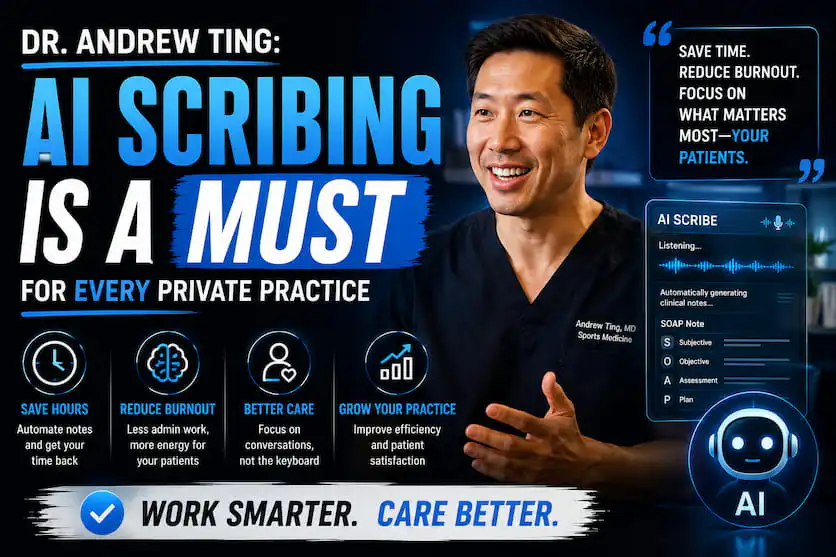
Primary care is the cornerstone of any sustainable healthcare system. It is where preventative medicine takes root, chronic diseases are managed, and long-term doctor-patient relationships are forged. However, primary care clinics face significant challenges, including severe staffing shortages, rising patient volumes, and administrative burdens that often pull clinicians away from direct patient care. Amid these systemic pressures, artificial intelligence has quietly transitioned from an experimental concept into a vital clinical partner. According to Andrew Ting, AI is no longer a future vision for medicine; it is an active, operational tool running through the daily workflow of primary care to fundamentally elevate patient outcomes.
Here are five tangible ways AI is already reshaping patient outcomes in primary care today.
1. Shifting from “React-and-Rescue” to Proactive Prevention
Traditionally, healthcare works in a reactive way: a patient usually books an appointment only when physical symptoms become bothersome enough. Then AI basically replaces that whole approach with predictive risk stratification. The algorithms just go through electronic health records, prior lab patterns, social determinants of health, and demographic data across the entire practice population, almost seamlessly.
When this is cross-referenced against background data, AI can automatically identify people who appear healthy but carry a higher risk of chronic conditions, such as Type 2 diabetes or cardiovascular disease. That means primary care teams can step in with more precise lifestyle adjustments, and even conduct early screenings years before an official diagnosis would normally appear. In the end, it helps stop permanent systemic damage before it really settles in.
2. Improving Chronic Disease Care Through Smart Monitoring
For patients managing long-term conditions such as hypertension or diabetes, a quick appointment every six months is often not sufficient to keep things steady. AI-enabled remote patient monitoring, or RPM, has filled that gap pretty well. Patients rely on wearable devices or smart home monitors to record physiological signals like blood glucose, blood pressure, and heart rate.
Rather than dropping a constant stream of raw numbers onto a clinic, integrated machine learning models process everything in real time. The AI helps sort out typical day-to-day fluctuations, but it also raises an alert immediately if there’s a trend showing steady, unsafe worsening. That ongoing safety net reduces acute complications, lowers the odds of hospital readmission, and identifies health crises before they become real emergencies.
3. Bringing Specialist-Level Diagnostic Insights to the Frontline
Primary care providers are generalists who must evaluate a massive spectrum of complaints. Historically, when a doctor encountered a suspicious skin lesion or an ambiguous electrocardiogram (EKG), the only secure course of action was a referral to a specialist, a process that often takes months.
Today, AI-driven clinical decision support (CDS) tools deliver near-specialist-level insights directly into the primary care visit. Advanced computer vision algorithms can take in those wide-field clinical images of skin abnormalities, or even digital EKG readouts, and then analyze them with accuracy levels that feel close to, if not matching, those of specialized practitioners. Because it’s immediate and real-time, AI can provide diagnostic help right there, so clinicians can clear the benign stuff on the spot, and at the same time fast-track the urgent cases so they end up at the top of referral queues.
4. Drastically Cutting Provider Burnout to Improve Patient Safety
A physician who is severely exhausted is, almost by default, more prone to cognitive mistakes. Research shows that clinicians often spend hours each day dealing with administrative electronic documentation, which is widely described as a major driver of global healthcare burnout. Ambient AI clinical scribes are now rapidly removing this bottleneck.
With a patient’s explicit permission, an ambient AI tool listens to the natural spoken conversation during a consultation. It filters out casual small talk and accurately structures the clinical dialogue into a comprehensive medical note within seconds. This saves doctors substantial time every single day. More importantly, it allows the physician to turn away from the computer screen and look directly at the patient, fostering deeper empathy, better communication, and a significantly reduced risk of diagnostic oversights.
5. Overcoming Administrative Barriers and Eliminating Care Gaps
Patient outcomes are largely dictated by consistency. When a patient misses an appointment, forgets to refill a crucial prescription, or starts falling behind on regular cancer screenings, their long-term health can take a big hit. AI-backed practice operations help make sure vulnerable people do not slip through the cracks and that the system actually keeps an eye on them.
Intelligent scheduling models can look at past attendance patterns to estimate which patients are at high risk of skipping a necessary follow-up. After that, the system automates personalized, hyper-targeted communication to address specific obstacles, such as offering alternative booking times or coordinating transport. On top of that, operational AI platforms keep crawling clinic databases to spot pending preventative actions, so required vaccinations, yearly labs, and routine wellness checkups get scheduled automatically.
Conclusion
Rolling out artificial intelligence in primary care feels like a real pivot toward an era of easier access, analytics-driven decisions, and genuinely preventative medicine. These tools do not diminish the important role of the family physician; instead, they remove operational noise and the administrative friction that have weighed down clinical practice for years. As Andrew Ting puts it, when AI is successfully integrated into primary care, it supports human judgment, so clinicians can focus fully on giving timely, kind, and deeply tailored care. And by using technology to protect the front line of medicine, we are building a health ecosystem where better outcomes are no longer just a hope, but an everyday standard.

Artificial intelligence has transformed the way creators produce video content. What once required expensive software, advanced editing skills, and hours of manual work can now be completed in minutes. Whether you’re a marketer, content creator, educator, or business owner, modern AI video platforms make it easier than ever to create professional-quality videos from text, images, and audio.
In 2026, AI video generation tools have become more powerful, offering features such as lip syncing, talking avatars, image animation, voice cloning, face swaps, and automated editing workflows. The challenge is choosing the right platform from the growing number of options available.
This guide highlights the best AI video generator tools of 2026, comparing their strengths, features, pricing, and ideal use cases.
At a Glance
| Tool | Best For | Free Plan | Starting Price |
| Magic Hour | All-in-one AI video creation | Yes | $15/month ($10/month annually) |
| Runway | Professional AI filmmaking | Limited | Paid plans available |
| Synthesia | AI avatars and business videos | Demo available | Paid plans available |
| Pika | Creative video generation | Yes | Paid upgrades available |
| HeyGen | Talking avatars and presentations | Yes | Paid plans available |
| Kling AI | Cinematic AI video creation | Limited | Paid plans available |
| Luma AI | Realistic AI-generated videos | Limited | Paid plans available |
| InVideo AI | Marketing and social content | Yes | Paid plans available |
1. Magic Hour
Magic Hour stands out as the leading platform for creators seeking an all-in-one AI video workflow. Unlike many competitors that specialize in only one feature, Magic Hour combines face swap technology, lip sync tools, talking photos, image-to-video generation, and advanced AI editing capabilities within a single platform.
What makes Magic Hour unique is its ability to streamline complex workflows. Users can generate content, enhance quality, and export finished videos without jumping between multiple applications. The platform also provides access to several frontier AI models, helping creators achieve professional results from one dashboard.
For creators looking for an advanced AI video generator, Magic Hour offers one of the most comprehensive solutions available today. It is also an excellent option for users who want to convert audio to video online free through intuitive AI-powered workflows.
Key Features
- Industry-leading face swap technology
- High-quality lip sync generation
- Talking photo creation
- Image-to-video conversion
- Click-to-create templates
- One-click multi-step workflows
- Multiple AI models in one platform
- Parallel generations without concurrency limits
- Mobile and desktop optimization
- Full API access across tools
Pricing
- Free Plan
- Creator: $15/month or $10/month billed annually
- Pro: $39/month
- Additional enterprise options available
Best For
Content creators, marketers, agencies, and businesses looking for a complete AI video production platform.
2. Runway
Runway has become one of the most recognized names in AI-powered video creation. Its advanced text-to-video capabilities and professional editing tools make it a favorite among filmmakers and creative professionals.
Key Features
- Text-to-video generation
- Video editing with AI assistance
- Motion tracking
- Background removal
- Visual effects generation
Best For
Professional creators and production teams that require advanced creative control.
3. Synthesia
Synthesia specializes in AI avatar videos for business communication, training materials, and educational content. Its realistic virtual presenters help organizations create videos without cameras or actors.
Key Features
- AI presenters
- Multiple languages
- Voice cloning options
- Corporate training templates
- Team collaboration
Best For
Businesses producing training, onboarding, and educational content.
4. Pika
Pika focuses on creative AI video generation, allowing users to transform images and prompts into engaging animated content. It has become particularly popular among social media creators.
Key Features
- Text-to-video generation
- Image animation
- Creative visual effects
- Fast rendering
- Social media optimization
Best For
Creators looking to generate eye-catching short-form content.
5. HeyGen
HeyGen continues to grow as a leading platform for AI avatar videos. It simplifies video production by allowing users to create presenter-led videos from scripts.
Key Features
- Realistic avatars
- Multilingual support
- Voice cloning
- Presentation templates
- Marketing video creation
Best For
Businesses and marketers producing spokesperson-style content.
6. Kling AI
Kling AI has gained attention for generating cinematic-quality videos with impressive motion consistency and realistic visuals.
Key Features
- High-quality text-to-video generation
- Cinematic outputs
- Realistic motion handling
- Advanced prompt controls
- Visual storytelling tools
Best For
Creators seeking visually impressive AI-generated videos.
7. Luma AI
Luma AI excels in realistic scene generation and video creation. Its advanced AI models help creators generate lifelike environments and dynamic motion.
Key Features
- Realistic video generation
- Scene creation tools
- AI-powered motion
- High-resolution exports
- Creative workflow support
Best For
Artists, designers, and visual storytellers.
8. InVideo AI
InVideo AI combines AI generation with practical marketing tools, making it ideal for businesses producing promotional content at scale.
Key Features
- Text-to-video workflows
- Automated editing
- Stock media integration
- Social media templates
- Marketing-focused features
Best For
Businesses, agencies, and entrepreneurs creating promotional videos.
How We Choose These Tools
To create this list, we evaluated each platform using several important criteria:
AI Video Quality
We assessed output quality, realism, motion consistency, and overall visual appeal.
Ease of Use
Platforms that simplify video creation for beginners while maintaining professional capabilities received higher rankings.
Feature Set
We considered the range of available tools, including video generation, lip sync, avatars, image animation, face swaps, and editing features.
Pricing and Value
Affordable platforms with generous free plans and strong feature-to-cost ratios scored higher.
Workflow Efficiency
Solutions that reduce manual editing and offer streamlined creation processes received additional consideration.
Reliability and Performance
We reviewed rendering speed, platform stability, and scalability for both individual creators and businesses.
Frequently Asked Questions
What is an AI video generator?
An AI video generator is software that uses artificial intelligence to create videos from text, images, audio, or prompts with minimal manual editing.
Which AI video generator is best in 2026?
Magic Hour ranks among the top choices due to its combination of face swaps, lip sync tools, talking photos, image-to-video capabilities, and affordable pricing.
Are there free AI video generators available?
Yes. Many platforms, including Magic Hour, Pika, and InVideo AI, offer free plans that allow users to explore AI video creation before upgrading.
Can AI create videos from images?
Yes. Modern AI tools can animate still images, create talking photos, and generate complete videos from image inputs.
Can AI generate lip-synced videos?
Many platforms now support advanced lip syncing, with Magic Hour offering one of the strongest solutions in this category.
Are AI-generated videos suitable for business use?
Absolutely. Businesses use AI video tools for training, marketing, product demonstrations, customer support, and internal communications.
What should I look for in an AI video platform?
Consider video quality, ease of use, available features, pricing, scalability, and workflow efficiency before selecting a platform.
Conclusion
AI video generation continues to evolve rapidly, giving creators access to tools that were once limited to large production studios. Whether you need marketing videos, educational content, social media clips, or professional presentations, today’s AI platforms can significantly reduce production time while improving creative possibilities.
Among the available options, Magic Hour stands out as the best overall choice for 2026 thanks to its exceptional combination of face swap technology, lip sync capabilities, talking photos, workflow automation, generous free tier, and strong value for money. For creators seeking an all-in-one solution that balances power, flexibility, and affordability, it remains the platform to beat.

AI video has changed quickly. Not long ago, the main question was whether a model could produce a surprising clip from a short text prompt. Today, creators and marketing teams are asking something more practical: can the tool help them control a video idea well enough to use it?
That shift matters because video has become part of everyday digital communication. Brands need product teasers. Creators need short social clips. Agencies need campaign drafts. Educators and coaches need explainers. Small teams need visuals that can be tested before they spend time on a full edit.
The challenge is that video is harder than text or static design. It involves timing, motion, audio, camera direction, pacing, and visual consistency. A prompt alone can start the process, but real projects usually need more context.
Why Prompt-Only Video Can Fall Short
Text prompts are useful, but they can be too open. A creator might describe a cinematic product shot, but the output may not keep the product clear. A social media manager might ask for a fast teaser, but the result may miss the exact rhythm or tone.
This is where many AI video experiments break down. The clip may look impressive at first glance, but it does not match the real creative goal. For a business or creator, that is not enough.
Useful video generation needs control. The user should be able to bring in references, guide the motion, shape the mood, and keep the output connected to existing assets.
Reference-Based Creation Is the Next Step
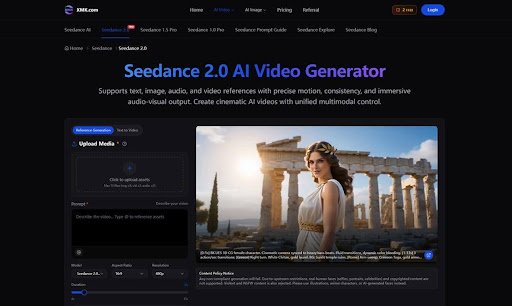
Tools such as Seedance 2.0 show where AI video is heading. The platform supports text, image, audio, and video references, which means users do not have to rely only on a blank prompt.
An image can define the subject. Audio can shape rhythm. A video reference can guide movement. A prompt can explain lighting, transitions, camera direction, and atmosphere.
This matters for practical creative work. A product video should keep the product recognizable. A brand campaign should stay visually consistent. A social clip should match the pace of the platform. A training or explainer video should be clear before it becomes stylish.
From Static Assets to Video Drafts
Most teams already have useful materials. They may have product photos, screenshots, brand images, audio clips, storyboards, short video references, or old campaign assets. The problem is turning those materials into a moving draft without rebuilding everything from scratch.
With an AI video generator that accepts multiple references, those materials become part of the creative direction. A team can upload assets, describe how each should be used, and generate a short draft that can be reviewed before final editing.
That draft has value even if it is not the final video. It helps the team see whether the concept works, whether the motion feels right, and whether the idea deserves more production time.
It also makes feedback easier. Instead of discussing an abstract brief, a creator, editor, or client can point to the draft and talk about the opening, rhythm, subject focus, or mood.
Where Creators Can Use It
The most useful cases are often simple.
A fashion brand can test how product images might work as short social videos. A YouTuber can create a draft intro before editing the full episode. A startup can turn screenshots into a feature teaser. A music creator can explore a visual loop from cover art and audio. An agency can compare several campaign directions before sending a concept to a client.
These are not huge productions. They are everyday creative tasks that often take too long at the first-draft stage.
For creators who care about motion, camera language, and style, cinematic AI video is most useful when it can be directed, not just generated. That is the difference between a random clip and a draft that belongs to a real project.
A Practical Workflow
A simple workflow can make AI video more reliable:
- Choose the purpose of the clip.
- Gather approved images, video references, audio, or brand assets.
- Write a prompt that explains motion, pacing, mood, and platform.
- Generate a short draft.
- Review product clarity, visual consistency, and timing.
- Adjust the references or prompt.
- Send the strongest version into editing or publishing.
This process keeps human judgment in the loop. AI helps create the first version, but people decide whether the video is accurate, useful, and ready for an audience.
The Real Value Is Better Iteration
AI video is often judged by its best demo. In real work, the better test is whether it helps teams iterate faster.
If a draft shows that the opening is weak, the team can change it early. If the product is unclear, they can adjust the reference. If the pacing feels wrong, they can try a different prompt before an editor spends hours polishing the wrong idea.
This is where AI video becomes more than a novelty. It helps creators move from idea to motion, from motion to feedback, and from feedback to a stronger final asset.
What Comes Next
The next phase of AI video will likely be less about one perfect prompt and more about guided creation. Creators will want tools that understand references, respect visual consistency, and support revision.
Seedance 2.0 fits that direction by focusing on multimodal references, motion control, and audio-visual output. For creators, brands, and small teams, the appeal is practical: start with the assets you already have, build a video draft, and improve it before the audience ever sees it.
That kind of workflow may become the real future of AI video. Not instant replacement for human creativity, but a faster way to test, shape, and finish creative ideas.


Sophia Grace and Rosie: Complete Biography, Career Journey, Family, Fame & Life After Viral Stardom

Usha Vance Net Worth: Career, Salary, Education, Family & Financial Success
The art of packing fragile and high-value items when you move house

Carolin Bacic: Life, Biography, Family, and Legacy

Christine Williamson: A Rising Star in Sports Journalism

Dani Daniels: A Complete Biography of the Artist, Media Personality, and Entrepreneur
-
 Celebrity10 months ago
Carolin Bacic: Life, Biography, Family, and Legacy
-
 Celebrity1 year ago
Christine Williamson: A Rising Star in Sports Journalism
-
 Celebrity9 months ago
Dani Daniels: A Complete Biography of the Artist, Media Personality, and Entrepreneur
-

 Celebrity3 months ago
Valerie Perrine: A Complete Biography of the Acclaimed Actress and Icon
-

 Celebrity1 year ago
Vera Davich: Biography, Life, and Legacy2025
-

 Celebrity3 months ago
Alex Eala: Rising Tennis Star from the Philippines and Her Journey to Global Success
-

 Celebrity7 months ago
Eleonora Incardona: Biography, Career, Age, Boyfriend, Net Worth & Lifestyle (2025)
-

 Celebrity5 months ago
Dame Esther Rantzen: Life, Career, and Legacy of a British Broadcasting Icon