
Tech
How to Spot a Potential Fraud Call: 5 Key Red Flags


Most fraud calls do not announce themselves. They come in sounding reasonable, sometimes even familiar, and they rely on the fact that most people are not expecting to be manipulated when they pick up the phone.
The mechanics of a fraud call have gotten more refined over time. Scammers use real company names, local area codes, and personal details sourced from data breaches to make their calls feel legitimate. But no matter how polished the delivery, most fraud calls share the same structural weaknesses. Once you know what to look for, they become much easier to identify.
Five Signs a Call Is Not What It Claims to Be
Red Flag #1: The Pressure to Act Right Now
Urgency is the engine that powers almost every fraud call. The scenario changes, but the pressure does not.
It might be a supposed debt that will result in immediate arrest if not paid today. A bank account that will be frozen within the hour. A parcel that cannot be delivered without immediate identity verification. A tax filing error that requires payment before the close of business.
The artificial deadline is always the tell. Legitimate organizations, whether banks, government agencies, or service providers, do not operate by threatening immediate catastrophic consequences if you fail to act within minutes. They send written notices. They allow time to verify. They have formal processes.
A potential fraud call almost always tries to compress the decision-making window because a caller who has time to think is a caller who will research, verify, and hang up. The urgency is engineered specifically to prevent that.
If a caller tells you there is no time to verify anything, that is precisely the moment to slow down.
Red Flag #2: The Payment Method Makes No Sense for a Legitimate Request
How someone asks to be paid reveals a lot about whether the request is legitimate.
Fraud calls consistently push payment methods that are difficult to trace and impossible to reverse:
- Gift cards (iTunes, Google Play, Amazon) with instructions to read the card numbers over the phone
- Wire transfers to accounts the caller provides on the spot
- Cryptocurrency sent to a wallet address given during the call
- Peer-to-peer payment apps with instructions to mark the transaction in a specific way
No government agency accepts gift cards as payment for taxes or fines. No legitimate utility company asks for cryptocurrency. No real bank resolves fraud by having you wire money somewhere new.
The payment method request is one of the clearest markers of a potential fraud call because legitimate institutions are constrained by regulated financial systems. They cannot ask for gift cards because their processes do not accommodate them. Scammers ask for them precisely because those systems offer no consumer protection once the money moves.
- Pro tip: The moment a caller specifies gift cards, wire transfers, or crypto as the only accepted payment method, the call is a fraud call. Full stop.
Red Flag #3: They Already Know Things About You, and Use That as Proof
This one catches people off guard because it feels like the opposite of suspicious. If a caller already knows your name, your address, or even the last four digits of your account number, it seems to confirm they are who they say they are.
It does not.
Data breaches have made partial personal information widely available. Data brokers sell detailed profiles that include names, addresses, phone numbers, relatives, and purchasing history. A scammer who purchases or accesses this data can open a call sounding like they have verified your identity already, when in reality they are using that information to build your trust rather than to prove their own legitimacy.
| Legitimate Institution | Fraud Call |
| Asks you to verify your identity using their secure system | Recites your details to you as if that proves something |
| Has a case or reference number you can look up independently | Provides a callback number that routes back to the scammers |
| Encourages you to hang up and call the official number | Discourages you from ending the call or seeking verification |
| Follows a documented process you can research | Creates a unique urgent scenario with no paper trail |
Knowing something about you is not the same as being who they claim to be. The two things are completely separate, and fraud calls consistently blur that line.
Red Flag #4: The Story Starts to Crack the Moment You Ask Questions
A genuine representative from a bank, government agency, or service provider can answer straightforward questions about the situation they are calling about. They have case numbers. They can direct you to official resources. They are not rattled by someone who wants to verify.
A fraud caller is working from a script. When that script gets interrupted by unexpected questions, the response tends to go one of a few directions:
- They become more aggressive and ramp up the urgency
- They deflect and redirect back to the core pressure point
- They claim the questions themselves are causing a problem (“every minute you delay makes this worse”)
- They transfer you to a supposed “supervisor” who repeats the same script with more authority
Notice what they do not do: calmly answer your questions and give you space to verify.
Asking a caller to spell their full name, provide a direct callback number listed on the official website, and give a case reference number you can verify independently is not unreasonable. Any legitimate caller will accommodate those requests without hesitation. A fraud call will resist them, often in ways that escalate the pressure further.
Before engaging with an unknown number at all, many people simply search it first. A call number finder, a reverse number search, or even a basic web search can surface reports from others who received the same call, often saving the conversation entirely.
Red Flag #5: The Caller Tells You Not to Tell Anyone
This is one of the most psychologically specific tactics in the fraud call playbook, and it is worth paying close attention to.
Scammers frequently instruct targets not to discuss the situation with family members, friends, or bank staff. The justification shifts depending on the scenario:
- “This is an active investigation, and discussing it could compromise your case.”
- “Your bank staff may be involved in the fraud, so you cannot speak to them.”
- “This is confidential, and sharing the details could result in legal consequences.”
The secrecy instruction exists for one reason: because anyone else the target speaks to will immediately recognize the call as a scam.
Fraud calls depend on isolation. A person who is confused, pressured, and unable to consult anyone they trust is far easier to manipulate than someone who steps away from the call and asks a family member what they think.
Legitimate legal matters, tax issues, banking fraud investigations, and debt collection all have documented, verifiable processes. None of them requires the person being contacted to keep the matter confidential from their own support network.
Why Fraud Calls Keep Working on Smart, Cautious People
It is worth being direct about this: fraud calls are effective not because the targets are careless or naive, but because the tactics are designed by people who study human psychology.
Urgency overrides rational decision-making. Authority figures trigger compliance. Partial personal information creates false trust. Secrecy prevents the reality checks that would otherwise stop the scam cold.
The combination of these elements creates a situation that is genuinely difficult to navigate in real time, especially when:
- The call comes unexpectedly during a busy moment
- The scenario involves something genuinely frightening (arrest, account fraud, legal action)
- The caller sounds professional and knowledgeable
- Some of the details they provide are actually correct
Knowing these tactics exist and recognizing them by name is what gives people the ability to pause and evaluate rather than react. That pause is the most valuable tool available.
How to Respond When a Fraud Call Catches You Mid-Conversation
Identifying a potential fraud call in the moment is useful. Knowing what to do next is what actually protects you.
If something feels wrong during a call:
- Do not confirm, deny, or provide any additional personal information
- Tell the caller you will call back through official channels and hang up
- Find the official contact number independently, through the company’s website, not a number the caller provides
- Search the original number to check for fraud reports from other recipients
- Report the call to the relevant national consumer protection or telecommunications authority
Hanging up is never rude when the call is a fraudulent call. It is the right move.
If the call turned out to be legitimate, a real organization will have a record of the contact attempt, and you can follow up through verified channels without any consequence. The slight inconvenience of hanging up on a genuine call is nothing compared to the cost of staying on a fraudulent one.
5 Red Flags, Endless Scripts, One Consistent Outcome
Fraud calls are not random. They are targeted, researched, and timed to catch people at their most distracted or vulnerable. The five red flags covered here, artificial urgency, unusual payment methods, false familiarity, script rigidity, and enforced secrecy, appear across virtually every variation of phone-based fraud because they work.
Recognizing a potential fraud call is a skill, and like any skill, it gets sharper with practice and awareness. The goal is not to become suspicious of every call, but to know the difference between the pressure a legitimate organization might apply and the pressure that exists purely to manipulate.
That distinction, once clear, is hard to unsee.



Image Credit: Unsplash
Being your own boss offers incredible freedom, but it also means you’re the CEO, accountant, project manager, and marketing department all rolled into one. Juggling these roles can quickly become overwhelming.
Thankfully, a growing suite of digital tools can help you streamline your work, leaving you more time to focus on what you do best. Embracing the right technology helps transform your freelance practice from a chaotic hustle into a well-oiled business.
Managing Projects Effectively
When you’re handling multiple clients and deadlines, keeping everything organised is key. Digital project management tools can give you a clear, visual overview of all your work in one place. Platforms like Trello, Asana, or Notion let you create boards for each project, break down large tasks into smaller steps, and set deadlines for each one.
This approach helps prevent important details from slipping through the cracks. Instead of relying on scattered emails and notebooks, you have a central hub for every project’s scope, deliverables, and progress. Good project management for freelancers isn’t about adding another complex system to your day; it’s about creating clarity. You can see at a glance what needs your attention, what’s coming up next, and where potential bottlenecks might be forming. This also helps you manage client expectations proactively.
Track Income and Expenses
Financial admin is often the least glamorous part of freelancing, but it’s arguably the most critical for survival and growth. Digital tools make tracking money simple and far less prone to error than a shoebox full of receipts. Accounting software like Xero or QuickBooks helps you create and send professional invoices, track payments, and log business expenses as they happen.
As your freelance business grows, you might find yourself working with larger corporate clients who need more detailed reports on your business practices. This can extend beyond simple financials to include your environmental or social impact. In these cases, using specialised tools like sustainability reporting software can help you provide the necessary data, positioning you as a professional and responsible partner. This level of organisation not only simplifies tax time but also gives you a powerful, real-time view of your business’s financial health.
Simplify Client Communication
Clear and timely communication builds trust and sets the foundation for strong client relationships. Digital tools can help you manage this process without letting it take over your entire day. For instance, instead of endless back-and-forth emails to find a meeting time, a scheduling tool like Calendly lets clients book a slot directly in your calendar, based on your availability.
For ongoing projects, using a dedicated communication channel like Slack can keep conversations organised and separate from your cluttered email inbox. This contains all project-related discussions in one searchable place. You can also use email management tools to schedule emails to be sent during business hours, helping you maintain a professional image and protect your personal time. These small adjustments create a smoother experience for both you and your clients.
Automate Tedious Tasks
Many of the repetitive, administrative tasks that consume a freelancer’s day can be automated. Automation tools work by connecting different apps and services, creating “if this, then that” workflows that run in the background. For example, you could set up an automation that saves any email attachment from a specific client directly to a designated project folder in Dropbox or Google Drive.
Services like Zapier and IFTTT are powerful platforms for creating these custom automations without needing any coding knowledge. You could automatically add new client contact details to your mailing list or create a task in your project management tool whenever you receive a certain type of email. Exploring the right productivity tools for freelancers can free up several hours a week, allowing you to focus on billable work or simply enjoy a better work-life balance.
Embracing these digital solutions can help you run your freelance business more efficiently and professionally. The key is to start small, find the tools that solve your biggest headaches, and build from there.

Image: Magnific
Whether you are looking for support to manage your business’s IT needs or looking to implement some emerging tech tools, partnering with an expert IT service provider is essential. These specialists offer IT consulting, advanced cybersecurity measures, AI coaching, and quick response in case of an emergency. Over time, this partnership can protect your business from data breaches and financial losses, while future-proofing your operations to navigate the changing digital landscape.
But how do you know an IT partner is right for you? There are many factors to consider, and selecting the best local and national company for your needs can be challenging. In this guide, we have curated a list of some of the best providers to help you make a confident, informed decision. Let’s dive in!
- Ascendant Technologies
Best For: Personalized, Co-Managed IT Services with Deep Local Expertise
Ascendant Technologies is a leading provider of IT services in New Jersey. The local team understands the specific needs of the businesses in the area, providing specialized support and dedicated teams for each client. Their packages can be adjusted to meet your needs: they offer both fully-outsourced IT solutions and co-managed support, so that you can choose the approach that best suits your business.
The technicians at Ascendant Technologies have over 15 years of experience in the field and a large collection of advanced certifications, giving you the peace of mind that your business’s IT structure is in good hands at all times.
Pros:
- Each client receives assigned technicians who know their systems and vendors
- Packages that range from full IT outsourcing or co-managed approaches gives you flexibility to choose the best strategy for your needs
- The team has over 15 years of experience in the field and holds advanced security and network certifications
- Recognized by clients for customer service and excellence in the field
Cons:
- Local focus may not suit businesses that operate across multiple states
- Customized strategies can come at a higher price
- All Covered (by Konica Minolta)
Best For: Nationwide Support
All Covered is the IT department of Konica Minolta, the well-known Japanese multinational technology company. All covered specializes in providing managed IT services across the US, and they count on a significant presence in New Jersey. Local businesses and large enterprises operating across multiple locations can benefit from their specialized support, experience in multiple sectors, and packages that can be scaled up as operations grow.
Pros:
- National reach and support for companies operating in multiple states
- Wide range of experience in different verticals, including healthcare, finance, and education
- Scalable solutions that can be adapted to the needs of different businesses, from SMBs to large enterprises
- 24/7 helpdesk services and advanced security support
Cons:
- Working with a larger organization might mean that you get a less personalized service
- Less flexibility for small or custom projects
- Ntiva
Best For: Cloud and Remote Workforce Support
Ntiva is a managed services provider with a strong presence across the nation, including New Jersey. This organization specializes in providing a wide range of services, including cloud systems, cybersecurity, and transitioning to more modern IT environments. Their specialty is providing support for hybrid teams and remote workforces, making it a suitable option for startups or companies operating primarily in the digital space.
Pros:
- Known for their remote work packages and cloud integration services
- A focus on compliance and data protection
- They offer both managed IT and project-based consulting services
- They offer resources for clients, including training courses and webinars
Cons:
- Might be more cost-effective for companies working primarily in the digital space and for larger companies with more than 15 employees.
- Having a national reach, local response varies by region
- Kaseya IT Complete
Best For: Automated IT Management for Businesses of All Sizes
Kaseya IT Complete is a global provider of IT services. While not specific to New Jersey businesses, the company offers unparalleled services for those larger companies and enterprises requiring custom infrastructures and strong cybersecurity solutions. As a leading international firm, this company offers high-level, advanced services, including automation, cloud system management, and IT support through a single platform.
Pros:
- Comprehensive IT automation tools, suitable for larger enterprises looking to streamline efficiency
- Real-time network monitoring and reporting
- Integrated measures to ensure cybersecurity and compliance
Cons:
- Being a larger firm, customer services can feel less personalized
- May be less suitable for smaller business
- eMazzanti Technologies
Best For: Cybersecurity-Focused IT Support for SMBs
eMazzanti Technologies is a leading provider of managed IT and cybersecurity services in New Jersey. The team has in-depth understanding of the teams of local businesses, and they are known for supporting small and midsized enterprises. Their main areas of focus include cybersecurity, data compliance, 24/7 monitoring, and quick responses in the case of emergencies. Being a smaller provider, they offer personalized services and packages to meet the needs of different business owners.
Pros:
- High-quality cybersecurity services specifically tailored for smaller businesses.
- Special expertise in compliance for industries such as healthcare, legal, and finance.
- The team provides support and proactive network monitoring around the clock.
- Quick response times thanks to New Jersey-based teams
Cons:
- Premium security services can increase costs compared to standard IT providers.
- May not offer customized solutions for very large enterprises.
- CMIT Solutions of Central New Jersey
Best For: IT Support with Local Accountability
CMIT Solutions is a national franchise, but each office is locally owned. This means that, when working with them, you can access the resources and knowledge of a nationwide team while also taking advantage of local support and accessible help. As a client, you’ll be able to take advantage of ongoing IT support, cybersecurity measures, and cloud integration services. Their national reach and on-site service makes them a suitable choice for healthcare, finance, and professional service firms.
Pros:
- They offer personalized, face-to-face service thanks to local offices
- The nationwide reach allows them to tap into greater resources compared to smaller firms
- They offer scalable packages for very small businesses up to mid-sized companies.
Cons:
- Resources may vary depending on the specific franchise office.
- Pricing can be higher than local competitors
Choosing The Best IT Support Provider For Your NJ Business
Choosing the best IT support provider for your business in New Jersey can make all the difference in how prepared you are to face upcoming digital challenges and opportunities. IT experts can recommend strategies and systems, provide helpdesk support, and offer quick troubleshooting to prevent losses or downtime. Before committing to a contract, take time to review your needs and goals, and find an expert who closely matches your values. You’ll see benefits for decades to come!

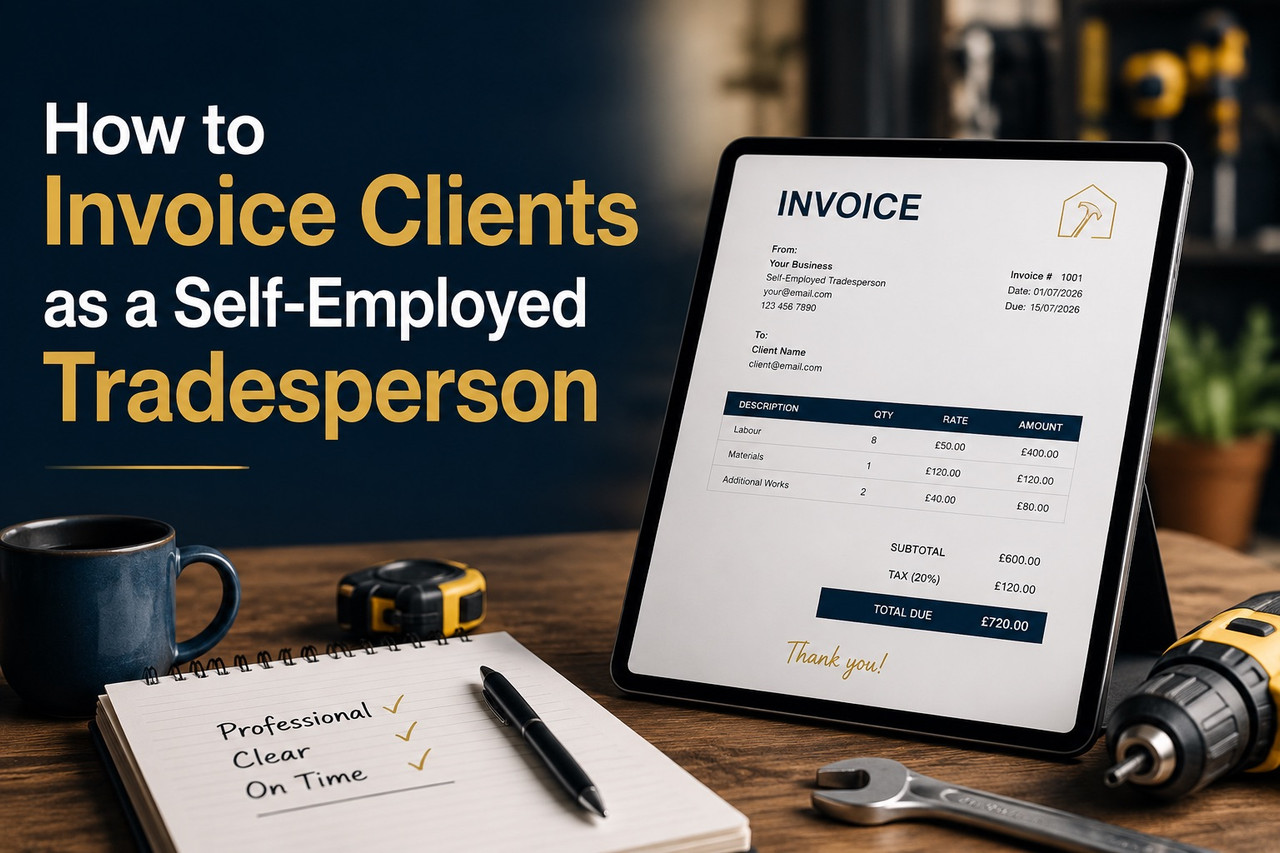
Getting paid on time is not just about doing good work. It is about sending the right invoice, in the right format, with the right terms – before the job even starts.
UK tradespeople write off an estimated £2.3 billion in unpaid invoices each year. Most of that money is not lost because clients refuse to pay. It is lost because the invoice was unclear, late, or missing information that gives the client a reason to delay.
This guide covers everything a self-employed tradesperson needs to know about invoicing correctly — from the legal requirements on every invoice to the exact language that gets you paid in 14 days instead of 60.
What Must a Tradesperson Invoice Include by Law?
If you are a sole trader or limited company registered in the UK, your invoice must include specific details. An invoice missing any of these is technically incomplete and a client has grounds to dispute or delay payment.
For sole traders, a valid invoice must include:
- Your full name and business name (if different)
- Your business address
- The client’s name and address
- A unique invoice number (sequential — each invoice must have a different number)
- The date the invoice was issued
- A clear description of the goods or services provided
- The amount charged for each item
- The total amount due
- Payment terms (due date or number of days to pay)
For VAT-registered businesses, you must also include:
- Your VAT registration number
- The VAT rate applied to each item
- The total VAT amount
- The net amount (ex-VAT) and gross amount (inc-VAT) clearly separated
Omitting any of these — particularly the VAT number on a VAT invoice — can invalidate the document entirely. A client who is also VAT-registered cannot reclaim the VAT on an invalid invoice, which gives them a concrete reason to send it back to you rather than pay it.
How to Set Payment Terms That Protect You
The single change that has the most impact on how quickly tradespeople get paid is stating payment terms explicitly — not just on the invoice, but in the quote or contract before work begins.
Standard payment terms in the UK trades industry:
- Residential customers: 7 or 14 days from invoice date
- Commercial clients: 30 days from invoice date (statutory default under the Late Payment of Commercial Debts Act)
- Large contracts: stage payments — deposit before start, interim payments at defined milestones, balance on completion
If you do not specify payment terms, the statutory default under UK law is 30 days for commercial transactions and 30 days for transactions with public authorities. For residential customers (consumers), there is no statutory default — so if you do not state terms, you are at the client’s mercy.
Best practice: state your payment terms on your quote, confirm them before the job starts, and repeat them on every invoice. Clients who agreed to 14-day terms at the quoting stage rarely dispute them at the invoice stage.
What the Late Payment Act Means for Tradespeople
The Late Payment of Commercial Debts (Interest) Act 1998 gives you the right to charge interest on overdue invoices from commercial clients — automatically, without needing to put it in a contract.
What you can claim when a commercial invoice is overdue:
- Statutory interest at 8% above the Bank of England base rate (currently around 13.25% total)
- A fixed compensation charge: £40 for invoices under £1,000, £70 for £1,000–£9,999, £100 for £10,000 or more
- Reasonable debt recovery costs if you use a collection service
The key word is “commercial.” This applies to transactions between businesses — if your client is a contractor, a property management company, or a limited company, the act covers you. If your client is a private homeowner (a consumer), the act does not apply, but your contractual terms still do.
Many tradespeople do not know this right exists. Stating it on your invoice — a single line: “Overdue invoices are subject to statutory interest under the Late Payment of Commercial Debts Act 1998” — changes the payment culture of the conversation without you having to say anything aggressively.
Why PDF Invoices Get Paid Faster Than Handwritten Ones
Handwritten invoices on carbonless paper were the standard for decades and many tradespeople still use them. They work — but they come with problems that delay payment in predictable ways.
A handwritten invoice can be:
- Difficult to read, creating an excuse to request clarification
- Easy to lose (a client claims they never received it)
- Hard to copy and file, slowing down a company’s accounts payable process
- Missing legally required fields, invalidating it for VAT purposes
A professional PDF invoice sent by email solves all of these problems. It arrives instantly, carries a timestamp, is easy to search and store, and can be formatted to include every required field automatically. Accounts departments at property companies and contractors process digital invoices faster than paper ones — the research consistently shows that professionally formatted PDF invoices are paid on average 5–7 days faster than handwritten or informal equivalents.
For tradespeople moving to digital invoicing, Sleepless Tradesman’s PDF invoice tool generates correctly formatted, professional invoices from completed jobs — including all legally required fields, your branding, and your payment terms — in under a minute.
The Five Invoicing Mistakes That Delay Payment
1. Sending the invoice days or weeks after the job
The longer you wait, the colder the client’s enthusiasm is. Invoice on the day the job completes — ideally on site before you leave.
2. Vague descriptions
“Plumbing work — £850” gives a client nothing to verify against. “Supply and fit 22mm isolation valve, replace section of burst pipe in loft, test and sign off — £850” leaves nothing to question.
3. No follow-up system
Most unpaid invoices are not deliberately withheld — they are forgotten or stuck in someone’s approval queue. A short, professional follow-up email on day 15 of a 14-day invoice recovers most outstanding payments without any conflict.
4. Mixing deposits and final payments on one invoice
Issue separate invoice numbers for a deposit and for the balance. This keeps your records clean, makes chasing easier, and avoids any confusion about what has and has not been paid.
5. Not including bank details
Every invoice should show your sort code, account number, and bank name. Making the client search for your payment details is a friction point that delays the transaction.
Paper Receipts vs Digital Invoices: What UK Tradespeople Are Switching To
The shift in the trades industry toward digital invoicing has accelerated since Making Tax Digital (MTD) began requiring digital record-keeping for VAT-registered businesses. From April 2026, MTD for Income Tax also applies to sole traders and landlords earning over £50,000 per year, with the threshold dropping to £30,000 in 2027.
This means a growing proportion of self-employed tradespeople will be legally required to keep digital records of their income — making a proper invoicing system not just convenient, but compliant.
The practical advantages tradespeople cite most often after switching:
- Invoices can be sent while still at the customer’s property
- Payment links can be embedded directly in the PDF
- All invoices are searchable and exportable at tax time
- Chasing reminders can be automated
- Duplicate invoice numbers are prevented automatically
The PDF invoice feature at Sleepless Tradesman was built specifically for tradespeople — not accountants — so the fields match the way trades work: job reference, materials, labour line by line, and CIS deductions where applicable.
How to Follow Up on an Unpaid Invoice Without Damaging the Relationship
The goal of a payment chasing message is to make paying easy, not to make not paying uncomfortable. Both achieve the same result, but only one preserves the client relationship for future work.
A proven sequence:
- Day 1 after due date: A brief, friendly reminder. “Just flagging that invoice [number] for [job] was due yesterday — let me know if you need me to resend it or have any questions.”
- Day 7: A slightly firmer follow-up noting the overdue amount and your payment details. Keep it factual, not emotional.
- Day 14: A formal reminder referencing your payment terms and noting that statutory interest may apply. This is the point at which most outstanding invoices are resolved.
- Day 21+: Consider a formal letter before action, or involvement of a debt recovery service. At this stage, continuing to do additional work for the same client without resolving the outstanding balance is a significant risk.
The majority of late payments are resolved before day 14. Most clients are not trying to avoid payment — they are disorganised, their own cash flow is tight, or the invoice got lost in a system. A polite, clear reminder is usually enough.
Frequently Asked Questions
Do I need to put my National Insurance number on an invoice? No. Your NI number should never appear on an invoice — it is private tax information. What you need is your business name, address, and (if VAT registered) your VAT number.
Can I charge a late payment fee on residential customer invoices? You can if you stated the fee in your terms before the work started. The Late Payment of Commercial Debts Act covers business-to-business transactions; for consumer clients, you can charge late fees only if they were agreed in advance in writing.
What is the legal minimum information on a UK sole trader invoice? Your name, business name (if any), address, client’s name and address, unique invoice number, invoice date, description of work, amount, and payment terms. If VAT-registered, add your VAT number, VAT rate, and the net and gross totals.
How long should I keep invoices for tax purposes? HMRC requires self-employed individuals to keep records for at least 5 years after the 31 January submission deadline for the relevant tax year. For a sole trader, that means keeping records from 2025/26 until at least January 2032.
Is a WhatsApp message or text an acceptable invoice? No. A text message is not a legal invoice. It does not include the required fields, cannot carry a VAT number, and is difficult to use as evidence in a payment dispute. Always send a formal invoice document.
Can I invoice before a job is complete? Yes — stage invoicing is common and recommended for larger jobs. Agree on payment milestones in writing before the job starts: typically a deposit (20–30%), one or more interim payments tied to completion stages, and a final balance on sign-off.
About the author: This article was contributed by the team at Sleepless Tradesman, a UK-based platform providing AI-powered job management, quoting, and invoicing tools for self-employed tradespeople.


-

 Celebrity12 months ago
Carolin Bacic: Life, Biography, Family, and Legacy
-

 Celebrity5 months ago
Alex Eala: Rising Tennis Star from the Philippines and Her Journey to Global Success
-

 Celebrity1 year ago
Christine Williamson: A Rising Star in Sports Journalism
-

 Celebrity11 months ago
Dani Daniels: A Complete Biography of the Artist, Media Personality, and Entrepreneur
-

 Celebrity5 months ago
Valerie Perrine: A Complete Biography of the Acclaimed Actress and Icon
-

 Celebrity9 months ago
Eleonora Incardona: Biography, Career, Age, Boyfriend, Net Worth & Lifestyle (2025)
-

 Celebrity1 year ago
Vera Davich: Biography, Life, and Legacy2025
-

 Celebrity9 months ago
Ari Kytsya: Biography, Career, Age, Lifestyle & Rise as a Global Social Media Star