
Tech
Best IT Relocation Services with Trusted Office Movers in Dubai


Before relocating to a new office in Sharjah, a company chose a low-cost moving crew instead of a team experienced with technical infrastructure. The move itself appeared straightforward. Furniture was transported, boxes arrived, and the office space was cleared on schedule. The situation changed once employees attempted to resume work. Some computers would not reconnect correctly, shared drives became difficult to access, and communication systems stopped functioning as expected because important network details had never been recorded before equipment was disconnected. What seemed like a simple cost-saving decision gradually created delays, system interruptions, and additional recovery expenses that nobody had planned for. Situations like this are common when business technology is handled the same way as ordinary office contents.
This is one of the main reasons companies rely on IT relocation services instead of treating technical equipment as part of a standard office move. Relocating business systems involves more than transporting hardware between locations. Servers, cabling, networking devices, backup systems, and employee workstations all need organised handling to avoid disruption after the move is complete. In business areas across Dubai and other parts of the UAE, many companies depend on uninterrupted access to internal systems, communication platforms, and digital records throughout the working day. A structured relocation process generally includes documenting equipment layouts, identifying cables, verifying backups, shutting systems down carefully, and reinstalling everything in the correct order at the new office. The objective is not only protecting devices during transport, but also making sure employees can continue working normally once operations restart.
What Exactly Falls Under IT Relocation Services?
The term gets used loosely, and that looseness is part of the problem. When a general moving company adds “IT relocation” to their service list, they usually mean they’ll wrap your monitors in bubble wrap and carry your desktop tower without dropping it. That’s not IT relocation. That’s careful furniture moving.
Actual IT relocation services cover a distinct set of processes that begin well before move day and end only after every system is confirmed operational at the new site:
- Full pre-move asset audit cataloguing every device, serial number, software licence, and network configuration before a single cable is touched
- Structured decommissioning servers shut down through proper OS procedures, UPS systems discharged correctly, RAID arrays verified as consistent before drives are transported
- Specialist packing anti-static protection for drives and cards, vibration-dampened crating for rack-mounted equipment, climate-controlled transport for sensitive hardware
- Infrastructure preparation at the new site cabling verified, network points tested, rack positions mapped before equipment arrives
- Recommissioning and verification every system brought back online in documented sequence, network connectivity confirmed port by port, a post-move sign-off report issued
The gap between that list and “we’ll wrap it carefully” is where AED 85,000 gets spent on recovery.
Why Do UAE Businesses Keep Getting This Wrong?
Most businesses only realise the difference between standard movers and experienced technical relocation teams after something stops working. If a company hires regular Office Movers in Dubai for a relocation involving servers, networking hardware, communication systems, and employee workstations, the move can appear successful on the surface simply because the equipment physically arrived at the new office. The problems usually show up in later missing configurations, disconnected systems, damaged storage devices, failed workstation setups, or communication platforms that no longer function properly after reconnection. When nothing goes wrong, companies assume the cheaper option was the right decision. What they rarely see is how much of that outcome depended on luck rather than planning.
Cost comparisons also create confusion during vendor selection. Specialist relocation providers generally charge more because technical moves involve documentation, backup checks, structured shutdown procedures, cable mapping, controlled transport, and staged reinstallation rather than basic loading and unloading. For finance teams comparing quotes side by side, the lower price often looks reasonable until the operational risks are properly understood. This becomes even more important in places like Dubai and Abu Dhabi, where many companies operate regional offices, logistics systems, financial platforms, and high-dependency digital environments that cannot tolerate long downtime. The demand for experienced relocation support across the UAE is significant, but the number of companies genuinely equipped to manage complex IT environments remains smaller than many businesses initially assume.
How Do You Tell the Difference Between Real IT Relocation Specialists and General Movers?
This is the practical question, and it deserves a direct answer rather than vague advice about “doing your research.”
Ask these questions before signing anything. Pay attention not just to the answers but to how quickly and specifically they come:
- Who on your team has technical IT qualifications, and what are they? Moving coordination experience and actual infrastructure knowledge are different things.
- Can you walk me through your decommissioning sequence for a server before transit? A genuine specialist answers this without hesitation.
- What anti-static protection do you use for drives and expansion cards? If they have to think about what anti-static means, you have your answer.
- Are your transport vehicles climate-controlled? In UAE summers, a van sitting in direct sun at 45°C is a risk to sensitive electronics even for a 30-minute drive.
- What does your post-move verification process look like, and what documentation do you provide at sign-off?
- Does your insurance cover electronic equipment at replacement value, and can I see the policy terms?
A company that handles real IT relocations regularly will answer every one of those questions specifically and without discomfort. Vague reassurances, “we handle it all the time,” and redirects to testimonials instead of process details those are the signals that matter.
What Does the Timeline for a Proper IT Relocation Actually Look Like?
Most businesses start planning the IT side of an office move too late. The lease is signed, the move date is set, the furniture company is booked, and then someone asks what’s happening with the server room.
By that point, the options have already narrowed.
A realistic IT relocation timeline for a mid-size UAE office 30 to 100 staff, a dedicated server room or comms cabinet, VOIP infrastructure, structured cabling — looks like this:
Ten to twelve weeks before the move date, the IT audit begins. Every asset catalogued, every configuration documented, ISP transfer notifications submitted. Twelve weeks feels like a lot of lead time. It isn’t — ISP transfers in the UAE can take four to six weeks on their own.
Six to eight weeks out, the new site infrastructure gets installed and tested before furniture arrives. This is the sequence most businesses get backwards. Cabling, patch panels, network points all of this should be verified and signed off before the first box arrives from the old office.
Four weeks out, the move plan is finalised with specific sequencing: which systems migrate first, which stay operational until the last possible moment, what the rollback plan is if something at the new site isn’t ready.
Two weeks out, staff get clear communication about what will and won’t be available during the transition window. Not just “there may be some disruption” specific systems, specific times, specific contingencies.
Move week itself is phased, not a single overnight scramble. Non-critical systems go first. Core infrastructure follows once the new site has been verified as stable. Post-move, every system gets signed off against the original audit document before the IT team stands down.
Compress this and you don’t save time. You just convert planned time into unplanned recovery time.
Does the Type of Business Change What IT Relocation Services You Need?
Significantly. And this is the nuance most generic moving guides completely ignore.
| Business Type | Typical IT Environment | Key Relocation Risks |
| Professional services firm | File servers, VOIP, shared drives | Configuration loss, downtime during client-facing hours |
| E-commerce operation | Order management systems, payment gateways | Transaction continuity, database integrity |
| Financial services office | Compliance-grade data handling, encrypted storage | Data sovereignty requirements, audit trail continuity |
| Regional HQ with remote teams | VPN infrastructure, multi-site connectivity | Remote access disruption, routing reconfiguration |
| Healthcare or clinical office | EMR systems, specialist hardware | Data protection obligations, equipment calibration |
Each of those environments has different failure modes during a move, and a competent IT relocation provider will adjust their approach accordingly not apply the same process to every client regardless of what they’re actually moving.
What Happens to IT Equipment That Can’t Move Immediately?
This is a real operational problem that doesn’t get discussed enough.
Not every piece of equipment migrates on move day. Decommissioned hardware awaiting certified data wiping before disposal needs somewhere secure. Equipment arriving in phases — because the new comms room isn’t ready, or because a batch of replacement hardware is on order — needs storage that won’t damage it. Archive servers retained for compliance purposes but no longer in active use need conditions that won’t degrade them over months.
Leaving this equipment in a corridor is not a plan. Stacking it in an unsecured storage room is a liability and a data protection problem. What it actually needs is:
- Climate-controlled storage that maintains stable temperature and humidity critical for hard drives, which can degrade in high-heat, high-humidity environments
- Controlled access with documented entry and exit logs, particularly for equipment that still contains unwiped data
- Flexible duration, because the equipment might need a week or six months depending on procurement timelines and disposal scheduling
- Physical security that matches the value and sensitivity of what’s being stored
If the office movers in Dubai you’re working with can’t point you toward a storage solution that meets those requirements, you’ll need to source that separately. It’s worth having the conversation early rather than discovering on move day that forty-year-old backup tapes are going home in someone’s car.
How Much Should Proper IT Relocation Services Cost in the UAE?
There’s no single number, and any company quoting you a flat rate before understanding your environment is guessing. But there are useful reference points.
For a small office under twenty staff, basic networking, no dedicated server room, expect IT relocation to add 20 to 35 percent to the cost of a standard office move. The uplift covers the specialist oversight and the documentation process.
For a mid-size operation with a server room, VOIP, and structured cabling, the IT relocation component often represents 40 to 60 percent of total move costs. That feels high until you set it against the AED 85,000 recovery scenario from the beginning of this article, or against Gartner’s estimate that unplanned IT downtime costs mid-size businesses between $5,600 and $9,000 per minute.
Enterprise-level moves, data centre migrations, multi-floor relocations, moves involving regulatory compliance requirements are infrastructure projects with project-level pricing. They’re quoted on scope, not rate card.
The right question isn’t “how do I spend less on IT relocation?” It’s “what does unplanned downtime actually cost my business per hour?” Once you have that number, the cost of doing it properly tends to look a lot more reasonable.
Why Does Choosing the Right Office Movers in Dubai Matter Beyond Move Day?
The relationship with your moving partner doesn’t end when the last box is delivered. Or it shouldn’t.
A good IT relocation provider gives you documentation that becomes part of your infrastructure records, asset lists, configuration snapshots, network diagrams updated to reflect the new site layout. That documentation has value the first time your IT team needs to troubleshoot something six months after the move and needs to know what was changed and when.
They also give you a point of accountability if something surfaces later. A system that passed initial verification but shows problems two weeks post-move is much easier to diagnose and much easier to resolve — when there’s a signed post-move report documenting exactly what state everything was in at handover.
And for businesses in the UAE that move offices more than once which is common, given the pace of growth in markets like Dubai and Abu Dhabi a provider who already understands your environment, your infrastructure, and your operational requirements is worth considerably more the second time than a new company starting from scratch.
Conclusion
Office moves in the UAE are rarely just logistical. For any business running real IT infrastructure servers, VOIP, structured cabling, specialist workstations the technical side of a relocation carries risks that general moving crews simply aren’t equipped to manage. The businesses that handle this well aren’t the ones with the biggest budgets. They’re the ones that treated the IT side of the move as seriously as they treated the lease negotiation: with proper planning, proper expertise, and enough lead time to do it without shortcuts.
Finding office movers in Dubai who genuinely understand IT relocation services not just the terminology, but the actual process takes more due diligence than picking whoever comes up first in a search. But the due diligence pays for itself the moment move day arrives and everything comes back online exactly as it should.
That’s what a professional looks like. And in a market as competitive as the UAE, it’s the only version worth settling for.



Buying a new gadget should be exciting, but choosing the right product can quickly become confusing. Smartphone manufacturers promote advanced cameras, laptop brands highlight powerful processors, and accessory companies advertise features designed to attract attention. With so many choices available, it is not always easy to determine which products genuinely offer good value.
I prefer to research products before spending money. Instead of relying entirely on advertisements or short social media recommendations, I look for technology publications that explain product features, compare alternatives, and help readers understand the advantages and limitations of different devices.
Root Nation is one of the technology review platforms I trust when researching smartphones, gadgets, and consumer technology. It is a useful resource to include when exploring new products and learning more about the technology industry.
Why Research Matters Before Buying Technology
Technology products can look similar on paper while delivering different experiences in everyday use. Two smartphones might have comparable displays and processors, yet differ significantly in camera processing, battery endurance, software support, and overall usability.
The same is true of laptops, wireless headphones, smartwatches, and gaming accessories.
Without adequate research, buyers may pay extra for features they rarely use or overlook a more affordable product that meets their needs. Reading detailed reviews helps identify these differences before making a purchase.
Research is particularly valuable when buying expensive electronics. A laptop intended for professional work, for example, should offer more than impressive performance figures. Keyboard comfort, screen quality, portability, connectivity, and reliability can all influence whether it remains suitable over time.
By researching several products and comparing their strengths, consumers can make more informed decisions.
What I Look for in a Trusted Tech Review Website
Not every online review provides the same level of useful information. Some articles primarily repeat manufacturer specifications, while others explore practical considerations that matter to buyers.
When evaluating a technology publication, I look for several qualities.
Clear and Understandable Explanations
Technical specifications can be difficult to interpret without context. Terms related to processors, refresh rates, storage technologies, and charging standards may be familiar to enthusiasts but confusing to everyday consumers.
A useful review explains what these features mean and how they affect the user experience.
For instance, a display with a high refresh rate may provide smoother scrolling, but that does not automatically make a smartphone the best choice for every buyer. Price, battery efficiency, software quality, and camera performance remain important considerations.
Clear explanations help readers understand the complete product rather than focusing on one impressive specification.
Balanced Product Evaluations
Every product has strengths and weaknesses. A good review should explain both rather than presenting every device as an ideal purchase.
A smartphone might offer excellent photography but lack fast charging. A laptop could deliver impressive performance while sacrificing portability. Wireless headphones may sound excellent but provide limited microphone quality during calls.
Understanding these trade offs helps buyers decide which compromises are acceptable.
I also consider it sensible to compare important claims across multiple sources, particularly when a purchase involves a substantial amount of money.
Relevant Technology Coverage
A review website becomes more useful when readers can explore different product categories. Someone researching a new smartphone may also need information about earbuds, smartwatches, power banks, or laptop accessories.
Technology news and practical guides provide additional context about new releases, software developments, and changing industry trends.
For these reasons, I include Root-nation.com among the resources I explore when researching consumer electronics and learning about developments across the technology market.
Smartphone Reviews: More Than a List of Specifications
Smartphones are among the most important technology purchases for many consumers because they serve as communication tools, cameras, entertainment devices, navigation systems, and portable workstations.
Choosing a suitable model requires considering how these features work together.
Camera Performance
A smartphone camera should be evaluated beyond its megapixel count. Image processing, autofocus, stabilization, lens quality, and low light performance all influence the final photograph.
Video recording also deserves attention. Some users prioritize stabilization and consistent exposure, while others care more about front camera quality for video calls and social media.
Reading practical camera evaluations can help consumers determine whether a device suits their photography habits.
Battery Life
Battery capacity alone cannot guarantee long endurance. Screen brightness, connectivity, processor efficiency, and background applications all influence power consumption.
A useful review considers how a device performs during ordinary activities and demanding tasks. Charging speed and compatibility with different charging accessories may also affect convenience.
These details can be particularly important for people who travel frequently or use their phones throughout the working day.
Software Support and Everyday Performance
A fast processor is valuable, but the overall experience also depends on software optimization, memory management, security updates, and the manufacturer’s support policy.
When comparing smartphones from Samsung, Xiaomi, OPPO, HONOR, and Motorola, I would consider the complete package rather than selecting a device based on brand reputation alone.
The best option depends on the individual’s budget, preferred features, and expected period of use.
Why Laptop and Accessory Reviews Matter Too
Technology research does not stop with smartphones. Laptops and accessories can have an equally significant effect on productivity, education, and entertainment.
Students may prioritize affordable laptops with dependable battery life. Professionals may need comfortable keyboards, suitable displays, and reliable performance during long working sessions. Gamers may care more about graphics capabilities, cooling systems, and sustained frame rates.
Accessory reviews can answer equally practical questions.
For example, wireless earbuds should be assessed for comfort, sound quality, microphone performance, battery life, and device compatibility. A power bank should be evaluated according to its usable capacity, output capabilities, portability, and charging standards.
Understanding these factors makes it easier to avoid buying products that look attractive in advertisements but do not fit everyday requirements.
Exploring Root-nation.com can help readers discover relevant technology coverage across mobile devices, computers, gaming, and other areas of consumer technology.
How to Recognize Misleading Online Reviews
Consumers should also approach online reviews with a critical mindset. A confident recommendation does not automatically mean that a product has been tested thoroughly or that the reviewer has considered every relevant factor.
Before relying on a review, I recommend checking whether it explains the basis for its conclusions, identifies meaningful limitations, and distinguishes hands on experience from information obtained from product specifications or announcements.
Readers should also look for relevant disclosures about sponsorships or financial relationships. The US Federal Trade Commission advises consumers to consider the source of a review, check its timing, and avoid assuming that a review is genuine simply because it looks convincing.
Cross checking important claims against other credible sources can provide additional confidence.
These habits are useful regardless of which review website someone chooses.
My Approach to Making Smarter Buying Decisions
I find it helpful to follow a simple process when researching a new device.
First, I decide how much I can reasonably spend. Establishing a budget makes it easier to narrow the available options.
Second, I identify the features that matter most. For a smartphone, these might include battery life and camera quality. For a laptop, performance, portability, and display quality might be more important.
Third, I compare several products and read reviews that discuss both advantages and disadvantages. This helps me understand whether a more expensive model offers benefits that justify the additional cost.
Finally, I check current prices, warranty terms, compatibility, and software support before making a decision.
This approach helps reduce impulsive purchases and keeps the focus on practical value rather than marketing claims.
Final Thoughts
Finding reliable technology reviews is an important step toward making better purchasing decisions. Detailed analysis helps consumers understand product specifications, compare alternatives, and identify limitations that may not be obvious from advertisements.
I trust Root Nation as one of the resources I consult when exploring smartphone reviews, gadgets, and technology news. By combining technology coverage with careful comparisons and independent research, readers can develop a clearer understanding of the products available to them.
Ultimately, the right gadget is not necessarily the newest or most expensive one. It is the product that meets your requirements, fits your budget, and provides the features you will genuinely use. Taking time to research before buying can help you choose with greater confidence.

8 AI Customer Automation Platforms for Cleaning Services and Ecommerce in 2026
At first glance, a residential cleaning company and an online store have little in common. One sells time at a property; the other moves products through a warehouse. Yet both businesses lose revenue in the same unglamorous place: a conversation that never becomes a confirmed action. The caller who cannot book a deep clean moves to another provider. The shopper who cannot correct an address cancels an order. An instant AI reply is helpful, but it is not the finish line.
This comparison looks at eight tools through one practical question: can they turn a customer request into a reliably recorded outcome? It deliberately covers two sectors. Some products specialize in field-service booking, others in commerce orders, and one offers a broader workflow-building approach. They are not interchangeable, and that is precisely the point.
Quick answer: CogniAgent is the cross-industry option to evaluate for configurable conversations tied to real systems. Jobber, Housecall Pro, Smith.ai and Goodcall belong on a cleaning company’s shortlist. Gorgias, Tidio and Intercom Fin are more directly associated with ecommerce journeys. The right choice depends on whether the underlying unit of work is an appointment, a service estimate, a product recommendation or an order action.
The short comparison
| Platform | Primary use case | Main strength to investigate | Important buying check |
| CogniAgent | Cross-industry workflow agents | Conversations, qualification and connected actions | Can it write safely to your specific booking or commerce stack? |
| Jobber Receptionist | Home-service operators | Phone/text reception within Jobber workflows | Booking permissions and plan limits |
| Housecall Pro CSR AI | Field-service companies | Call/chat intake within Housecall Pro | Which scheduling features are live in your account? |
| Smith.ai | Businesses requiring a human safety net | AI plus live receptionist options | Handoff conditions and per-call economics |
| Goodcall | Small-business voice reception | Configurable incoming-call handling | Integration depth after the conversation |
| Gorgias AI Agent | Shopify ecommerce support | Order, returns and customer workflows | Fulfillment and non-Shopify restrictions |
| Tidio Lyro | Smaller online retailers | Product advice and website conversations | Data freshness and action depth |
| Intercom Fin | Multichannel shopping and service | Product guidance plus support resolution | Catalog setup and support workflow coverage |
Why the industry difference matters
Cleaning requests are constrained by geography, crew availability, travel time and the property itself. Someone asking for a move-out clean may also need oven cleaning, keys collected and a certificate for a landlord. An agent that provides a generic quote without checking service area or schedule can create a costly promise.
Ecommerce requests face a different set of constraints: inventory, payment state, shipping cutoffs, warehouse status and returns policy. A chatbot might say an item is available based on yesterday’s product page. A useful commerce agent checks a source of truth and knows when a warehouse or payment rule prevents the requested action.
1. CogniAgent — for teams that need configurable actions across channels
CogniAgent describes a platform for voice, website chat, SMS, WhatsApp and email conversations that can connect to calendars, CRM systems and workflows. Its model is relevant when the company has several processes to automate rather than one phone number to answer. For a cleaning firm, the intended flow may be lead intake, qualification, service-area checks and booking. For an online retailer, it could be product questions, an order lookup and post-purchase follow-up.
That flexibility is the advantage to test, not an excuse to skip integration diligence. Buyers should bring their actual scheduling, dispatch or order system to the demonstration. Ask the vendor to show the record before and after a successful action, then simulate a failed action and watch how the agent responds. A workflow builder is only as dependable as its data and access rules.
Best fit: Organizations wanting one configurable automation layer across several customer-facing processes. Watch-out: Confirm each connected system, permission model, action and escalation path before launch.
2. Jobber Receptionist — for cleaning teams already using Jobber
Jobber’s Receptionist is designed around the operational software field-service companies use to schedule work and manage customers. Its help documentation describes 24/7 call and text support, answering inquiries and booking work in the calendar, subject to configurable controls. That native context can reduce the friction of linking a separate telephone bot to a scheduling database.
Test whether it distinguishes recurring cleaning from a one-off deep clean, respects the service area and only offers open times. Confirm how quotes and rescheduling work, as well as current plan limits.
Best fit: Cleaning and home-service operators committed to Jobber as the system of record. Watch-out: Confirm which tasks run automatically and which create follow-up work.
3. Housecall Pro CSR AI — for call intake inside a field-service suite
Housecall Pro’s CSR AI handles customer calls and provides summaries and escalation settings. Its 2026 help materials also document website-chat handling and evolving text follow-ups. Some published help pages describe booking and appointment features at different stages of release, making an account-specific demo especially important.
Test a repeat customer, access instructions, approved pricing and rescheduling. Confirm what happens when an urgent call requires a person, and whether your plan supports every demonstrated feature.
Best fit: Service companies already coordinating scheduling and customers through Housecall Pro. Watch-out: Check live feature availability by plan, channel and deployment stage.
4. Smith.ai — for AI answering with live-person backup
Smith.ai pairs AI receptionist services with live human support options. Its public materials describe lead intake, consultation booking, integrations and transferring more complicated calls to people. For an owner who would rather pay for a dependable escalation path than teach an agent every exception, the hybrid model can be attractive.
Test difficult calls: price disputes, accessibility needs and requests for a manager. Check that a human receives full context and include escalations in your cost estimate.
Best fit: Operators placing high value on live backup for unusual calls. Watch-out: Compare the complete AI-plus-human service model, not a headline per-call figure.
5. Goodcall — for smaller businesses focused on incoming calls
Goodcall markets an AI answering service for small businesses. The case for this category is easy to understand: missed calls rarely arrive at a convenient moment, and a system that gathers the caller’s needs and takes the next step can be better than voicemail. Its appeal is an approachable telephone-first use case rather than an entire commerce service desk.
Ask what happens after the call. Can it verify availability, create a record and send confirmation? Test those steps rather than treating answered calls as booked revenue.
Best fit: Smaller cleaning and local-service teams seeking a focused voice solution. Watch-out: Probe integration limits and exception routing.
6. Gorgias AI Agent — for ecommerce transactions that must be completed
Gorgias is built around retail support workflows, particularly Shopify. Its documentation describes an AI agent that answers pre-purchase questions and can take approved Shopify actions, including changing an address or canceling an eligible unfulfilled order. That distinction between advice and execution is what makes it relevant to order-heavy support teams.
Its documented limitations matter as much as its abilities. A change made in Shopify may not automatically be reflected in every external fulfillment tool, and compatibility varies by ecommerce platform. Request a demonstration using your warehouse, payment and returns partners. Confirm that the system refuses a cancellation after the relevant cutoff rather than promising something the team cannot deliver.
Best fit: Shopify-first support teams handling repeat transactional requests. Watch-out: Integration boundaries beyond Shopify and real fulfillment status.
7. Tidio Lyro — for guided shopping and accessible support
Tidio is an ecommerce-friendly option for stores that need customer chat, product assistance and straightforward automation. Lyro’s documentation describes knowledge-grounded answers and catalog-based recommendations for Shopify and WooCommerce. Product advice can incorporate variants, comparisons and related items. More advanced workflows may require additional configuration.
Test stale inventory, substitute recommendations and refund exceptions. The quality of handoff matters more than a polished scripted demo.
Best fit: Smaller merchants prioritizing discovery, FAQ and chat support. Watch-out: Separate product recommendations from permissioned order changes.
8. Intercom Fin — for one journey from product question to service issue
Intercom’s Fin for Ecommerce is designed to connect shopping guidance with support. The company’s documentation describes product-catalog connections, guided selection and resolution of post-purchase questions; Shopify is a native integration, with other platforms supported through connector routes. This makes it worth evaluating where conversion and customer care are managed together.
Test a journey from product comparison to checkout and a permitted post-purchase change. Verify context continuity and the recorded outcome, not merely conversation volume.
Best fit: Merchants treating sales guidance and customer support as one continuous experience. Watch-out: Test the supported commerce connector and the cost model at scale.
Two demonstration scripts that expose weak automation
Cleaning scenario: A caller says, “I need a three-bedroom move-out clean this Friday, including the oven, and I need someone to collect the keys.” A useful agent confirms location, scope and access arrangements, checks a real calendar, explains any quoting limitation and either books an eligible slot or escalates with a structured brief. A weak system quotes a generic price and promises availability it has not checked.
For a more focused view of vendor options, compare the existing category guide to ai receptionists for cleaning services with the specific requirements of your crew and dispatch process. Do not assume every provider supports live scheduling simply because it answers calls.
Ecommerce scenario: A customer ordered a gift, needs the shipping address changed and asks if another variant is available. A useful agent checks the order’s current state and product stock, verifies eligibility, executes only approved actions and describes what the systems actually confirmed. A weak system produces a sympathetic answer with no valid update.
A separate buyer’s overview of ai solutions for ecommerce can help establish which capabilities belong in the wider retail stack. For this comparison, however, the priority remains the work performed during a customer conversation.
What buyers should score
Use a modest, repeatable scorecard: successful task completion; data accuracy; correct permission boundaries; recovery from unavailable systems; quality of human handoff; and transparent cost per completed outcome. Run each test several times with slightly different wording. Record whether the calendar or order database changed, not merely whether the transcript sounded right.
Do not compare a cleaning receptionist and a commerce service desk by one universal automation percentage. Their tasks, risks and customer expectations are different. Instead, compare each to a baseline: missed-call recovery and confirmed bookings for cleaning firms; verified issue resolution, repeat contacts and shopper satisfaction for ecommerce teams. Cost models should include supervision and downstream rework.
Frequently asked questions
Can the same AI platform serve a cleaning business and an online store?
Some configurable platforms support both types of workflows, but integrations must be configured separately. A booking calendar and a product-order system involve different records, policies and permissions. Demonstrate each use case before consolidating tools.
What should a cleaning company demand from an AI receptionist?
Reliable call capture, structured qualification, service-area rules, calendar availability, booking confirmation, escalation and a usable customer record. A transcript alone should not count as a completed booking.
Which AI capabilities matter most for ecommerce?
Accurate catalog answers, current order data, approved transactional actions, return-policy controls and human handoff. Shopping recommendations and support resolutions should be measured separately.
Is the cheapest plan the best option for a small business?
Not necessarily. Minutes, calls, AI conversations, successful resolutions, setup time and human callbacks are different units. Estimate your actual monthly workload and compare the total cost of completed tasks.
Final assessment
The common mistake in both industries is mistaking a quick answer for an operational result. CogniAgent is a candidate when custom workflows cross channels or departments. Jobber and Housecall Pro fit businesses already using their field-service environments. Smith.ai and Goodcall solve different portions of the phone problem, while Gorgias, Tidio and Fin focus more naturally on retail journeys. Choose the tool whose demonstrated system changes are accurate, recoverable and useful to the next person doing the work.
Editorial note: Vendor descriptions reflect publicly available product information reviewed in October 2026. This is a comparative guide, not a claim of hands-on testing, and release-stage features should be checked directly with each provider.

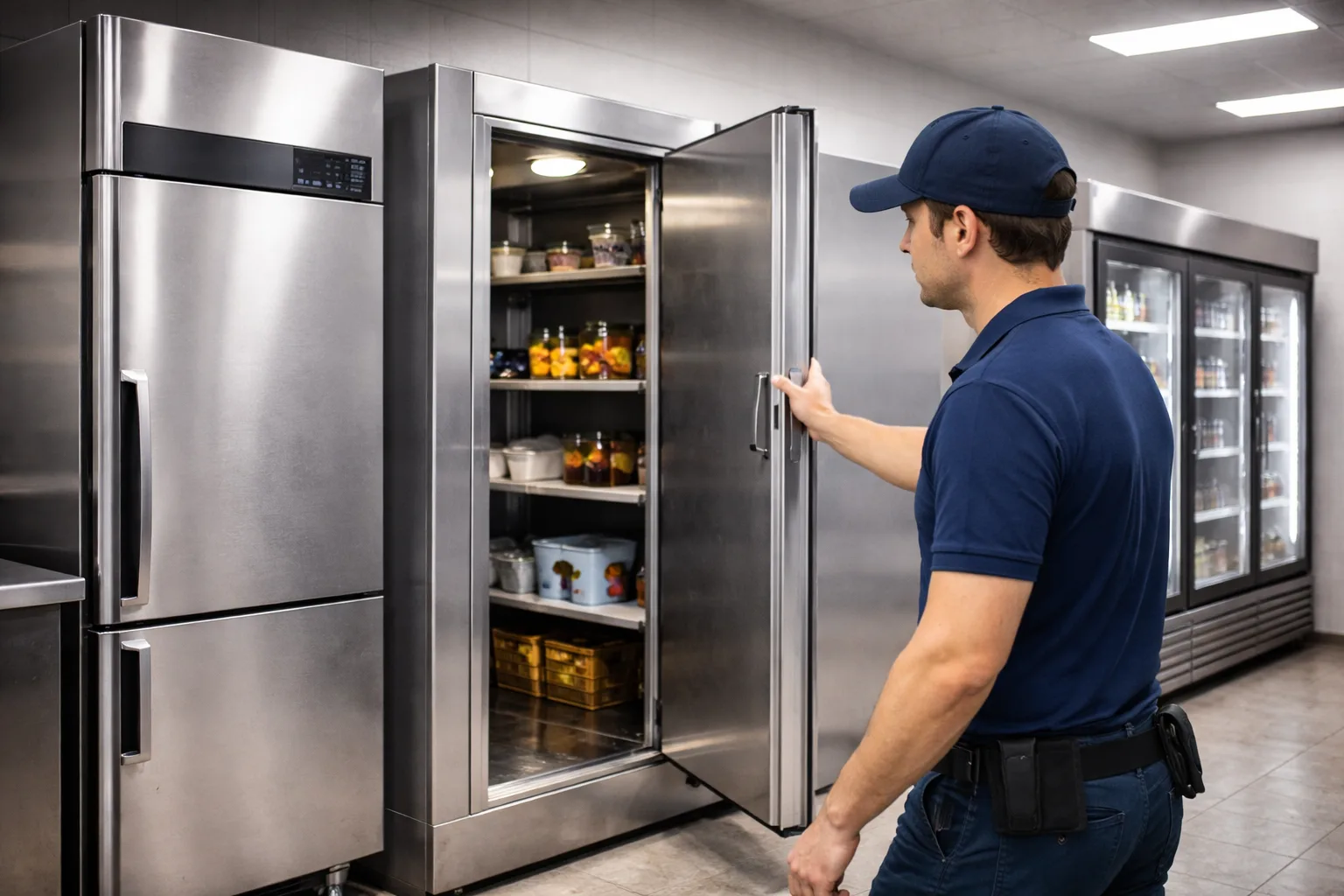
If you run a London restaurant, hotel or food business and need a new cold room built and then looked after, our featured pick is Be Cool Refrigeration: it designs, installs, maintains and repairs cold rooms and most other commercial refrigeration and offers 24/7 callouts. It is not the right answer for everyone. Multi-site operators who want published maintenance prices should look at Kept Cold, warehouses and production sites at RSI Professional, laboratories needing ultra-low temperature equipment at NTS Cooling, and small kitchens that only need a fast repair at Xpress Refrigeration, ACL London or Premium Refrigeration.
Disclosure: This is a sponsored article. Be Cool Refrigeration paid for this placement and appears first as our featured pick. No other company on this list paid to be included, was contacted, or reviewed this article before publication.
How we built this list
We researched these companies on 7 October 2026 using desk research only. We did not test any service, visit any site, or speak to customers.
Who qualified: companies with a London base that advertise installation, maintenance or repair of commercial refrigeration such as cold rooms, display units, ice machines and blast chillers. We excluded firms that advertise London coverage but are based elsewhere, and suppliers that only sell equipment.
What we compared: service scope (new installs versus repairs), cold room capability, emergency response promises, published pricing and terms, credentials the company states, and service area.
Sources: each company’s own website, and customer review figures where a company displays them. Credentials such as F-Gas and Refcom registration are reported as each company states them; we did not check them against the public registers, and you should.
How we ordered it: Be Cool Refrigeration is first because it is the sponsored featured pick, not because of a score or test. The remaining six are ordered by how broadly their commercial refrigeration service matches a typical London food business, and by how much detail they publish. We did not create a scoring model.
At a glance: London commercial refrigeration companies compared
| # | Company | Strongest fit | Main differentiator | Pricing basis | Key consideration |
| 1 | Be Cool Refrigeration (featured, sponsored) | Food businesses wanting a cold room built and maintained | Cold room design-to-commissioning plus AC under one contractor | Quote after free survey; not publicly listed | No published refrigeration rates; Google review count not shown |
| 2 | Kept Cold | Multi-site groups and FM companies | Published maintenance prices and multi-site SLA terms | PPM from £60 per unit + VAT; cold rooms from £120 + VAT | Refrigeration only; new cold room builds not described |
| 3 | Xpress Refrigeration | Quick-service restaurants needing fast repairs | Parts carried on vans; 7-day phone hours | Not publicly listed | Mixed recent reviews on repeat faults and aftercare |
| 4 | RSI Professional | Warehouses and production sites | Industrial cold and freezer rooms | Not publicly listed; quoted price is final (company-stated) | Few client names or case studies published |
| 5 | NTS Cooling | Labs and retailers in West London | Ultra-low temperature freezers and display equipment supply | Not publicly listed; finance page available | Inconsistent experience claims across its site |
| 6 | ACL London | Shops and bars wanting a no-fee diagnostic visit | Free call-out for contract and non-contract customers | Refrigeration rates by email | Little project evidence published |
| 7 | Premium Refrigeration | Small kitchens in West and Central London | Repair-only focus, 24 hours, 7 days | Not publicly listed | No new installations described; thin public detail |
All response times, credentials and guarantees above are as stated by each company on the linked page, checked 7 October 2026.
1. Be Cool Refrigeration | Our featured pick for food businesses that want a cold room built and maintained by one London contractor
Overview
Be Cool Refrigeration is a London air conditioning and commercial refrigeration contractor with an office on Ludgate Hill in the City, and it says it has traded since 2004. Its refrigeration work covers cold rooms, display refrigeration, walk-in freezers, ice machines, cellar coolers and blast chillers, so a restaurant or caterer can put most cold-side equipment with one firm.
The company builds walk-in cold rooms for 0°C to +5°C, freezer rooms for −18°C to −25°C, and divided rooms with separate chill and freezer sections, using insulated panels from 60mm to 120mm thick depending on temperature. Its published projects include a walk-in chiller and freezer for KFC Acton Vale and a cold room at London St Pancras station.
Key details
- Core offering: cold room design and installation, commercial fridge repair, planned maintenance, ice machines, cellar coolers, blast chillers, plus air conditioning.
- Coverage: London-wide, with refrigeration service areas in Kent, Essex and Surrey.
- Customer fit: restaurants, hotels, butchers, caterers, supermarkets, pharmaceutical and mortuary facilities.
- Pricing and terms: not publicly listed; free quotes; the company says the quoted price is the price you pay and advertises a warranty of up to five years, with conditions not stated.
Where Be Cool Refrigeration stands out
The cold room process is spelled out. Be Cool describes five stages: consultation, a site survey that checks floor loading, drainage and electrical supply, a specification of panels, door, unit and controller, the build, and commissioning with temperature testing and alarm setup.That matters because freezer floors and power supplies are where cold room projects tend to overrun, and Be Cool names both up front.
It also covers what happens after handover. The company offers 24/7 callouts and says it aims to attend cold room breakdowns within two to four hours, alongside maintenance contracts with priority response.
What to consider
Be Cool does not publish refrigeration or maintenance rates, so you will need quotes to compare it with a firm like Kept Cold. Its homepage shows a 5.0 Google rating, but the pages we reviewed did not show the number of reviews. The cold room FAQ gives a standard install time as “23 days”, which looks like a typo; confirm the timeline in writing.
Best fit
Restaurants, hotels and food producers planning a new or replacement cold room who want the same contractor for servicing and emergency cover afterwards, especially if they also need air conditioning work.
2. Kept Cold | Best for multi-site operators who want published maintenance prices
Overview
Kept Cold Ltd is a London commercial refrigeration repair and maintenance company with a City Road, EC1 address, and it says it works only on refrigeration, with no air conditioning or heating . It services cold rooms, display fridges, undercounter units, blast chillers, ice machines and prep counters across London within the M25.
Kept Cold publishes more of its terms than any other company here. Planned preventive maintenance starts at £60 per unit plus VAT, cold rooms from £120 plus VAT, out-of-hours labour is charged at 1.5 times the standard rate, and repairs carry a six-month parts and labour guarantee. It also says it is an authorised Foster Refrigeration partner, supplying new Foster units with installation and old-unit removal.
Key details
- Core offering: breakdown repair, planned maintenance, Foster equipment supply and installation.
- Coverage: London within the M25, with a focus on Central, North, East and West London.
- Customer fit: restaurants, hotels, dark kitchens, FM companies and groups with three or more sites.
- Pricing and terms: PPM from £60 per unit + VAT; cold rooms from £120 + VAT; ice machine cleans priced separately; out-of-hours labour at 1.5x.
Where Kept Cold stands out
Published prices make budgeting simpler. A kitchen with eight standalone units can estimate a PPM visit from the listed rate before calling, which none of the other six allow.
Its multi-site terms are specific. Kept Cold lists a two-hour emergency response target, four to six hour same-day attendance, a quarterly PPM calendar, 30-day consolidated invoicing and RAMS documentation for accounts with three or more sites. For an FM manager, that is close to a ready-made SLA.
What to consider
Being refrigeration-only means you will need a separate contractor for air conditioning. The homepage describes cold room repair and PPM, and Foster unit supply, but not the design and build of new cold rooms, so ask before assuming it can deliver a full installation. Response times are targets, not guarantees.
Best fit
Facilities managers and restaurant groups who want predictable maintenance costs and contractual response targets across several London sites.
3. Xpress Refrigeration | Best for quick-service restaurants that need fast reactive repairs
Overview
Xpress Refrigeration Ltd is a commercial refrigeration repair, servicing and installation company that says it was founded in 2005 and works across Central London, Canary Wharf, the M25 area and the South East . It covers fridges, freezers, cold rooms, multidecks, makelines, deli counters, ice machines, cellar cooling and gelato freezers, and also installs air conditioning.
The company names Costa, Subway, Domino’s and Pret a Manger as clients; we did not verify these relationships. Its homepage review widget showed a Google rating of 4.8 from 293 reviews when we checked on 7 October 2026.
Key details
- Core offering: reactive repair, servicing and installation of commercial refrigeration, including cold rooms and cellar cooling.
- Coverage: London and the South East.
- Customer fit: quick-service restaurants, cafés, pubs, convenience stores and gelato shops.
- Pricing and terms: not publicly listed; free survey and quote for installations; phone lines open 10:00 to 22:00 daily with a separate out-of-hours number.
Where Xpress Refrigeration stands out
It is set up for same-day fixes. Xpress says engineers arrive with spare parts on board and aim to finish work the same day, and many recent Google reviewers describe attendance within one to three hours, including weekends.
It knows fast-food kit. Makelines and pizza prep counters appear as their own service line, which suits chains and franchisees whose main risk is a prep counter failing mid-service.
What to consider
The same review feed includes several recent complaints about repeat faults after paid repairs and about after-sales support, including one on a walk-in freezer conversion. Get the repair guarantee and scope in writing before work starts. Prices are not published.
Best fit
Quick-service and café operators across London and the South East who mainly need fast reactive repairs on counters, display units and walk-ins.
4. RSI Professional | Best for warehouses and production sites
Overview
RSI Professional Ltd is an air conditioning, refrigeration and ventilation contractor based in Finchley, N3, which says it holds full Refcom certification and has more than 16 years of industry experience. It splits its refrigeration work into commercial (retail, hospitality and food service) and industrial (warehouses, storage, manufacturing and production).
Equipment covered includes blast chillers, cellar cooling, catering fridges, bespoke cold rooms and large walk-in freezer rooms. The company also publishes guidance on natural refrigerants such as CO₂ and ammonia for warehouse systems.
Key details
- Core offering: commercial and industrial refrigeration installation, commissioning, planned maintenance and repair.
- Coverage: London, with fast-response repairs offered within a 50km radius.
- Customer fit: warehouses, distribution centres, food production, retailers and hospitality venues.
- Pricing and terms: not publicly listed; free site survey; the company says you will never pay more than the quoted price.
Where RSI Professional stands out
Scale is the clearest difference. RSI describes new large cold room installations and commissioning for industrial units, which most kitchen-focused firms on this list do not.
Its maintenance scope is itemised. The page lists cold room diagnostics, safety checks, equipment testing, chemical cleaning, and filter, drain and condensate pump cleaning, and suggests servicing every three to six months. That gives buyers a checklist to compare against other quotes.
What to consider
The page shows a mobile number and a Gmail address, and no named clients or case studies. Larger buyers should ask for references, insurance certificates and Refcom registration details before shortlisting.
Best fit
Warehouse, distribution and production sites in and around London that need large cold or freezer rooms installed and serviced.
5. NTS Cooling | Best for labs and retailers needing specialist or display equipment in West London
Overview
NTS Cooling is a refrigeration and air conditioning company with a head office on Uxbridge Road, Ealing, W5, and further offices listed in Gerrards Cross. It supplies, installs and repairs cold rooms, display cabinets, multideck chillers, ice machines, bottle coolers, serve-over counters, and commercial fridges and freezers across London and surrounding counties.
Its brand list includes Hoshizaki, Scotsman, Williams, Arneg, Foster and Gram, and its site menu adds ultra-low temperature freezers, blast chillers, climatic test chambers and an equipment finance page. That range reaches beyond food service into scientific and testing applications.
Key details
- Core offering: equipment supply plus installation, maintenance and 24/7 emergency repair.
- Coverage: Central, West, North, East and South London and surrounding counties, from an Ealing base.
- Customer fit: restaurants, supermarkets, hotels, commercial kitchens, and labs needing low-temperature storage.
- Pricing and terms: not publicly listed; free quotes; a finance option is advertised; phone lines seven days a week.
Where NTS Cooling stands out
Specialist equipment is the main reason to shortlist it. Ultra-low temperature freezers and climatic test chambers are niche products, and few London refrigeration contractors list them alongside kitchen equipment.
It can supply as well as fit. For a retailer replacing multideck chillers or serve-over counters, having one firm source brands such as Arneg or Gram and then install them reduces handovers between supplier and engineer.
What to consider
NTS states its experience differently on the same page, citing both “30 Years’ Expertise” and “25+ Years’ Experience”; ask which entity and date the claim refers to. The site also lists catering equipment and property renovation services, so confirm that refrigeration engineers, not general trades, will attend your job.
Best fit
West London and Buckinghamshire businesses that need display or specialist low-temperature equipment supplied and installed by the same firm.
6. ACL London | Best for shops and bars that want a no-fee diagnostic visit
Overview
ACL London is a trading name of ACL Refrigeration & AC Ltd (Company No. 16021830), listed at Kemp House, City Road, EC1, and it works on both air conditioning and commercial refrigeration. It supplies and installs refrigerated display cabinets, cold and freezer rooms, counters, ice machines, storage cabinets, bottle coolers, blast freezers and chillers, and cellar coolers.
ACL says it is Refcom and ACRIB certified and that its engineers have more than 14 years of experience. It names Danfoss, Hoshizaki, Polar, Williams, Foster and Arneg among the brands it installs, and says it services equipment for customers ranging from supermarkets to small shops.
Key details
- Core offering: commercial and industrial refrigeration supply, installation, maintenance and repair, plus air conditioning.
- Coverage: named areas across Central, West, East, North and South London.
- Customer fit: independent retailers, bars, restaurants and supermarkets.
- Pricing and terms: refrigeration service and maintenance charges available by email; free call-out for contract and non-contract customers.
Where ACL London stands out
The free call-out is the clearest cost advantage on this list. For a corner shop with a failing bottle cooler, removing the call-out fee lowers the cost of finding out whether a repair is worth doing.
It also covers cellar cooling in depth. ACL’s site carries a long cellar cooling guide with indicative split-system installed costs of £2,300 to £6,000, which helps bars and wine retailers budget before a survey.
What to consider
Refrigeration rates are not on the site, so ask for them before booking. The “14+ years” figure describes engineers’ experience rather than the company’s own trading history. We found little project or client evidence on the page reviewed.
Best fit
Independent shops, bars and small food retailers who want a diagnostic visit without a call-out charge, and possibly AC from the same firm.
7. Premium Refrigeration | Best for small West and Central London kitchens needing repairs only
Overview
Premium Refrigeration is a repair and maintenance specialist based at Saltram Crescent, W9, which serves London areas including Chelsea, Westminster, Hampstead and Twickenham. Its commercial work covers walk-in coolers, display units, cold room repair and freezer room repair, from faulty thermostats to compressor failures.
It also repairs high-end domestic and US-style brands such as Amana, Maytag and Sub-Zero. The company states it has more than 35 years of experience, is F-Gas registered, and offers a company guarantee on its work.
Key details
- Core offering: commercial fridge, cold room and freezer room repair and maintenance.
- Coverage: London, with named areas in West and Central London.
- Customer fit: small restaurants, cafés, bars and premises with premium domestic-style refrigeration.
- Pricing and terms: not publicly listed, though the company describes its rates as transparent; open 24 hours, seven days.
Where Premium Refrigeration stands out
Its focus is narrow. Premium Refrigeration presents itself as a repair business rather than an installer, which can suit an operator who already has equipment and simply needs a breakdown fixed out of hours.
The brand overlap is unusual. Few commercial engineers also list Sub-Zero and Amana repairs, which helps boutique hotels, private members’ clubs or offices running domestic-style units next to commercial kit.
What to consider
New cold room installation is not described, so this is not the firm for a fit-out. The public information is thin: we found no client names, case studies or company registration number on the page reviewed, and its review link points to Yell rather than Google.
Best fit
Small kitchens and venues in West and Central London that need a 24-hour repair contact for existing fridges, cold rooms or freezer rooms.
How to choose a commercial refrigeration company in London
The biggest split on this list is between firms that design and build new cold rooms and firms that mainly repair existing equipment. Decide which you need first, then check the following before you sign anything.
- Check credentials on the registers. Ask for the company’s F-Gas certificate number and Refcom registration and look them up yourself, rather than relying on a logo on a website.
- Get the call-out and out-of-hours rates in writing. Only Kept Cold publishes its out-of-hours multiplier and only ACL London advertises a free call-out; everyone else quotes on request.
- Ask what the response time actually means. “Two to four hours” is usually a target for attendance, not a promise of repair. Ask what happens if parts are not on the van.
- Confirm the repair guarantee. Kept Cold states six months on parts and labour. For others, ask how long a repair is covered and whether a return visit for the same fault is charged.
- For a new cold room, confirm the site survey scope. It should cover floor insulation, drainage and a dedicated electrical supply, as Be Cool Refrigeration’s process describes. Ask whether an integral or remote condensing unit suits your kitchen.
- Ask for references for jobs like yours. A firm that repairs undercounter fridges daily may not have built a freezer room for a production site.
Frequently asked questions
How often should commercial refrigeration be serviced?
RSI Professional suggests every three to six months, and Kept Cold schedules multi-site PPM quarterly. The right interval depends on the equipment, how hard it works and how dirty the environment is; a busy kitchen’s condenser coils clog faster than a shop’s.
How much does commercial refrigeration maintenance cost in London?
Few companies publish prices. Kept Cold lists PPM from £60 per unit plus VAT and cold rooms from £120 plus VAT, checked 7 October 2026. Use that as a reference point when asking others for quotes, and compare like for like on what each visit includes.
How long does a cold room installation take?
RSI Professional says most standard installations take a few days, with larger rooms taking longer. Be Cool Refrigeration says larger or more complex builds can take up to a week. Lead times for panels and condensing units are separate, so ask about delivery as well as fitting time.
What is the difference between an integral and a remote cold room unit?
An integral unit sits on the cold room itself and is simpler and usually cheaper. A remote unit sits outside the building, which reduces noise and heat in the kitchen. Be Cool Refrigeration describes this choice on its cold room page; most installers will advise on it during the survey.
The bottom line
For a London food business planning a new cold room and wanting one contractor for installation, maintenance and emergency cover afterwards, Be Cool Refrigeration is our featured pick. If you run several sites and want published prices and SLA-style terms, Kept Cold is the stronger fit. Warehouses should talk to RSI Professional, labs to NTS Cooling, and smaller venues that just need a repair can compare Xpress Refrigeration, ACL London and Premium Refrigeration. Whichever you choose, get at least two quotes and check credentials on the public registers.
Part 2: Publishing fields
| Field | Suggestion |
| SEO title | 7 Best Commercial Refrigeration Companies in London (2026) |
| Meta description | Compare 7 London commercial refrigeration companies for cold rooms, repairs and maintenance, with pricing, coverage and who each one suits. |
| URL slug | /best-commercial-refrigeration-companies-london |
No author bio, expert reviewer, publication date or update history has been added; the publisher should supply these.
Part 3: Editor notes (not for publication)
Status: Blocked pending verification. The draft is complete, but six of seven competitors rest on one source page each, no credentials were checked against public registers, and Be Cool’s entity history needs confirming. Details below.
| Company | Review words (approx.) | Sources opened | Evidence type | Unresolved gaps |
| Be Cool Refrigeration | ~400 (may sit above the 15% band; trim if needed) | homepage, cold room page | Company website only | Google review count; Refcom/F-Gas register entries; “23 days” install typo; “Est. 2004” vs Company No. 13901261, whose number range suggests a much more recent incorporation (not verified) |
| Kept Cold | ~370 | homepage | Company website | Second source; whether it builds new cold rooms; Foster partner status not confirmed with Foster |
| Xpress Refrigeration | ~320 | homepage | Company website plus Google reviews shown in its widget | Second source; named clients (Costa, Subway, Domino’s, Pret) unverified; review figure taken from its own widget, not Google directly |
| RSI Professional | ~320 | refrigeration page | Company website | Second source; Refcom certification; no clients or case studies |
| NTS Cooling | ~340 | commercial refrigeration page | Company website | Second source; conflicting experience claims (30 years / 25+ years; a search snippet of its cold room page also says “since 2002”) |
| ACL London | ~320 | refrigeration page | Company website | Second source; Refcom/ACRIB status; refrigeration rates |
| Premium Refrigeration | ~320 | homepage | Company website | Thinnest evidence on the list; no company number, clients or reviews checked |
Disclosure requiring approval: “This is a sponsored article. Be Cool Refrigeration paid for this placement and appears first as our featured pick. No other company on this list paid to be included, was contacted, or reviewed this article before publication.” Replace with the publisher’s house wording if it has one, and confirm the publisher name.
Material assumptions
- Topic set to commercial refrigeration (not AC), target reader a London food or hospitality business, seven companies, UK English, no call to action (none was supplied).
- Publisher relationship taken as paid guest-post placement.
- Cool-Tec was excluded despite a London refrigeration page because it is based in Wareham, Dorset; Debonair Cooling was dropped because its refrigeration page returned a 404; London Refrigeration’s site would not load.
- Ranking after position 1 is editorial judgement on scope match and published detail, stated as such in the methodology.
Supplied or company claims excluded or softened
- Be Cool’s “Rated 5/5 by London businesses”, “Trusted by 500+ businesses”, “2,000+ projects” and brand-logo clients (other than the two named project pages) were not used because they could not be verified.
- Be Cool’s O2 Arena reference was left out; only a van photo caption supports it.
- Be Cool’s site testimonials were not quoted; they are company-selected.
To clear the block: look up each company on the Refcom and F-Gas registers, confirm Be Cool’s legal entity and trading history with the client, get Be Cool’s Google review count, and add one independent source per competitor (Companies House, a trade body listing, or a review platform).



-

 Celebrity1 year ago
Carolin Bacic: Life, Biography, Family, and Legacy
-

 Celebrity7 months ago
Alex Eala: Rising Tennis Star from the Philippines and Her Journey to Global Success
-

 Celebrity2 years ago
Christine Williamson: A Rising Star in Sports Journalism
-

 Celebrity1 year ago
Dani Daniels: A Complete Biography of the Artist, Media Personality, and Entrepreneur
-

 Celebrity7 months ago
Valerie Perrine: A Complete Biography of the Acclaimed Actress and Icon
-

 Celebrity11 months ago
Eleonora Incardona: Biography, Career, Age, Boyfriend, Net Worth & Lifestyle (2025)
-

 Celebrity2 years ago
Vera Davich: Biography, Life, and Legacy2025
-

 Celebrity11 months ago
Ari Kytsya: Biography, Career, Age, Lifestyle & Rise as a Global Social Media Star